

-
Please see the most recent updates in the "Where did the .com name go?" thread. Posts number 16 and 17.
-
Special Server Maintenance
Just when you think you have everything running some what better...
You get a message from the Hosting company. Short story they need to move us to a new server. I have been working with them to plan a good date for all concerned. Here is what we have come up with as a schedule.
- November 4th 17:00 -5UTC shut off the forums and start backup proceedures. During this time there will be no access to the forums or the Resource Section.
- November 5th Continue with Backups and download same until complete.
- November 6th 7:00 turn over server to hosting company to move system to new server
- November 7th - 8th restore backups and upgrade forum software.
If all goes well we should be back online on November 8th.
To keep you updated we will post updates on AVSIM forums.
Thank you for your support.
You are using an out of date browser. It may not display this or other websites correctly.
You should upgrade or use an alternative browser.
You should upgrade or use an alternative browser.
Maryadi's MV22B Osprey Rel2.0 released
- Thread starter rcbarend
- Start date

gray eagle
SOH-CM-2026
If I compare the pictures of the overhead camera made by you and Mr. Zippy, you are zoomed in too much.
Try to zoom out to the default 0.4 for that camera.
(you may have saved a flight with the Overhead camera not in default zoom, defined at 0.4; meaning that if you load that flight, it uses the saved zoom, NOT the default from the aircraft.cfg)
Rob
It's zoomed back max at .030 and can't zoom out any further. My max zoom out is at 0.30

gray eagle
SOH-CM-2026
Thumbnails
Some of the Repaints here have thumbnails and some don't. I wonder if P3D requires them? How can a thumbnail be made for P3D V3?
http://www.sim-outhouse.com/sohforums/local_links.php?linkid=23053&catid=213
Some of the Repaints here have thumbnails and some don't. I wonder if P3D requires them? How can a thumbnail be made for P3D V3?
http://www.sim-outhouse.com/sohforums/local_links.php?linkid=23053&catid=213

menef
Charter Member
beside the light issue, is other animation, button light, PFD/MFD,CDU works? I just want make sure that dll gauge working.
you can give screenshot if you want
OK. The rotor tips blade lights now work, but with the light mode switch on NVG ( not on NORMAL as stated by the manual.)
Formation light still not working.
PFD/MFD/CDU seem work, but I don't have much time to well investigate. ( FULL ROTORS STOW work very well.)
VERY NICE ADDON

Attachments
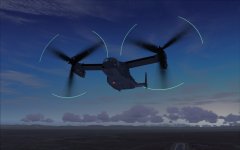
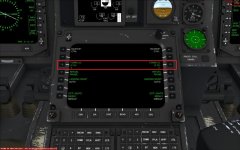
P3D doesn't use thumbnails.Some of the Repaints here have thumbnails and some don't. I wonder if P3D requires them? How can a thumbnail be made for P3D V3?
http://www.sim-outhouse.com/sohforums/local_links.php?linkid=23053&catid=213
gray eagle
SOH-CM-2026
P3D doesn't use thumbnails.
Then why can I see a preview of a texture that doesn't have one? Where is the preview coming from for each texture?
Great video !!
It's zoomed back max at .030 and can't zoom out any further. My max zoom out is at 0.30
Did you really change the aircraft.cfg with the new camera def's and reloaded the flight ?? Because it looks exactly like the picture you posted before
What you see in P3D instead of a preview thumbnail is the rotating actual model (textured of course).Then why can I see a preview of a texture that doesn't have one? Where is the preview coming from for each texture?
Josh/Heater
Members +
Some of the Repaints here have thumbnails and some don't. I wonder if P3D requires them? How can a thumbnail be made for P3D V3?
http://www.sim-outhouse.com/sohforums/local_links.php?linkid=23053&catid=213
I believe thats the old texture package, i uploaded the version 2 to Simviation. The new texture package i uploaded has custom thumbnails. See below:
https://simviation.com/1/search?sub...Pack+v2.0+For+Maryadi's+MV-22B+Osprey&x=0&y=0
gray eagle
SOH-CM-2026
I believe thats the old texture package, i uploaded the version 2 to Simviation. The new texture package i uploaded has custom thumbnails. See below:
https://simviation.com/1/search?sub...Pack+v2.0+For+Maryadi's+MV-22B+Osprey&x=0&y=0
I'm downloading them now thanks. Some the textures in V1 would not load in P3D - CTD - I modified the title by
title=MV-22B VMM-262 | 44 Flying Tigers >>> original title
title=MV-22B VMM-262 Flying Tigers hi Res >>>> Renamed title
Had to do this on all of them - as they were they would not load in P3D V3 (only preview shows)
somehow by changing the title name P3D would load them into full flying mode.
Josh/Heater
Members +
Had to do this on all of them - as they were they would not load in P3D V3 (only preview shows)
somehow by changing the title name P3D would load them into full flying mode.
Hmmm that is really strange. Try reinstalling with the textures your downloading now, and let me know if this still happens with the original sim Title
gray eagle
SOH-CM-2026
Hmmm that is really strange. Try reinstalling with the textures your downloading now, and let me know if this still happens with the original sim Title
Hi,
Correction:
The V2 textures will NOT load. Had to resort to renaming the titles like in V1
title=MV-22B VMM-262 Flying TIgers hi Res
title=MV-22B VMM-262 Flying Tigers low res
Preview is okay
I think that title=MV-22B VMM-262 >>> from here on caused issues with the texture to fully load in P3D | 44 Flying Tigers
Wiil have to rename the other like I had them in V1.
Your VIP loads oKay.
Thanks for the help.Slowly, but surely, I am learning where all the bells and switches are. This is one nice and cleverly put together addon
A bit of a challenge and sometimes overwhelming, but as I learn how to operate it, I like it more and more.
obviously this aircraft controlled by 2-3 person, pilot, copilot and engineer/commander, that why some button separate away, honestly all model placement is just like the reference on real manual (obsolete) I have.
gray eagle
SOH-CM-2026
I believe thats the old texture package, i uploaded the version 2 to Simviation. The new texture package i uploaded has custom thumbnails. See below:
https://simviation.com/1/search?sub...Pack+v2.0+For+Maryadi's+MV-22B+Osprey&x=0&y=0
Any appreciable difference between version 1 and 2 of your repaints? Except for the VIP bird, I see no difference(s).
Are the textures (repaints) the same as in V 1?
Thanks
Josh/Heater
Members +
Any appreciable difference between version 1 and 2 of your repaints? Except for the VIP bird, I see no difference(s).
Are the textures (repaints) the same as in V 1?
Thanks
Yes, but nothing too major. This is the changelog copied from V2 textures:
*NEW in V2*
\Added brand new HMX-1 VIP transport texture
\Added custom thumbnails for all aircraft
\Changed descriptions of some aircraft in "details" menu
\Removed duplicate [General] section in aircraft.cfg
\Removed duplicate texture "dragons". Now should just be "vmm_265" texture
folder. If "texture.dragons" is still there, I recommend to delete that folder (not required).
gray eagle
SOH-CM-2026
Yes, but nothing too major. This is the changelog copied from V2 textures:
*NEW in V2*
\Added brand new HMX-1 VIP transport texture
\Added custom thumbnails for all aircraft
\Changed descriptions of some aircraft in "details" menu
\Removed duplicate [General] section in aircraft.cfg
\Removed duplicate texture "dragons". Now should just be "vmm_265" texture
folder. If "texture.dragons" is still there, I recommend to delete that folder (not required).
Okay, I deleted the dragons testure
what I have now for VMM 265
high and low res versions
title=MV-22B VMM-268 Red Dragons Low Res

title=MV-22B VMM-268 Red Dragons Hi Res
Is the EP on the tail backwards? The EP on tail of low res looks OK.

Were you the author of the "dragon" texture with MV22 V2 release?
gray eagle
SOH-CM-2026
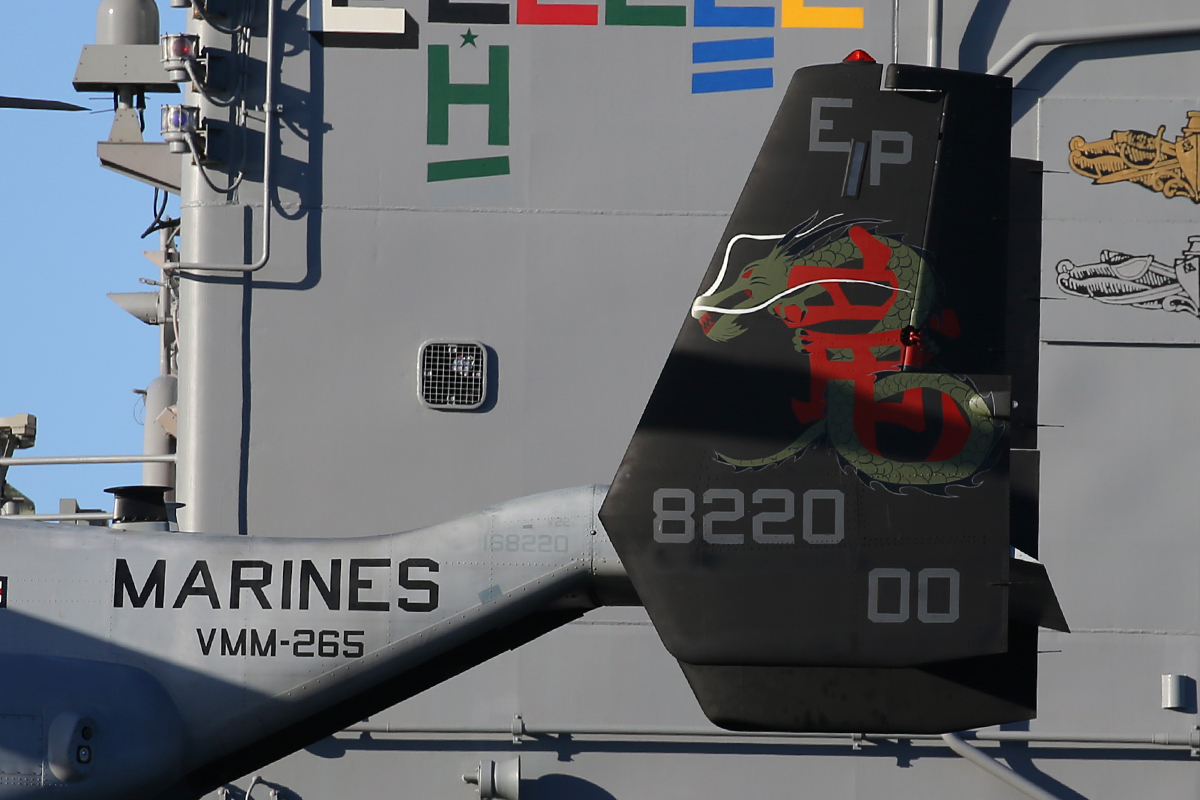
VMM 265 tail letters backwards
Based on research of real VMM 265 dragons VM22 It looks like on the port side of the tail your EP is backwards
unlike picture of real aircraft. Just thought you'd like to know.
Real deal
Your paint of same aircraft

Based on research of real VMM 265 dragons VM22 It looks like on the port side of the tail your EP is backwards
unlike picture of real aircraft. Just thought you'd like to know.
Real deal
Your paint of same aircraft
gray eagle
SOH-CM-2026
Did you really change the aircraft.cfg with the new camera def's and reloaded the flight ?? Because it looks exactly like the picture you posted before

I did use your coordinates and as you can see the results. Yes, I did reload the plane. I tried to change the zoom value and different values in the InitialPbh section.
I tried you solution:
Solution:
You can make a small change in the aircraft.cfg to solve that.
Find line
InitialPbh=-40.0, 0, 0
in section
[CameraDefinition.6]
And change -40.0 into -57.0.
Which will pitch up the camera view a bit more, so you'll see the switches.
About all I can do (for now) is pan north using Shift + Enter : moves the view up so I can see those switches.