• There seems to be an uptick in Political comments in recent months. Those of us who are long time members of the site know that Political and Religious content has been banned for years. Nothing has changed. Please leave all political and religious comments out of the forums.

    If you recently joined the forums you were not presented with this restriction in the terms of service. This was due to a conversion error when we went from vBulletin to Xenforo. We have updated our terms of service to reflect these corrections.

    Please note any post refering to a politician will be considered political even if it is intended to be humor. Our experience is these topics have a way of dividing the forums and causing deep resentment among members. It is a poison to the community. We appreciate compliance with the rules.

    The Staff of SOH

  • Please see the most recent updates in the "Where did the .com name go?" thread. Posts number 16 and 17.

    Post 16 Update

    Post 17 Warning

A2A Spitfire out!

An update from the Bf109 would be more in my alley ;)

Cheers,
Huub

Hurricane or 109 would be cool, but imagine trying to keep 4 Merlins under control on an acusimmed Lancaster :)

I'm going to give the paintkit a try tonight. Having read Geoffrey Wellums First Light a few months ago I've been wanting to get his Mk1a into FSX for a while. It's the current BBMF spit colours I believe and he grew up just down the road from where I used to live in London.
 
I'm looking for RAF fonts
As for the SimmerPaintShop site available is that do not see the Photoshop
Any idea?
 
The Fonts directory is under Windows.

However the correct way to install Fonts to Windows is to extract the ".ttf" file to an appropriate place, then go to Control Panel - Fonts.

Once that is open, select "File", then "Install New Font" - browse to the .ttf file you extracted, select it and continue, to install the font.

Obviously, this is in the English language version of Windows so folder names and selections will vary in other languages.

Hope that helps?

Ian P.
 
Yes, I always installed the fonts,
but the RAF pack does not appear!
I do not know what blocks
This mystery!

Regards,

Zsolt
 
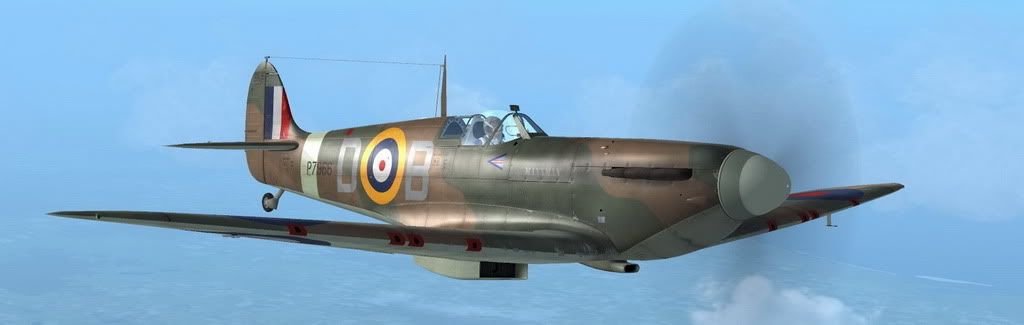
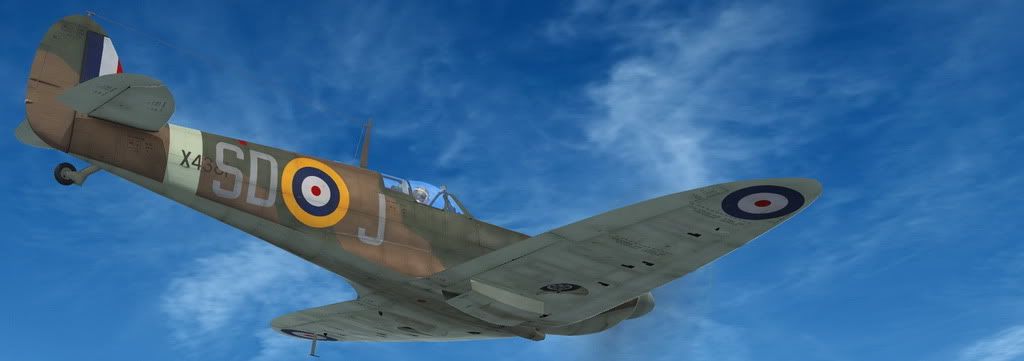
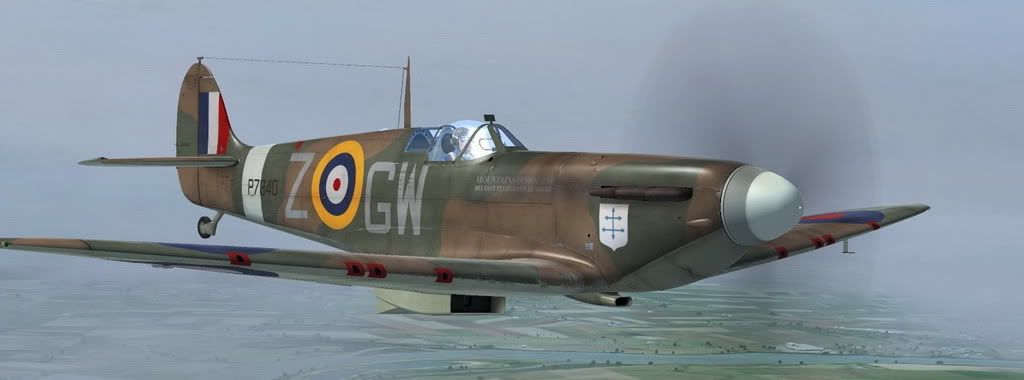
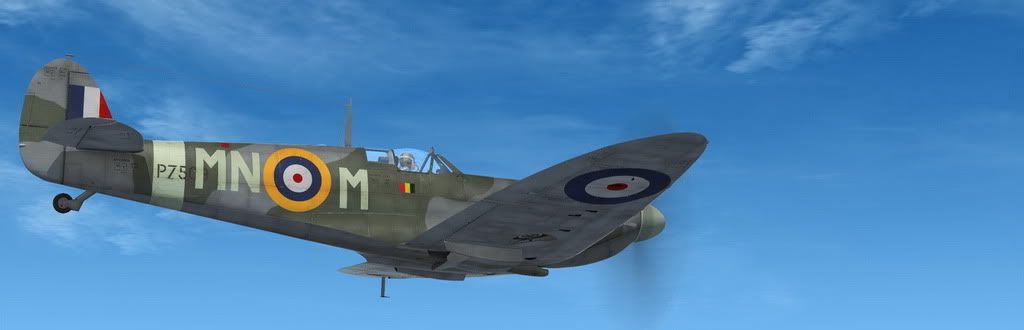
I have a few more paints available for you guys:

P7966 D-B "Manxman", Douglas Bader's Mk.II:

FX9549.jpg


X4381 SD-J of No.501 Sqn.

FX9523.jpg


P7840 GW-Z "Mountains o'Mourne" of No.340 (French) Squadron (GC/IV/2 'Ile de France')

FX9546.jpg


and P7509 MN-N of No.350 (Belgian) Sqn.

FX9526-1.jpg


I hope you'll enjoy them, and if you do, post the odd screenshot here and there?
 
I got told off over at A2A for using the wrong colour on the identity lettering. All I can say is that it matched more sources we found than any other one did.

However, as Jan Kees gave me the RGB for the correct lettering colour, I've re-uploaded the file with medium sea grey lettering.

x4036sm.jpg


There's a new link as well, because in spite of the fact that I uploaded using exactly the same filename before, the site insisted on reporting File Not Found. So I've changed a - to an _ and now it works.

http://www.ianpsdarkcorner.co.uk/repaints/A2A_WoP3_Spitfire_Ia_X4036.zip

Edit: The original link now works as well. I have no idea why it didn't before and, TBH, don't care!!!!

Ian P.
 
I'm trying to do a repaint of Geoffrey Wellums Spit QJ-K, but I'm having trouble finding an RAF font with the correct 'K' and 'Q'. What font are you guys using and where can it be found? The RAF fonts on simmerspaintshop don't seem to be right.

View attachment 30108
 
I'm trying to do a repaint of Geoffrey Wellums Spit QJ-K, but I'm having trouble finding an RAF font with the correct 'K' and 'Q'. What font are you guys using and where can it be found? The RAF fonts on simmerspaintshop don't seem to be right.

View attachment 30108

Sometims you have do create your own letters. The Q for example is just an O with a stroke through it, and the K is just 3 thick lines :)
 
ok i found a bug i think

its been drving me nuts why i can get the spinner to show colour other than black

i did a reinstall, then i noticed

it doest matter what model/ stock repaint i select it reverts to the 2 blade version

i tried it again in slew mode, while in slew the 2 blades would show after selecting

then i turn slew off it changes to the 2 blade version, once again this is for all 4 paints after a reinstall

WTF?


any ideas
 
Sometims you have do create your own letters. The Q for example is just an O with a stroke through it, and the K is just 3 thick lines :)

Thanks, I thought that might be the case, but wanted to ask if there was an easy route :)
 
A2A Mk.V confirmed!

Cool! Lewis from A2A just confirmed an A2A Spitfire Mk.V!!!!

"I can confirm a Spitfire MkV with a Merlin45 is being built. Our current thinking is that this will be released as a product extension to the MkI/II. At the same time the P-51 is being developed and not being delayed by the new Spitfire Mk"
 
Elevator trim

Kind of off topic....has anyone had the problem of their elevator trim wheels not working ...I have the Saitek X45 that has two rotary wheels that I use for rudder and elevator trim...on this aircraft it has no effect whatsoever...I have had to apply trim to other key inputs...which isn't nearly as precise or fun...So was just wondering if anyone has a solution for this little hiccup in an other wise fantastic, fun, sim aircraft. Now on to serious topics...KEEP THOSE TEXTURES COMING!! there I've had my two cents worth.... Greatly appreciate all the new textures...what excellent eye candy when you can view exterior. Great work A2A Looking forward to the other news from above threads i.e. the MKV etc. Any help on the trim wheels lack of function would also be greatly appreciated.


Ol'Jarhead:wavey:
 
Back
Top