

The GSW Shorelines collection of shorelines for CFS2 are a set of vtp BGLs that cover the earth with new beaches, corresponding to the Global Surface Water LWM water masks.
The collection is derived from Europen Commission's Joint Research Centre Global surface Water project's Transition rasters.
 global-surface-water.appspot.com
The cleaning the ocean areas are derived from OSM ocean data.
The files were produced using Jim Keir's Slartibartfast, and Sander de Cocq's CFSAutoCoast v.3
Issues:
The default beaches will need to be removed or excluded to hide them from view.
Some land areas will need landclass adjustments to insure their display.
These BGLs will shorelines to the LWM watermasks of the Global Surface Water set.
Some Missions and GSL object placements may be affected.
Recommendations:
The 4 downloads labelled A to D contain a total of 8 parts due to their size. It is a multipart zip, requiring the download of all 8 files.
Extract these files into a single folder then, using 7-zip, unzip zip.001 and all the others in the series will automatically unzip.
I place all the GSWCFS2*.bgls in a single directory named "GSW Shorelines", inside a nested "scenery" folder.
I place "GSW Shorelines" above the FS2000_prop entry in the Scenery Library ... that would be after FS2000_prop in the Scenery.CFG file
If older land water sets are after FS2000_prop in the Scenery.CFG file, they will have priority, and by simply deactivating the "GSW Shorelines" Scenery Library entry, you'll restore older missions and GSL to their older usage. Some GSL and Missions will not be affected as placement problems will only be near shorelines.
"rhumbaflappy"
Richard Ludowise
May 1, 2019
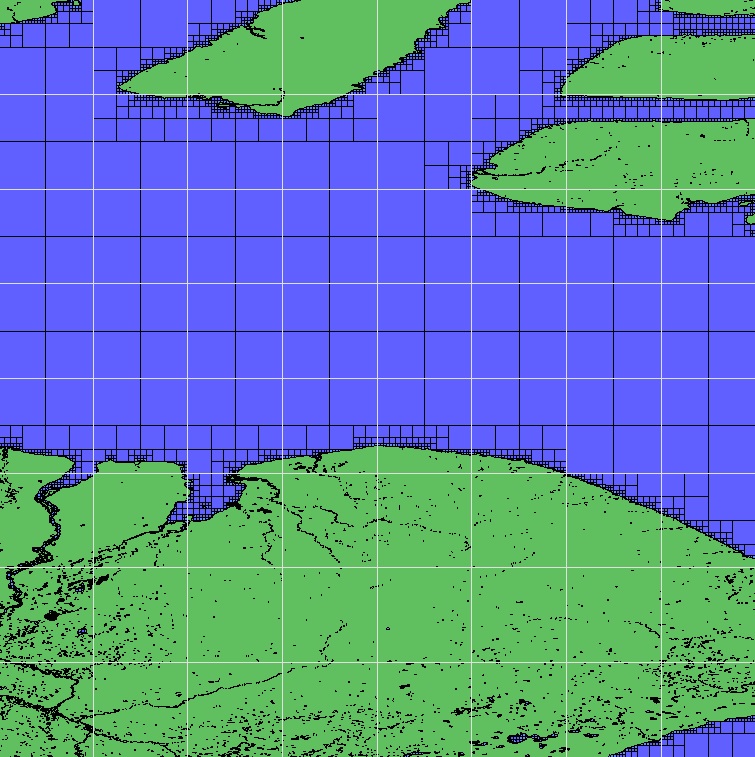
The collection is derived from Europen Commission's Joint Research Centre Global surface Water project's Transition rasters.
Global Surface Water - Data Access
global-surface-water.appspot.com
The cleaning the ocean areas are derived from OSM ocean data.
The files were produced using Jim Keir's Slartibartfast, and Sander de Cocq's CFSAutoCoast v.3
Issues:
The default beaches will need to be removed or excluded to hide them from view.
Some land areas will need landclass adjustments to insure their display.
These BGLs will shorelines to the LWM watermasks of the Global Surface Water set.
Some Missions and GSL object placements may be affected.
Recommendations:
The 4 downloads labelled A to D contain a total of 8 parts due to their size. It is a multipart zip, requiring the download of all 8 files.
Extract these files into a single folder then, using 7-zip, unzip zip.001 and all the others in the series will automatically unzip.
I place all the GSWCFS2*.bgls in a single directory named "GSW Shorelines", inside a nested "scenery" folder.
I place "GSW Shorelines" above the FS2000_prop entry in the Scenery Library ... that would be after FS2000_prop in the Scenery.CFG file
If older land water sets are after FS2000_prop in the Scenery.CFG file, they will have priority, and by simply deactivating the "GSW Shorelines" Scenery Library entry, you'll restore older missions and GSL to their older usage. Some GSL and Missions will not be affected as placement problems will only be near shorelines.
"rhumbaflappy"
Richard Ludowise
May 1, 2019


