
-
There seems to be an uptick in Political comments in recent months. Those of us who are long time members of the site know that Political and Religious content has been banned for years. Nothing has changed. Please leave all political and religious comments out of the forums.
If you recently joined the forums you were not presented with this restriction in the terms of service. This was due to a conversion error when we went from vBulletin to Xenforo. We have updated our terms of service to reflect these corrections.
Please note any post refering to a politician will be considered political even if it is intended to be humor. Our experience is these topics have a way of dividing the forums and causing deep resentment among members. It is a poison to the community. We appreciate compliance with the rules.
The Staff of SOH
-
Please see the most recent updates in the "Where did the .com name go?" thread. Posts number 16 and 17.
You are using an out of date browser. It may not display this or other websites correctly.
You should upgrade or use an alternative browser.
You should upgrade or use an alternative browser.
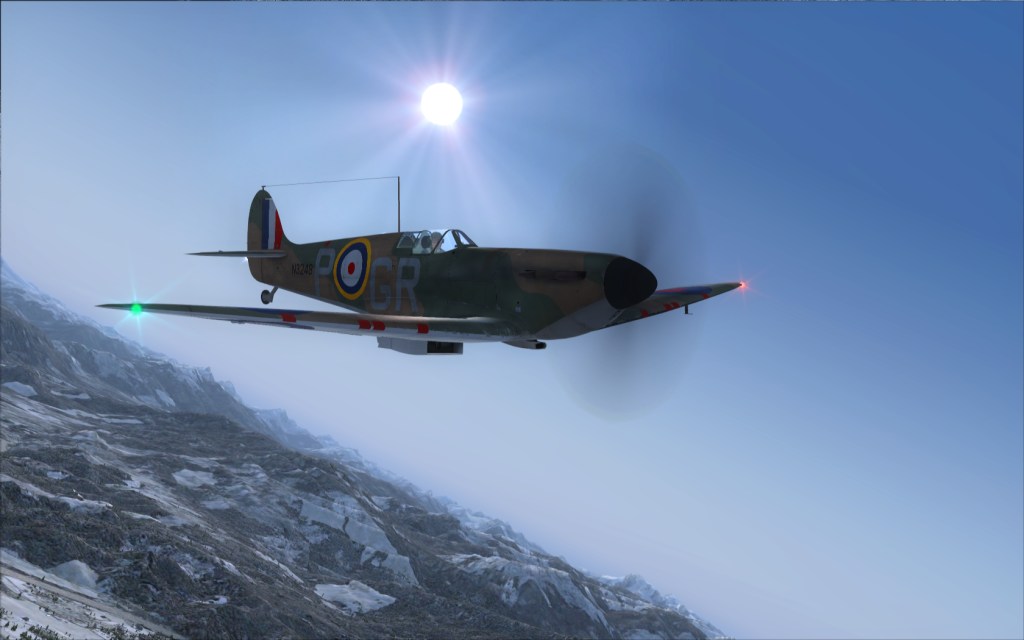
A2A Spitfire out!
- Thread starter shackleton_boy
- Start date


Bomber_12th
SOH-CM-2025
Thank you for starting a new thread, Henk!
shackleton_boy
Charter Member
hahahaha - i just had this feeling.... i logged onto the A2A website and there she was! 

shackleton_boy
Charter Member
I have already blown up one engine 

Cirrus N210MS
Charter Member
cant Wait to try It :salute:
Roadburner440
Charter Member 2010
I have already blown up one engine
On purpose or for fun? For me usually the first one is for fun just to see what the extreme limit is. Then usually the next few go while trying to figure out how it works.
res non verba
Charter Member
definitely a must have!!!
:ernae:
:ernae:
Bomber_12th
SOH-CM-2025
Still trying to sort out a CTD/error message on my end, lol. Have never experienced that before - right after selecting a variant and entering back into the menu screen, a CTD message appears before the aircraft's textures load.
Bomber,
Did you run the DirectX installer at the end of the Wings of POWER install? If not, you can get it here:
http://www.microsoft.com/downloads/...38-db71-4c1b-bc6a-9b6652cd92a3&displaylang=en
Scott.
Did you run the DirectX installer at the end of the Wings of POWER install? If not, you can get it here:
http://www.microsoft.com/downloads/...38-db71-4c1b-bc6a-9b6652cd92a3&displaylang=en
Scott.
Bomber_12th
SOH-CM-2025
Hi Scott, I did indeed install DirectX as the installer has you do. This CTD also is happening both with the base product alone, as well as the base product with Accusim installed. I thought it may just be that my graphics card isn't up to par, but even resizing the main texture sheet did not change anything. I may try and re-install DirectX, and if need be, re-install FSX.


A serious problem ordering. I've gone in and out of A2A's site trying to reduce the number of orders for the spitfire. Each time going in my order is increased and the method suggested to reduce the items to download does not work. The instruction to change the number of orders is to highlight the number, change it and press a button to accept the change. When I key the change on the highlighted number, nothing happens. My order is in excess of $280 now. Rats. Hope for an early fix else I won't submit an order.