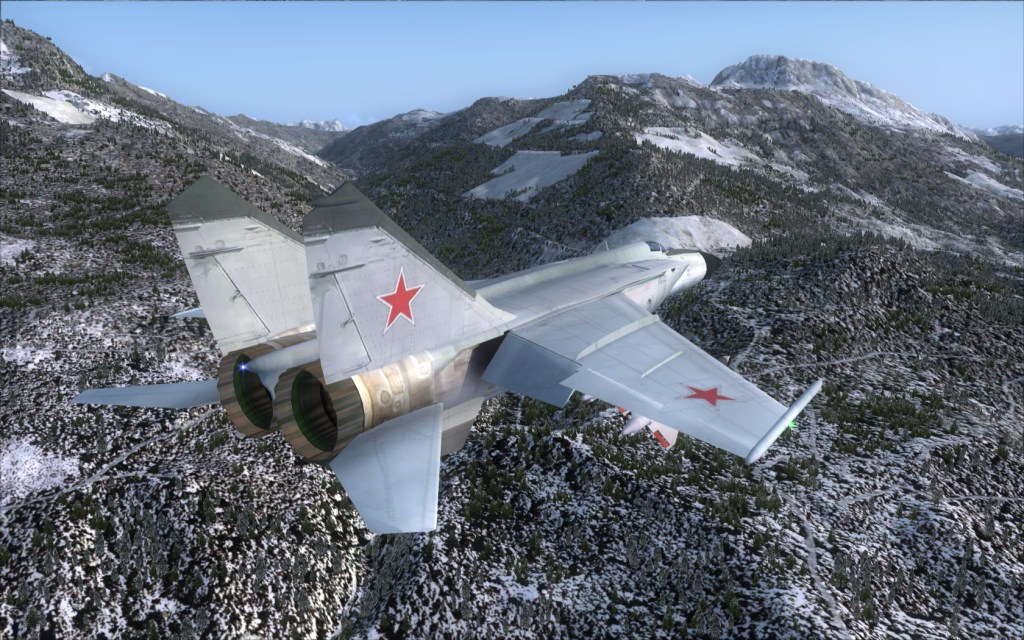
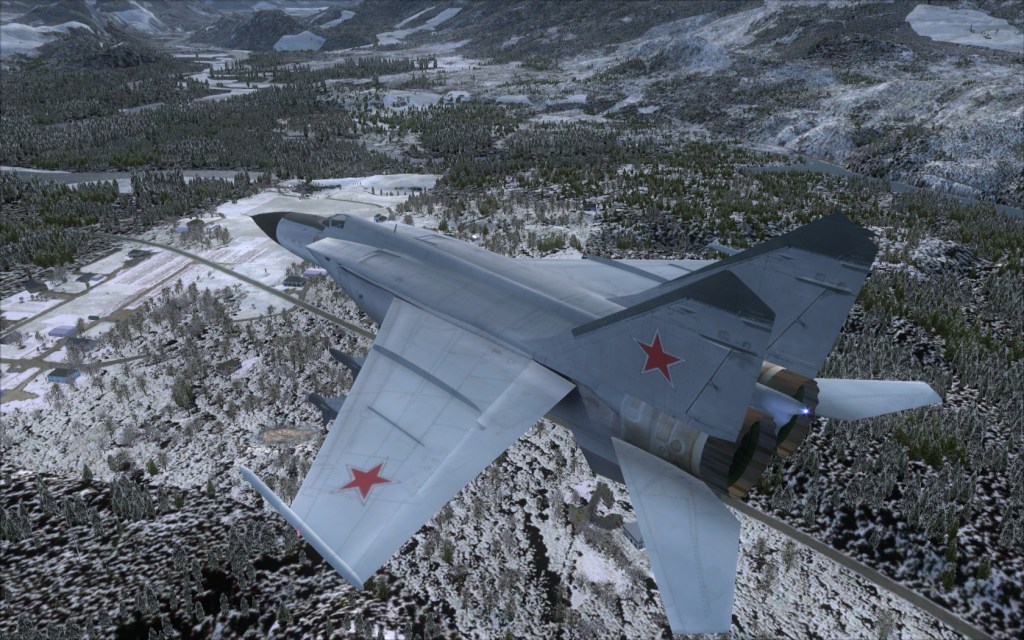
I am doing some paint work for the FS9 Alpha Mig-25. All of the add-on skins I have found show the plane in overall gray....gray, gray, gray. Boring gray. While this may be accurate and correct....I have grown tired of flying one gray Mig-25 after another. So, I created a new layered paint kit in 2048 by 2048 so I could have crisper panel lines when reduced back to 1024 by 1024. Knowing that FSX will support 2048 by 2048 size texture sheets, I will gladly work with an FSX user of the Mig-25 to place into the community's hands some 2048 by 2048 sized versions of my paints. They will NOT be gray....and they will NOT be accurate depictions of actual planes. They will be colorful camo patterns in what ever fashion my mind comes up with. I have the stock camo skin redone to remove the over sized panel lines, a two-tone bluish camo with Georgia markings, a Russian winter scheme based on the pattern of the stock camo scheme. Working on a Syrian two-tone desert camo scheme.
I use Martin Wright's DXTbmp to save my raw bmps in 32-bit 888-8 format...but I don't believe that the program will support 2048 by 2048 size textures. May be wrong as I have never tried it.
If someone wants to be the FSX side of this endeavor and can take raw bmps and format them to work in FSX....give me a holler and I will shoot you a package of the raw bmps once I have a collection of paints done.
OBIO
Here's a couple screenshots of two of the paints I have done so far.
View attachment 53417View attachment 53418View attachment 53419View attachment 53420
Also, if anyone would like a copy of my paint kit to use to create new paints...just ask. The paint kit is in Photoshop format and is not a super detailed, professional level kit....just the panel lines, some grime, some dirt, some overall weathering, has a set of UV maps showing where all the parts are mapped to. Just covers the two textures used to do the fuselage, wings and tail.
I use Martin Wright's DXTbmp to save my raw bmps in 32-bit 888-8 format...but I don't believe that the program will support 2048 by 2048 size textures. May be wrong as I have never tried it.
If someone wants to be the FSX side of this endeavor and can take raw bmps and format them to work in FSX....give me a holler and I will shoot you a package of the raw bmps once I have a collection of paints done.
OBIO
Here's a couple screenshots of two of the paints I have done so far.
View attachment 53417View attachment 53418View attachment 53419View attachment 53420
Also, if anyone would like a copy of my paint kit to use to create new paints...just ask. The paint kit is in Photoshop format and is not a super detailed, professional level kit....just the panel lines, some grime, some dirt, some overall weathering, has a set of UV maps showing where all the parts are mapped to. Just covers the two textures used to do the fuselage, wings and tail.

 so I keep it in FS9 where it looks so much better.