Anyone here use PTA (P3D Tweak Assistant)?

Navy Chief

Senior Member
I bought this a while back. Had forgotten about it, as I'd bought a new gaming rig, and never reinstalled the application. It is a cool way to modify the textures in P3D.

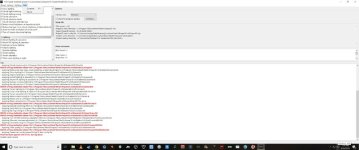
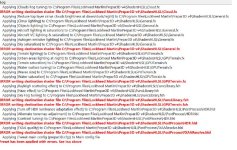
But I have errors, upon attempting to apply the "preset" textures selected.

If anyone can offer advice on why the errors are happening, and how to fix, I would appreciate it. Thanks. NC

attachment.php
 

Attachments

  • pta.jpg
    pta.jpg
    36.5 KB · Views: 0
  • pta.jpg
    pta.jpg
    146.4 KB · Views: 0
I use it. Did you do backup of P3Dv4 firstly?
Second, are You using current profile for the latest version of PTA?
 
I use it. Did you do backup of P3Dv4 firstly?
Second, are You using current profile for the latest version of PTA?

I "thought" I had done a backup of P3Dv4. Yes, am using latest profile for PTA. Now then, IF my backup wasn't done, is it possible to fix it without a total uninstall/reinstall?

NC
 
I also think a simple uninstall+reinstall of the CLIENT part of P3D should be enough to solve your problem.
You'll probably have, as an additional cleaning step, to delete the generated shaders in the c:\users\xxxxx\appdata\local\lockeed martin\Prepar3Dv4\shaders.
Expect a black screen on subsequent sim start. Just wait without touching anything. Could take up to 30 seconds or more, but scenery WILL appear.
 
Well, I went through the process of uninstalling the client; then reinstallng it. Was able to install textures from PTA preset. Looked ok. Decided to try another preset, but installed with same type of errors as my original post. I spent about three hours going through the same process, again and again, but was never able to successfully install textures with PTA again.

Way too frustrating, so I threw in the towel. Just not worth the hours of tediousness!

I will stick with FlyInside for now. NC
 
Have downloaded the correct version of PTA corresponding to your P3D version ?

You must also take care to use presets for the same release...

GƩrard
 
Back
Top