
• There seems to be an uptick in Political comments in recent months. Those of us who are long time members of the site know that Political and Religious content has been banned for years. Nothing has changed. Please leave all political and religious comments out of the forums.

    If you recently joined the forums you were not presented with this restriction in the terms of service. This was due to a conversion error when we went from vBulletin to Xenforo. We have updated our terms of service to reflect these corrections.

    Please note any post refering to a politician will be considered political even if it is intended to be humor. Our experience is these topics have a way of dividing the forums and causing deep resentment among members. It is a poison to the community. We appreciate compliance with the rules.

    The Staff of SOH

  • Please see the most recent updates in the "Where did the .com name go?" thread. Posts number 16 and 17.

    Post 16 Update

    Post 17 Warning

Bit of help needed

noddy

SOH-CM-2025
Not played with FSX for a little while, updated Orbx via the FTX Central 2, also use DSR to 1.50 and upgraded GFX card to a GTX980 including new driver for that. I have used the DSR before with no problems, however I now cannot read the menu bar and the info on speed etc is now big, lastly the scenery takes ages to load properly? I use DX10 and Steve's fixer.
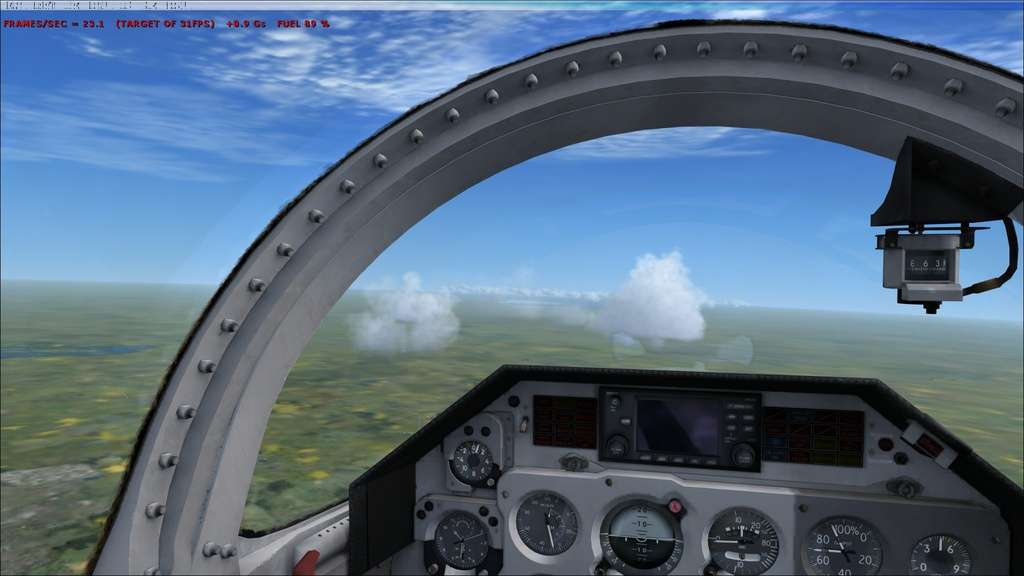
SELJud.jpg


Any help would be great.

Cheers,
Andy
 
This probably happened due to update of drivers. I would maybe help to rerun the fixer. I think there is an option for menus in DSR mode.

On another note I stopped using DSR after I found that the anializing options in Steve's fixer were good enough for me.
 
If you had any Nvidia inspector profile active for FSX, this needs to be reapplied if you have updated video drivers. Also, are you sure you have set the monitor's native resolution in FSX?
 
Darn! I remember I had that issue once but can't recall how it was solved... I'll try.
 
Back
Top