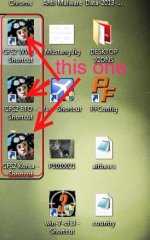
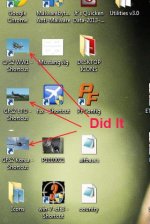
change beginning screen

Reply...

Easy Flier,

Are you taking about icons or start / splash screens?

(Two very different things...)
 
There use to be some Icons at SimV.

Once you have the pic that you want, put it in the same folder as the target location of the cfs2.exe that you want to change.

To add the new icon...
>>> Right click on the Icon you want to change
>>> Select properties
>>> Select Change Icon
>>> Select browse
>>> Find the target location of your cfs2.exe for that theater
>>> select the Icon file and hit open
>>> hit ok

You should have your new icon image.

You could easily make your own. Take a screen shot and resize it. The simpler the Image the better. If your good with pixel art you could do custom images.

Good luck with it.

Till Later,
John
 
A little more info...

Excellent.

Here are some tips I looked up:

It is best to keep them square. It is suggest that you use 32x32 gif images. I'm using 128x128 without any trouble. If you have PSP you can take the images and resize them. Also if you have DXTbmp you can save it as an extended bmp 256 color and it will resize to the closest square size.

If you want to make it a real icon open it in MSpaint. Choose Save as and add .ico to the end of the name. It will then make it an ICON file

I would make them in 32x32, 64x64, 128x128, and maybe 256x256 but no bigger. Then see which looks best to you.
 
Back
Top