Navy Chief
Senior Member
I have my Saitek X52 throttle and joystick, plus rudders recognized, but getting them to work in the sim, i.e. assign functions? Headache city. I have no clue. NC

Please see the most recent updates in the "Where did the .com name go?" thread. Posts number 16 and 17.
Just when you think you have everything running some what better...
You get a message from the Hosting company. Short story they need to move us to a new server. I have been working with them to plan a good date for all concerned. Here is what we have come up with as a schedule.
If all goes well we should be back online on November 8th.
To keep you updated we will post updates on AVSIM forums.
Thank you for your support.

I have my Saitek X52 throttle and joystick, plus rudders recognized, but getting them to work in the sim, i.e. assign functions? Headache city. I have no clue. NC


Navy Chief,
Download the Logitech G940 driver from http://bit.ly/G940driver (that's a shortcut to Logitech's site).
I've used the G940 with the sim. With the stock built-in Windows driver it appears as one device to the sim with a zillion axes and buttons. With the driver installed (be sure to reboot after installing), it properly shows as separate stick, pedals, and throttle. I was able to program it in the beta with that driver installed.
Glad you got it going!Thanks Denny. Got it working. Now trying to get the force feedback working. NC


I have a CH Products throttle quadrant. The sim can see it, and names it correctly, but apparently doesn't know what it is. There is a big question mark in the place where the image of the controller would go. And, of course, I can't assign anything to it. It works find in P3D and FSX.

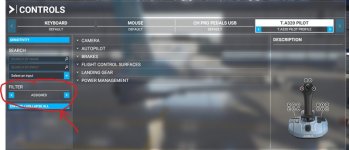
I forgot to mention, the Sim seems to assign numbers to various buttons on the sticks and keys. That's what you're seeing on that screen shot. I am using a Thrustmaster Warthog which actually comes with a profile pre-binding many functions.