CPULoad v3.0.1.2 DeskBand Toolbar

swagler

Members +
CPULoad v3.0.1.2 DeskBand Toolbar
https://drive.google.com/file/d/1MEqky7cMBJpZCTAC_sNZEWOzKGVQE9Sj/view?usp=sharing

Platform: Windows 7 x64.
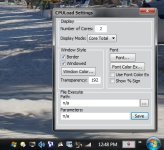
DeskBand toolbar for taskbar that displays current CPU usage for multiple processors.
Configurable window style and font. Double-click file execute or default process Idle Task.

Would appreciate any feedback from Windows 10 x64 users.
There's been rumors forever Microsoft was going to abandon support for DeskBand Toolbars.

attachment.php
 
Last edited:
All CPU Meter

I've been using this one for many years.... WORKS GREAT !!


All CPU Meter v4.7.3
http://addgadgets.com/

For Win7, 8, 8.1 (x86 & x64)

- Win8-8.1 requires addnl. download (available on site) to run gadgets

Win10 - unknown?

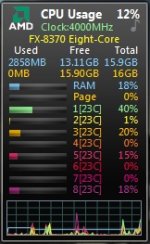
This gadget shows your processor usage (up to 2 processors, 16 cores, and 32 threads), RAM usage, CPU frequency, Page-file usage and processor name (Intel or AMD).
It also includes sound alerts for CPU overheat as well as fly-out features that display additional information about your processor, operating system, baseboard, bios, and computer system.

attachment.php


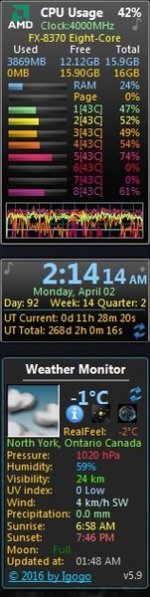
Display CPU core temperature using "Core Temp" in "All CPU Meter"

http://www.alcpu.com/CoreTemp/

x86 & x64 versions
Displays temp beside each core
Celsius or Fahrenheit


- MANY other useful gadgets on "Add Gadget" site

attachment.php


Attachments

  • CPU meter.jpg
    CPU meter.jpg
    25 KB · Views: 1
  • CPU meter 2.jpg
    CPU meter 2.jpg
    34 KB · Views: 1
Last edited:
Dirtman- I wrote CPULoad, I'm not linking a program by others. Core Temp looks neat. CPULoad is only 260kb, resides in the system tray, double-clicking processes idle tasks or fires program of your choice.
 
NT System Tools 4.0 Package

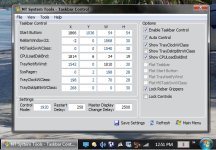
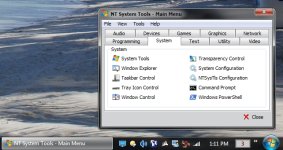
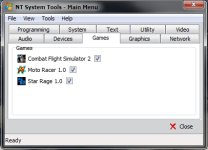
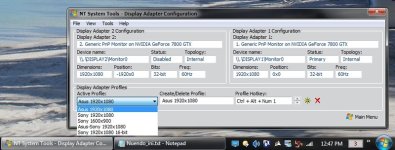
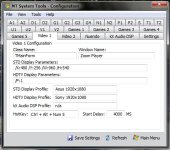
I'm posting a program I've worked on since 2004. It's intended for Windows 7 x64, Taskbar Control will not work with Windows 10 x64, but other utilities should.
Tray Icon Control should only be used for reference. Have not found a way to synchronize with Windows auto positioning. Utility was used to auto position tray icons prior to Vista.

NTSysTls.ini [Restart] HotKey=1659 default is Ctrl+Alt+F12. Disabled=0. It's one of two items that need manual ini editing to change.
The other is [TransparencyControlConfig] entries. Numbered WindowClass? and WindowName? adds windows not displayed, or removes displayed windows.

I'd be glad to answer any questions.

Download link: https://drive.google.com/file/d/1g_SZDyUaI1y7F0kABbebrluBMpdqAK9T/view?usp=sharing
 

Attachments

  • tskbrctrl_tab.jpg
    tskbrctrl_tab.jpg
    188.5 KB · Views: 0
  • system_tab.jpg
    system_tab.jpg
    169 KB · Views: 0
  • games_tab.jpg
    games_tab.jpg
    63.9 KB · Views: 0
  • dsplcfg_tab.jpg
    dsplcfg_tab.jpg
    63.1 KB · Views: 0
  • video1_tab.jpg
    video1_tab.jpg
    131.4 KB · Views: 0
The folder with no name in application folder is used by/to add a taskbar toolbar, thus only displaying chevron button as seen in post images.
 
Intel® Power Gadget

For those who have intel use this application and works in windows 10 64.
https://software.intel.com/en-us/articles/intel-power-gadget-20
 
Back
Top