Dimus
SOH-CM-2025
My Tatoi airport project is proceeding well. To wrap it up I decided to also make a repaint of my favorite 152, the SX-AKL in which I soloed (see avatar). I have the Carenado version so it was an obvious choice.
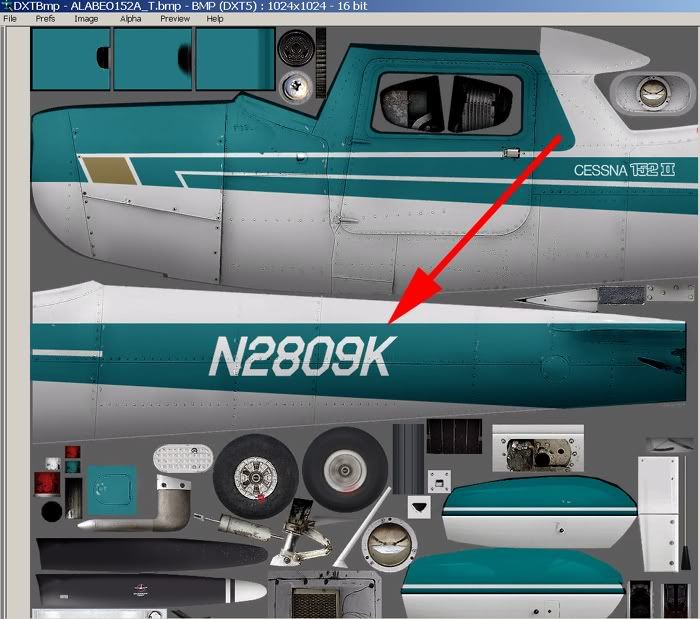
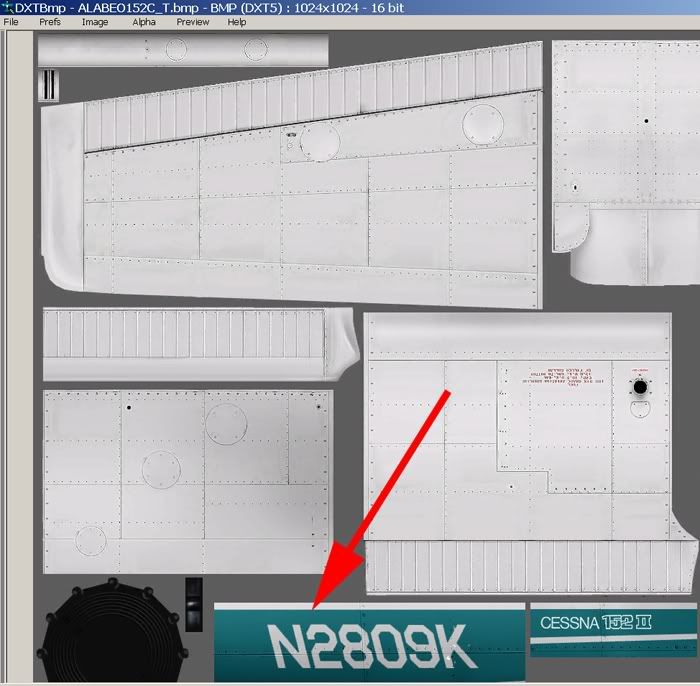
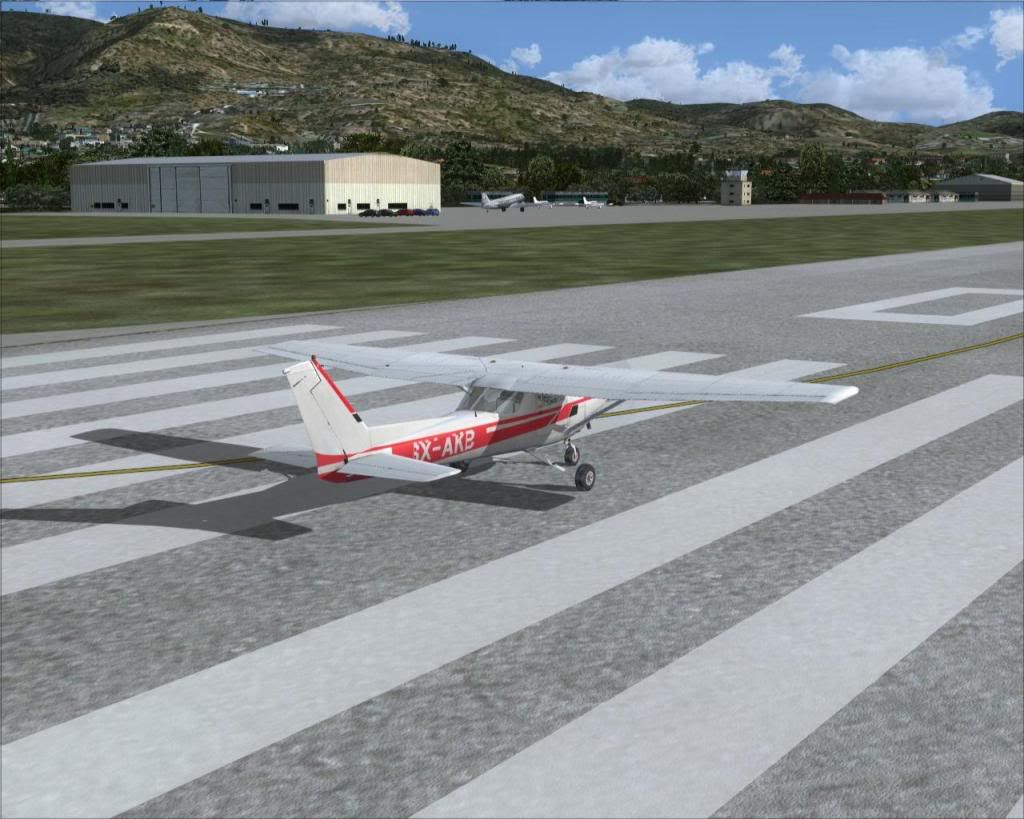
I downloaded the blank texture, converted it to 24bmp with Dxtbmp and started painting away in photoshop. After hours of work I loaded the paint and found out the hard way that I also had to reimport the alpha channel from the blank textures. I also realised that Carenado did not offer both sides of the plane but only limited space for the registration on the back fuselage. As you see in the pictures the registration of SX-KL is larger than the space reserved by Carenado. It seems that I have to unrealistically reduce its size to make it fit. Also I can not paint the aeroclub logo on the nose as it will be wrongly mirrored. The same fir the "F152II" and "REIMS/CESSNA" lettering. I prefer not to put them than have them mirrored.
My last problem is that the whole plane is shiny, including the tyres (if this can be seen in the pics). I have copied all the textures (specular, bump etc.) from the other versions supplied by Carenado into my new folder. What else is there to do?
Is there a simple how to guide out there for repainting, especially for carenado stuff? Your help would be again appreciated.
The real thing:
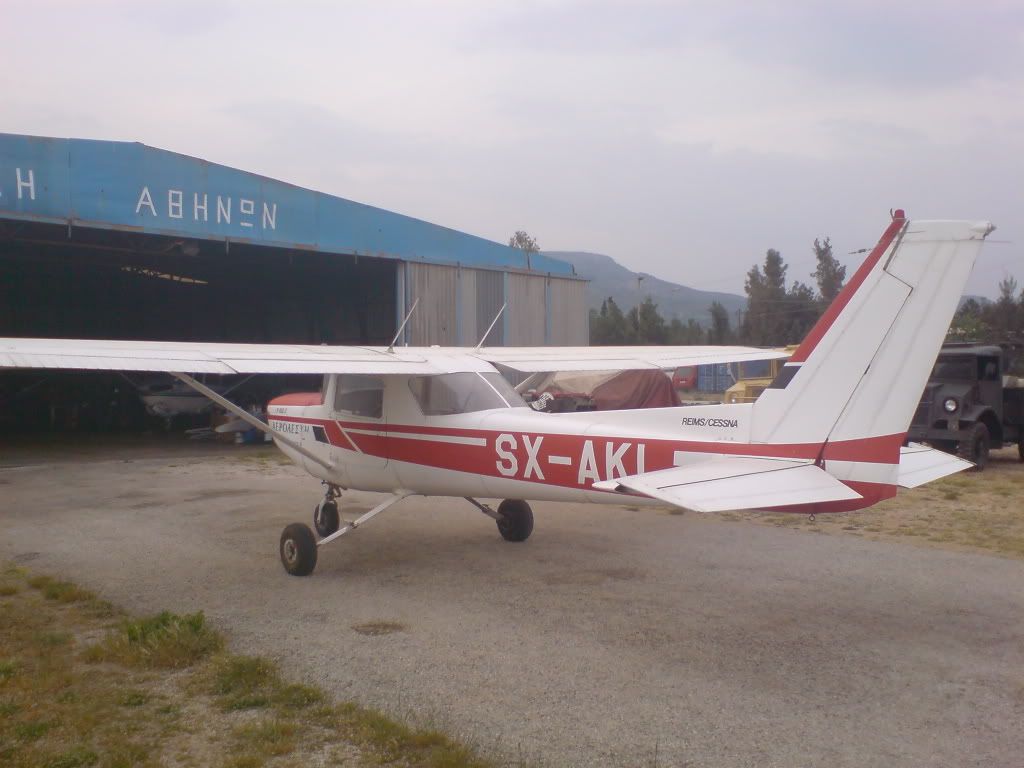
My version so far (The background is my Tatoi scenery wip):
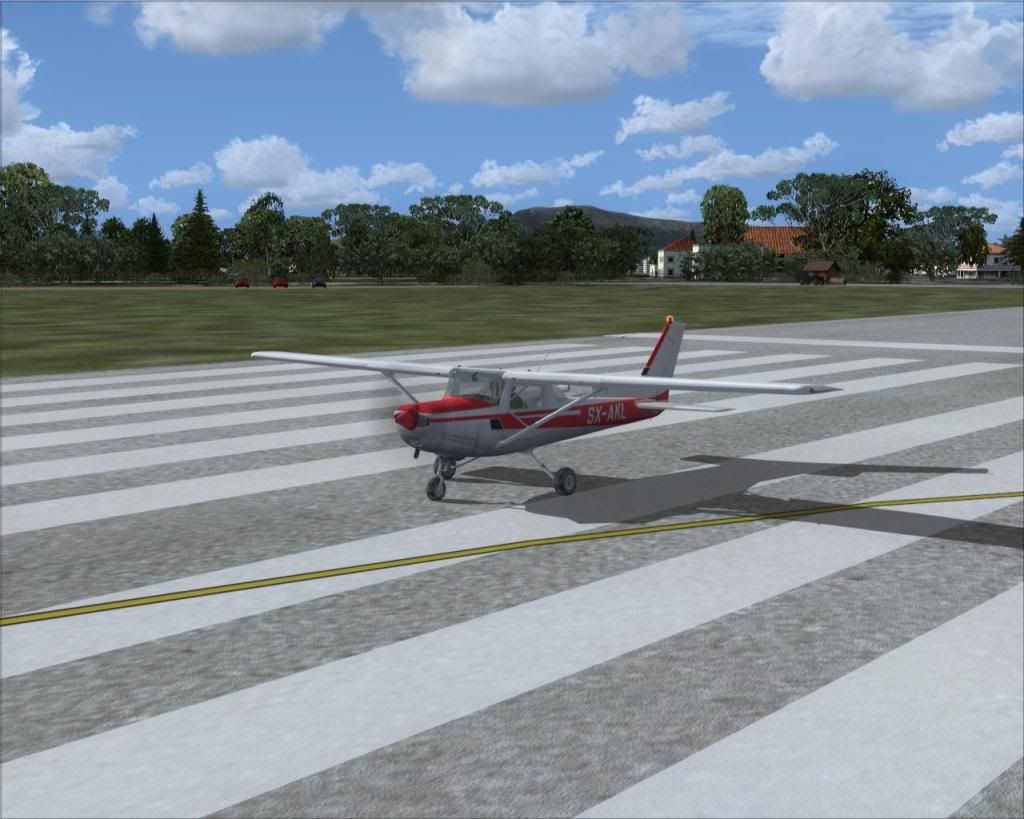
The stbd side, chack the mess in the registration:
I downloaded the blank texture, converted it to 24bmp with Dxtbmp and started painting away in photoshop. After hours of work I loaded the paint and found out the hard way that I also had to reimport the alpha channel from the blank textures. I also realised that Carenado did not offer both sides of the plane but only limited space for the registration on the back fuselage. As you see in the pictures the registration of SX-KL is larger than the space reserved by Carenado. It seems that I have to unrealistically reduce its size to make it fit. Also I can not paint the aeroclub logo on the nose as it will be wrongly mirrored. The same fir the "F152II" and "REIMS/CESSNA" lettering. I prefer not to put them than have them mirrored.
My last problem is that the whole plane is shiny, including the tyres (if this can be seen in the pics). I have copied all the textures (specular, bump etc.) from the other versions supplied by Carenado into my new folder. What else is there to do?
Is there a simple how to guide out there for repainting, especially for carenado stuff? Your help would be again appreciated.
The real thing:
My version so far (The background is my Tatoi scenery wip):
The stbd side, chack the mess in the registration: