• There seems to be an uptick in Political comments in recent months. Those of us who are long time members of the site know that Political and Religious content has been banned for years. Nothing has changed. Please leave all political and religious comments out of the forums.

    If you recently joined the forums you were not presented with this restriction in the terms of service. This was due to a conversion error when we went from vBulletin to Xenforo. We have updated our terms of service to reflect these corrections.

    Please note any post refering to a politician will be considered political even if it is intended to be humor. Our experience is these topics have a way of dividing the forums and causing deep resentment among members. It is a poison to the community. We appreciate compliance with the rules.

    The Staff of SOH

  • Please see the most recent updates in the "Where did the .com name go?" thread. Posts number 16 and 17.

    Post 16 Update

    Post 17 Warning

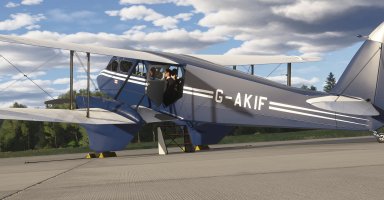
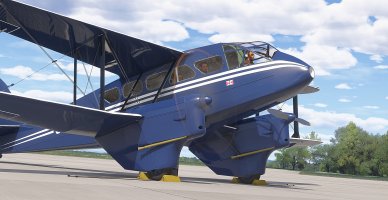
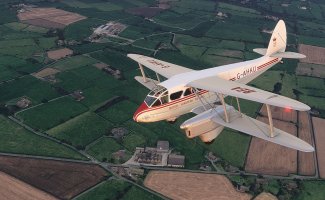
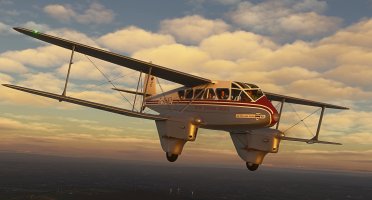
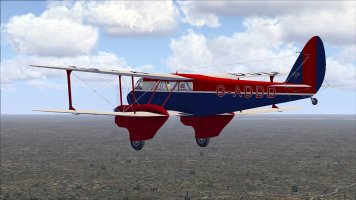
Flight Replicas DH89 Dragon Rapide released

Definitely getting this Rapide - thanks Mike.

EDIT: Or rather, I would get it if the Marketplace worked. All I get is 'Please Wait'. I've never used the FS24 Marketplace before - anybody got any tips ?

Edit #2: I had Steam Overlay enabled in Steam's general settings, but I was unaware there is another Overlay switch within each game's Properties - and that has to be switched on too. Problem solved.
 
Last edited:
I've flew in a Rapide at Duxford some years ago, and this model invokes those memories perfectly. Still getting to know her, but so far I'm very happy indeed. Just one thing - I can't switch on the autopilot, as there are no click spots. No manual as yet at Flight Replica's website, so has anyone found out how to do it ?
 
Autopilot should work with the default keys, or with hardware like the Honeycomb Bravo?
The VR issue seems to just be the default pilot position...which is easy to fix if the files are editable but may be a problem for Markeplace purchases.
Going to hold fire on this one for a while :(
 
I bought the Mentor via MP and got the choice to either download the complete package as always, or buy the 'streaming' version.... Now with the Dragon Rapide i got no choice... Proves i bought the streaming version without so much as a how do you do.... I thought maybe there's a manual within the package but there's no FR Dragon Rapide folder to find in the MSFS2024 Community folder, not surprisingly i figure, let a alone a manual.. First time for me having been stuck with such a streaming thingamabob. Not sure if i like that but if you cannot choose a normal download/installation version like was the case with the Mentor what can you do ? So i gather my precious Dragon Rapide is 'in the cloud' forever, look but don't touch ??..... ( if i would've liked to do a repaint this wouldn't be possible ?.....)

Anyway, as usual coming from Mike's Flight Replicas workshop a superb rendition of the venerable vintage DeHavilland DH.89 Dragon Rapide ! Both inside and out a joy to look at and to fly as well. The soundsuite could've been a tad better to really match the beauty of the model.

After some investigation i found a 'fs20-fr-aircraft-dh89dragonrapide' folder inside MSFS2024/Packages/StreamedPackages but that has just a content folder with some fsarchive stuff and a sound folder.... That's it. No manual neither. Maybe later, éh ?...

In any case, i am very content with this rapid dragon, i have search for a burning fire handle but could'nt find it. Obviously that'll be discussed in the manual as well.

Here's a first few screenies :

rapide1.jpg

rapide2.jpg

rapide3.jpg

rapide4.jpg

rapide5.jpg

Cheers,
Jan
 
For desktop users, the Manual is in the aircraft folder. For Xbox users or if you just can't find the Manual, drop a line to support@flight-replicas.com and you'll be sent one. The Manual not only gives you the procedures and airspeeds, etc., but also explains a few things that may not be obvious.
 
Hello Mike !

Thank you very much for this marvel ! She's a gorgeous beauty and loves to fly ! :encouragement:

Can you please show us the way to the manual ? See my comment above... ( i have the streaming version, no other way was presented when i bought it thru Steam..)

Thanks ! (y)
 
I'm with you Javis on nothing but the streamed version. I had two repaints in mind; one of a 1/72 Heller model I did and one of the Dragon Rapide used in an old Poirot episode, that I did a repaint of for the old Gave Garwood Dragon Rapide for FSX.Cazzie

rapide_2.jpg


gg_dh89_addd.jpg
 
I'm trying to find the manual, but there are so many folders, and I don't know what I'm looking for. @mike_cyul can you please make it available on the Flight Replicas website, like your other ones ?
 
@Javis
@jankees
and everyone else who has the model

I am in contact with Mike at Flight Replicas support, with a list of bugs which he can't replicate at his end. I've tried turning off all add-ons using Add On Linker, and I've installed the Rapide ( as opposed to just streaming it ), but with no luck. It might be a streaming issue that will resolve itself in a couple of days ( I've had that before), but in the meantime, do any of you have the following issues with the Rapide in MSFS2024 ?

1. There are no click spots for using the autopilot
2. The passenger visibility switch doesn't animate, or have any effect on the passenger visibility.
3. The pilot visibility click spot at the top of the panel is not there.
4. The cabin light switch works, but does not animate.
 
Back
Top