

Daube
SOH-CM-2026
FS9 planes and DirectX10: how comes some of them work perfectly ?
Hi all,
As we all know, it is more or less impossible to use planes that are in FS9 format in FSX with the DirectX10 preview option, because they will appear all white, without textures. As a consequence, I have never been using the DX10 option, because I simply have too much FS9 planes in my hangar.
However, because of recent tests with this DX10 option, I have realized that some of those FS9 planes DO WORK quite nicely nevertheless. For example, the excellent Fiat CR42 from Manuelle, as you can see below:

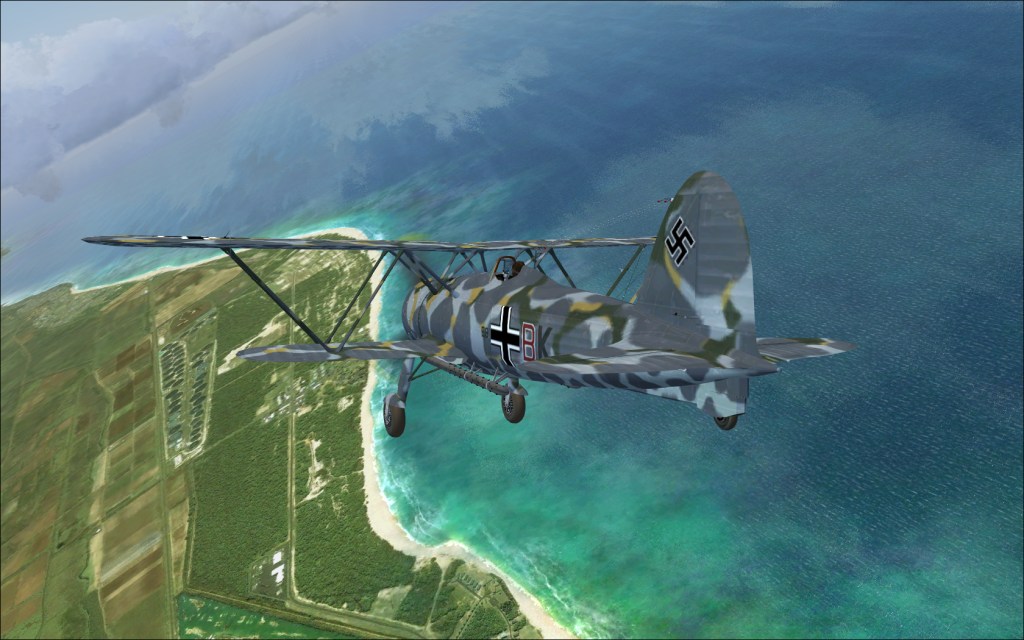
So the question is: why do these planes work normally (meaning, just like in DirectX9 mode) instead of having white textures like other FS9 planes ? Is there a simple solution that could be applied to other planes as well ?
Hi all,
As we all know, it is more or less impossible to use planes that are in FS9 format in FSX with the DirectX10 preview option, because they will appear all white, without textures. As a consequence, I have never been using the DX10 option, because I simply have too much FS9 planes in my hangar.
However, because of recent tests with this DX10 option, I have realized that some of those FS9 planes DO WORK quite nicely nevertheless. For example, the excellent Fiat CR42 from Manuelle, as you can see below:
So the question is: why do these planes work normally (meaning, just like in DirectX9 mode) instead of having white textures like other FS9 planes ? Is there a simple solution that could be applied to other planes as well ?
