• There seems to be an uptick in Political comments in recent months. Those of us who are long time members of the site know that Political and Religious content has been banned for years. Nothing has changed. Please leave all political and religious comments out of the forums.

    If you recently joined the forums you were not presented with this restriction in the terms of service. This was due to a conversion error when we went from vBulletin to Xenforo. We have updated our terms of service to reflect these corrections.

    Please note any post refering to a politician will be considered political even if it is intended to be humor. Our experience is these topics have a way of dividing the forums and causing deep resentment among members. It is a poison to the community. We appreciate compliance with the rules.

    The Staff of SOH

  • Please see the most recent updates in the "Where did the .com name go?" thread. Posts number 16 and 17.

    Post 16 Update

    Post 17 Warning

Game controller

Pat Pattle

SOH-CM-2025
Forgive me if this has been asked before but can CFS3 be used with a game controller 🎮?
I've just got a new Chromebook with which I can run cfs3 through its remote desktop function. However I want to use some sort of controller with it rather than the keyboard.

Has anyone done anything similar?

Cheers,
Clive.
 
AI Can Be Your Friend


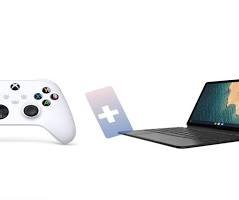
Quick Guide — How to CONNECT Xbox controller to Chromebook ...
To use a controller with CFS3 on a Chromebook, first pair your controller via Bluetooth (Settings > Bluetooth > Pair new device) or USB, then use the Chromebook's built-in Game Dashboard (for Android/Play Store games) or a specialized app/extension like Gamepad Navigator (for browser/Linux games) to map your controller's buttons to the game's keyboard/mouse controls, as CFS3 itself isn't native to Chrome OS and likely runs through Linux or a wrapper, requiring manual mapping for proper control.

Step 1: Connect Your Game Controller
  • Bluetooth (Wireless): Go to your Chromebook's Settings (gear icon) > Bluetooth, turn it on, and select "Pair new device," then put your controller in pairing mode (hold sync/share buttons).
  • USB (Wired): Simply plug a compatible controller (like an Xbox controller) into a USB port, and it should work instantly or after a quick connection.

Step 2: Run CFS3 on Your Chromebook
Since CFS3 isn't a native Chrome OS app, you're likely running it through one of these methods:
  • Linux (Crostini): If you installed Linux, you'll launch CFS3 from there.
  • Cloud Gaming/Streaming: If you're playing a streamed version.

Step 3: Map Your Controller
  • For Linux/Windows Versions: You'll need a tool to map controller inputs to keyboard/mouse commands.
    • Gamepad Navigator: A Chrome extension that lets you control your browser and potentially Linux apps with a controller.
    • Third-party tools (via Linux): (like BetterJoy for some controllers) might be needed within the Linux environment for better driver support if your controller isn't recognized.
  • For Android Versions (less likely for CFS3): Use the built-in Game Dashboard in Chrome OS to map buttons for Google Play games.

Key Tip: Gamepad Navigator
Install the Gamepad Navigator extension from the Chrome Web Store; it's designed to let you control Chromium-based browsers and potentially Linux applications with a gamepad, which is crucial for games like CFS3 that rely on keyboard/mouse inputs. You'll then configure it to send keyboard signals (like WASD for movement) when you press buttons on your controller.
 
Yes, it can but for me it was a failed experiment: the 'throw' of those ministicks etc. is so small when compared to a HOTAS with stick extension that I was all over the place. If you use the buttons, it might be comparable to flying with the arrow keys or so. I also missed my pedals (although you could perhaps assigns buttons for those too).
 
Thanks for the help!

It seems that I need USB redirection software (which I'll look into at a later date) as without it, CFS3 will not pick up controllers that are plugged into the remote Device.

I'll report back when done!

"Yes, it can but for me it was a failed experiment: the 'throw' of those ministicks etc. is so small when compared to a HOTAS with stick extension that I was all over the place. If you use the buttons, it might be comparable to flying with the arrow keys or so. I also missed my pedals (although you could perhaps assigns buttons for those too)."

Thanks Joost, I hadn't considered the throw of the little control sticks, once up and running I'll just keep using my trusty old Saitek for the time being.

Cheers,
 
Last edited:
Back
Top