• There seems to be an uptick in Political comments in recent months. Those of us who are long time members of the site know that Political and Religious content has been banned for years. Nothing has changed. Please leave all political and religious comments out of the forums.

    If you recently joined the forums you were not presented with this restriction in the terms of service. This was due to a conversion error when we went from vBulletin to Xenforo. We have updated our terms of service to reflect these corrections.

    Please note any post refering to a politician will be considered political even if it is intended to be humor. Our experience is these topics have a way of dividing the forums and causing deep resentment among members. It is a poison to the community. We appreciate compliance with the rules.

    The Staff of SOH

  • Please see the most recent updates in the "Where did the .com name go?" thread. Posts number 16 and 17.

    Post 16 Update

    Post 17 Warning

Gauge Refuses to Appear

jgf

Members +
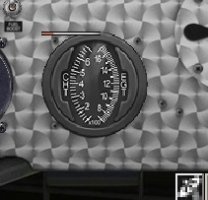
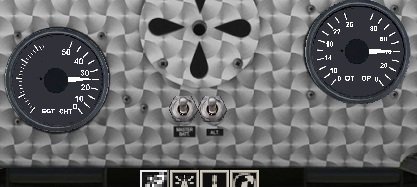
I've been making custom panels for FS2004, via FS Panel Studio, for ages, but this is the first time I've had a gauge that appears perfectly in the Panel Studio -

gauge.jpg

But refuses to appear in FS2004 (the gauge here is just part of the panel bmp)-

no_gauge.jpg

Any ideas on getting this recalcitrant gauge to cooperate?
 
Good evening jgf

this problem I have it a lot of times. Sometimes the solution was just to rename the gauge with a shorter name
or to name them to use the "_" XXXX_XXX_XXX between thegauges name parts. Also a problem with FS Panel Studio is
that on it does not take care about changes you make during the development of a gauge. But in the flightsim the changes are visible.
if you want to, send me your gauge and I will have alook on it. Perhaps I can find out"where the worm is in" as we say in german.

Best regards

Michael
 
Lol, spaces in filenames are not an issue with me. Years ago I had a computer that would not recognize them (reinstalled windows twice, didn't help) even though it would create them; so I got in the habit of using underscores instead ...a habit I've not broken.

The particular gauge is "Extra_XML!egt" in the attached zip. No idea the origin of this, I don't even have the default Extra installed
 

Attachments

  • Extra_XML.zip
    492.9 KB · Views: 1
Good morning jgf,
just had a look at your gauge.
at first it seems to me to be written for FSX or more Recent sims.
So as I only have FS2004 it is normal that it would not work or show on my sim.
If you want just this particular gauge showing CHT & EGT I can try (and I try, and I try) to make
this particular one to work in FS2004. But it would take a bit time and the outcome will not to be sure.

Best regards

Michael
 
Ah, that could well be why it doesn't appear. Unless you just enjoy the challenge, don't waste time trying to "convert" it to FS2004; I only chose it because of all the gauges I have it was closest in appearance to what I wanted. I can repaint a Piper Saratoga gauge and it will look decent (only similarity is it is also a CHT/EGT with vertical scale). And I can delete that gauge (given its age it is probably for FSX, though why I have it is a mystery).
Thanks for checking this out.
 
Good evening jgf

if it is just the one precise gauge it is just a question of time to make a new gauge looking as you want to have.
As my time is a lot taken by familly and my wip about the Sikorskies there is little time sparse. But if you are not in a hurry
I will do it I yet have extracted the files. The XML gauge code must be completely rewritten. If you have almost a gauge with similar functions in XML code just send me the xml. that would make things a bit easier for me

Best regards

Michael
 
Well, this was just a quick project for a better panel for one aircraft; not worth a lot of effort. I appreciate the offer though. I was more curious why the gauge appeared in the editor but not in the game, now I've learned something.

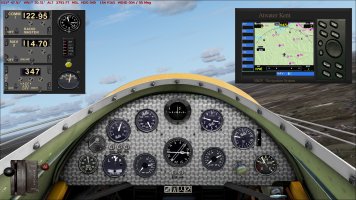
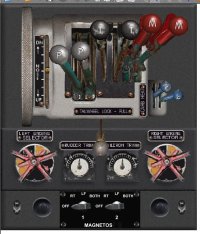
I repainted a couple of Piper gauges to a more "vintage" appearance -
gbz-pnl.jpg
 
as I have alot of vintage gauges I want to propose another way.
at first I must tell you that my aproach to make this gauge was not a success.
Seeing the part of the dshboard I presume your air craft is a "vintage class"
I love old birds. So if you can send me the panel bmp and if you have a photo or drawing of
the original aircraft cockpit I certainly have apropriate gauges in my collction (over 25 years of flightsimming,
there are a lot of gauges in my repertoire LOL)

Best regards

Michael
 
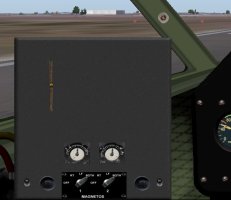
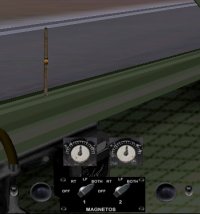
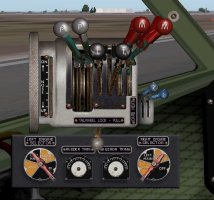
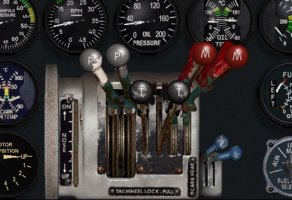
The plane is the GeeBee Z racer of 1931, it only existed four months, winning the Thompson Trophy Race, before being destroyed while attempting a speed record run (this happened in front of a camera crew, the old video can be seen on youtube). I have never seen any photos of the cockpit of this plane; have a small photo of the cockpit of a replica built in the 70's, but no idea if it is any more accurate than the one I made.

The version I have was originally for FS2002, later updated to FS2004; it has a generic panel dating back to FS98/CFS (I've seen it in numerous aircraft over the years). There are also versions for FSX and for MSFS (don't know if all new or updates of the aircraft I have). I used screenshots of those panels as basis for mine, most gauges from the FS2004 version, others selected for period appearance, though I'm sure the original did not have an RMI. (I'm equally certain Atwater Kent never made a GPS, lol ...also made a Lorenz for my old German aircraft.)

gbz_pnl.jpg
 
Takeoffs are easy, just don't use full throttle from a standstill or it will tip over on its nose; use half throttle and wait for the tail to lift, around 50kts, then smoothly go to full throttle, at about 90kts pull back slightly and it will lift easily. It flies well, though a bit twitchy at racing speeds. Landing is a nightmare. There are no flaps, stall is supposedly around 70kts, but below 90kts it will start descending, and forward view is horrible. Throttle back to hold 95-100kt level speed and come in as flat and low as you can, when over the runway throttle down to about 90kt and it should start settling slowly, if all goes well you will be flying at 90kt one second and taxiing at 89kt the next, otherwise you bounce. Once the wheels touch down, throttle off and wait for speed to bleed off and the tail to lower by itself, don't touch the brakes or it will stand on its nose; once the tail comes down, pull back on the stick to keep it down and lightly use the brakes. (For me two bounces is a good landing, lol.)
 
Back
Top