• There seems to be an uptick in Political comments in recent months. Those of us who are long time members of the site know that Political and Religious content has been banned for years. Nothing has changed. Please leave all political and religious comments out of the forums.

    If you recently joined the forums you were not presented with this restriction in the terms of service. This was due to a conversion error when we went from vBulletin to Xenforo. We have updated our terms of service to reflect these corrections.

    Please note any post refering to a politician will be considered political even if it is intended to be humor. Our experience is these topics have a way of dividing the forums and causing deep resentment among members. It is a poison to the community. We appreciate compliance with the rules.

    The Staff of SOH

  • Server side Maintenance is done. We still have an update to the forum software to run but that one will have to wait for a better time.

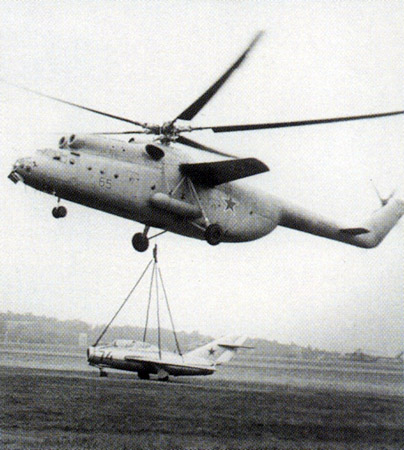
'Hook'ed on this beast..

What is that beast doing over the Netherlands? :icon_eek: :icon_lol: Looks very nice, but somehow helicopters are not really my thing in FS.

Cheers,
Huub
 
Nah ...ou're not hooked ...this is HOOKED...

mi-6_43.jpg


Great headsup Ferry!

Looks great so far - old Russian heavy iron is fine by me!
 
Looks like fun but I have no luck flying helicopters

I'm not great with helicopters either, but I find very heavy helo's like these much easier than the lighter models like the default R22.

Still working on the textures, and I've converted the rotor textures to DDS but forgot to flip them; looks much better now! Only the windows are giving me problems, as the texture no longer seems to fit the model after converting?
 
Wow. . .Beast is such an appropriate moniker for that thing. Love Heli's so I'll probably pick this one up. He does some very nice work.
 
That is HUGE!!


In FSX, they now have a cheat. You can add this string into a helicopter and make it manageable to fly. Just set settings for 2.0 on all three axis and give it a try. You may need to increase or decrease settings.


[Helicopter]
low_realism_stability_scale = 2.0, 2.0, 2.0 //Pitch , Bank, Yaw Scalars on Stability in Low Realism Settings


I 'now' love flying helos and can lower my settings quite a bit and still fly them nicely. Great to come in and pull up as you descend and touch down smoothly. :)
 
That is HUGE!!


In FSX, they now have a cheat. You can add this string into a helicopter and make it manageable to fly. Just set settings for 2.0 on all three axis and give it a try. You may need to increase or decrease settings.


[Helicopter]
low_realism_stability_scale = 2.0, 2.0, 2.0 //Pitch , Bank, Yaw Scalars on Stability in Low Realism Settings


I 'now' love flying helos and can lower my settings quite a bit and still fly them nicely. Great to come in and pull up as you descend and touch down smoothly. :)


Thank you for the tip.
 
That is HUGE!!


In FSX, they now have a cheat. You can add this string into a helicopter and make it manageable to fly. Just set settings for 2.0 on all three axis and give it a try. You may need to increase or decrease settings.


[Helicopter]
low_realism_stability_scale = 2.0, 2.0, 2.0 //Pitch , Bank, Yaw Scalars on Stability in Low Realism Settings


I 'now' love flying helos and can lower my settings quite a bit and still fly them nicely. Great to come in and pull up as you descend and touch down smoothly. :)


No offense, Bill, but using a setting that high as 2.0 is in effect deadening the control inputs greatly, especially the yaw response.
You really are fighting the Sim at that point.

Better settings are 0.5 to 0.75, as you will get a more fluid response for the control inputs.
The default Bell 206 had settings of 1.0, which really is the highest it should go.

If anyone is really having problems with helicopters in FSX, you need to dial back the "General" difficulty slider instead.
Start off at full left, then work it right, if you need to.
A lot of Helicopter developers recommend never going over halfway on the "General" difficulty slider.
Many times having that slider full right like you would for a fixed wing aircraft, just creates problems for handling in helicopters in FSX.

Jordan Moore over at Hovercontrol.com explained it in detail in this article back in 2006:
(Towards the bottom of the article...)
http://www.hovercontrol.com/artman/publish/article_67.shtml
 
I'm sorry I dont think I gave enough info I was talking about the windows in the VC they arent transparent and can't see out them.
 
No offense, Bill, but using a setting that high as 2.0 is in effect deadening the control inputs greatly, especially the yaw response.
You really are fighting the Sim at that point.

Better settings are 0.5 to 0.75, as you will get a more fluid response for the control inputs.
The default Bell 206 had settings of 1.0, which really is the highest it should go.

If anyone is really having problems with helicopters in FSX, you need to dial back the "General" difficulty slider instead.
Start off at full left, then work it right, if you need to.
A lot of Helicopter developers recommend never going over halfway on the "General" difficulty slider.
Many times having that slider full right like you would for a fixed wing aircraft, just creates problems for handling in helicopters in FSX.

Jordan Moore over at Hovercontrol.com explained it in detail in this article back in 2006:
(Towards the bottom of the article...)
http://www.hovercontrol.com/artman/publish/article_67.shtml


I have to run at full sliders on realism. If I twitch, my helo's fly straight into the ground. :S I have to have that setting or I just cant fly. Mind you, I also use 1.6 and 1.2 on helos also. To learn to fly a helo that, I had it at 2.0 and I was totally able to hover and land (without explosions and shrapnel and flying rotor blades and blood and mayhem). Felt awesome to take off, hover, and land.... For YEARS...... I have wanted to fly helos and now I can. :)
 
I'm sorry I dont think I gave enough info I was talking about the windows in the VC they arent transparent and can't see out them.

The models from Vlad usually use the same technique: there is a texture which is drawn on the windows to give them some consistency/reflections.
This texture should be edited with the freeware tool DXTBMP. The AlphaChannel of that texture should be modified to become much darker. The darker, the more transparent.
 
I'm sorry I dont think I gave enough info I was talking about the windows in the VC they arent transparent and can't see out them.

Jessie, here's my temporary solution:

View attachment 89648

Delete the four Original BMP files and replace them by these four in each texture folder.
The VC windows from the inside are totally clear, because if I tried to keep the Original texture visible it somehow wouldn't fit right anymore?
The rotors still disappear behind the clouds (Can't fix that) but IMHO they look a bit better now.
 
Thanks so much Ferry_vO I really appreciate it, now I just have to figure out how to make the animations work :)
 
I'm afraid the animations might be a coding issue and not easily fixed unless you have the source model.
 
Back
Top