
• Please see the most recent updates in the "Where did the .com name go?" thread. Posts number 16 and 17.

    Post 16 Update

    Post 17 Warning old domain name stealing credentials

  • Special Server Maintenance

    Just when you think you have everything running some what better...

    You get a message from the Hosting company. Short story they need to move us to a new server. I have been working with them to plan a good date for all concerned. Here is what we have come up with as a schedule.

    1. November 4th 17:00 -5UTC shut off the forums and start backup proceedures. During this time there will be no access to the forums or the Resource Section.
    2. November 5th Continue with Backups and download same until complete.
    3. November 6th 7:00 turn over server to hosting company to move system to new server
    4. November 7th - 8th restore backups and upgrade forum software.

    If all goes well we should be back online on November 8th.

    To keep you updated we will post updates on AVSIM forums.

    Thank you for your support.

MIA Developer Mode Windows

Brian_Gladden

SOH-CM-2025
When I'm in Developer mode, I run in windowed mode. As of this morning, a couple of the of the tools have gone MIA. The Inspector tool and the object selection tool have disappeared from the screen, They show as active in the view window but only show a presence in the task bar as additional copies of FS. when I try to click on them all I can do is close them out. It's like they all by themselves dragged themselves off screen as if I had a second monitor (which I don't) Any idea how I can get them back?
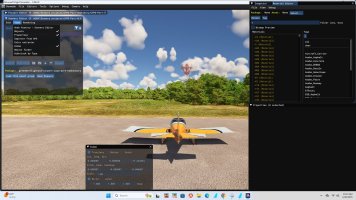
 
To further illustrate, the open space in the screenshot at the lower left is where the Objects tool used to be last time I could use the SDK. second shot shows the only way I can find it...
 

Attachments

  • sdk.jpg
    sdk.jpg
    431.8 KB · Views: 6
  • sdk.jpg_2.jpg
    sdk.jpg_2.jpg
    501.9 KB · Views: 6
Back
Top