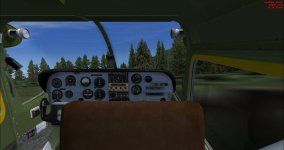
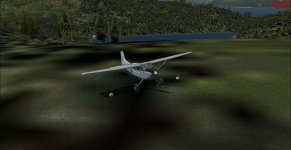
Repaint from Carenado 185 to 185 Bush

As far as I recall all textures for all 185's follow the same naming structure. There are additional textures for the bush models and these start with: Accesorie185....jpg.
Just copy the texture to your favourite bush version and copie all texture files from the first texture map towards it. just don't overwrite the ones you got.
 
AH-HAH! It worked! One thing, I had to make sure that the fltsim entries in the aircraft.cfg were the same as the other repaint entries, but after that, it worked! Thanks:adoration:

attachment.php
attachment.php


I think I might change out the interior textures, as they bring the 2D gauges out a lot
 

Attachments

  • 20170507094103_1.jpg
    20170507094103_1.jpg
    42.9 KB · Views: 3
  • 20170507094310_1.jpg
    20170507094310_1.jpg
    49.9 KB · Views: 3
Thank you. I picked this one up during their sale last Christmas. Nice to have a new set of skins for her.
:ernaehrung004:
 
If you want to fix possibly odd looking interiors, just copy all of the .bmp that have interior in their name from the default Carenado texture folder to the applicable repaint folder. Worked for me:biggrin-new:
 
Back
Top