gray eagle
SOH-CM-2026
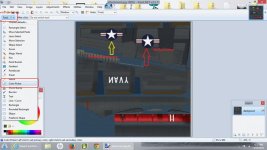
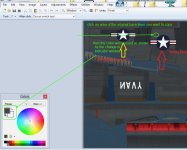
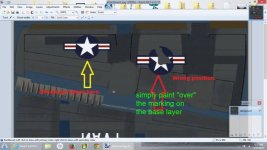
I am trying to correct a boo boo on one texture file and relocate the top left wing roundel in its proper position. Once I have relocated the roundel to its proper spot, I will have
to remove the roundel that is in the wrong spot. I am using paint.net but it has photo shop tools and mimics photo shops functions and tools.
Having said all that, how do I deal with removing the wrong roundel leaving behind only the dark color that would be underneath. Unfortunately, no layers to work with otherwise,
I would remove it, and the dark color would remain. I could grab a gray wing and match the dark color, but I don't know how to do that either. Probably too drastic a move there.
View attachment 5856
to remove the roundel that is in the wrong spot. I am using paint.net but it has photo shop tools and mimics photo shops functions and tools.
Having said all that, how do I deal with removing the wrong roundel leaving behind only the dark color that would be underneath. Unfortunately, no layers to work with otherwise,
I would remove it, and the dark color would remain. I could grab a gray wing and match the dark color, but I don't know how to do that either. Probably too drastic a move there.
View attachment 5856