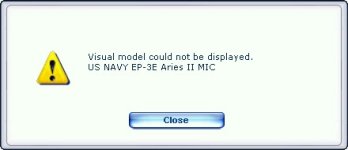
title=US NAVY EP-3E Aries II Visual model not be displayed

Emile

Charter Member 2015
Hello,
I have installed this aircraft :
The P-3c is already installed :
"EP-3E for FSX
P-3C Orion FSX is required in order to use this model."

but I have this error popup when I select this as aircraft.
Wher can I find the requested model?
Thanks in advance
 

Attachments

  • Aries.jpg
    Aries.jpg
    13.9 KB · Views: 1
Happens to me sometimes when I've been messing with airplane folder titles. Check in the model.cfg to make sure the callouts match EXACTLY with the MDL in the listing.

For example here are my Model.cfg settings for the EP-3 series

[models]
normal=EP-3E_mic_FSX
interior=..\..\Lockheed P-3C Orion (FSX)(ver 020914)\model\P-3C_FSX_interior <<matches name
shows my Folder title
</matches>

[models]
normal=EP-3E_FSX
interior=..\..\Lockheed P-3C Orion (FSX)(ver 020914)\model\P-3C_FSX_interior <<matches name
shows my Folder title</matches>
<matches folder="" my="" name<="" strong=""></matches>
 
I could not even get that. I even redownloaded and nothing shows. Yes I have the p3 loaded and working. Installed in fsx as per read me. All the folders are there. ???
 
Panel.cfg


Possibly it may be the difference between

[fltsim]
alias=P-3C_ORION_FSX\Panel.The general-purpose virtual cockpit for the P-3 series
or
[fltsim]
alias=\P-3C_ORION_FSX\Panel.The general-purpose virtual cockpit for the P-3 series.


However, I was displayed by both.:emptiness:
 
Back
Top