view problems

jankees

SOH-CM-2026
here's a funny one:
I use a saitek x52 as joystick, and suddenly my viewpoint hat is acting strange. In outside view it only wants to move to a top view, in cockpit view it only allows me to look up. Previous rounds everything was fine, and according to the windows settings, the X52 works fine, only P3D doesn't like it any more.
Any suggestions? Please don't say reinstalling P3D....
 
Hi,

have you tried reinstalling the latest drivers (after removing the old ones)?

Before it happened, has anything been changed?

Cheers,

Priller
 
all I did was switch off my computer..

and there's more going wrong:
attachment.php

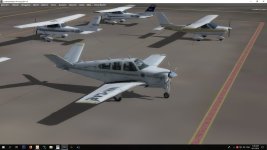
what happened to all my aircraft textures??
 

Attachments

  • jk4782.jpg
    jk4782.jpg
    40.5 KB · Views: 0
Matt to the rescue, why didn't I think of that myself? Problem solved!

now that we are asking, if I use AI aircraft, I get one additional view when I am changing views from tower to cockpit etc, showing an AI aircraft flying somewhere.
Is there any way to get rid of that view, because it messes my ground textures when I return to the original outside view?
 
Matt to the rescue, why didn't I think of that myself? Problem solved!

now that we are asking, if I use AI aircraft, I get one additional view when I am changing views from tower to cockpit etc, showing an AI aircraft flying somewhere.
Is there any way to get rid of that view, because it messes my ground textures when I return to the original outside view?

open the cameras.cfg in the c/users/appdata/roaming LM p3d root folder and add the following line to each of the undesired views, i have only a few views visible when i cycle them via key S ie tower and ai views, they can be opened in game via right click and then selecting them

just add the this to each of the views you want to skip
CycleHidden=Yes
 
Back
Top