
-
Please see the most recent updates in the "Where did the .com name go?" thread. Posts number 16 and 17.
-
Special Server Maintenance
Just when you think you have everything running some what better...
You get a message from the Hosting company. Short story they need to move us to a new server. I have been working with them to plan a good date for all concerned. Here is what we have come up with as a schedule.
- November 4th 17:00 -5UTC shut off the forums and start backup proceedures. During this time there will be no access to the forums or the Resource Section.
- November 5th Continue with Backups and download same until complete.
- November 6th 7:00 turn over server to hosting company to move system to new server
- November 7th - 8th restore backups and upgrade forum software.
If all goes well we should be back online on November 8th.
To keep you updated Tom Clayton has offered to post updates on AVSIM forums.
Thank you for your support.
You are using an out of date browser. It may not display this or other websites correctly.
You should upgrade or use an alternative browser.
You should upgrade or use an alternative browser.
Heron's Nest is out
- Thread starter StormILM
- Start date


dhasdell
SOH-CM-2023
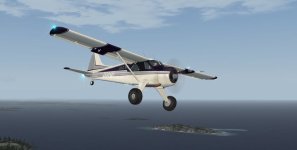
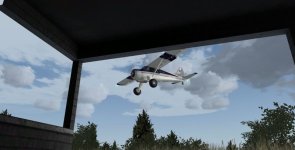
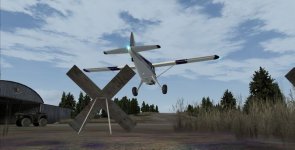
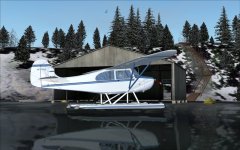
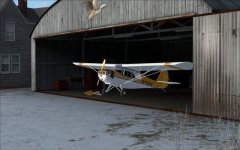
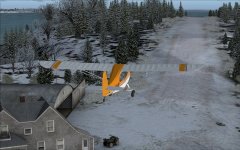
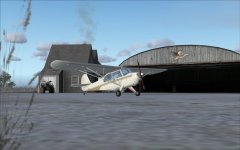
I like Aeroncas, myself, both CR1 and LIC, but why have I started getting only thumbnails instead of full pictures?
Attachments

doublecool
Charter Member

sidler
Charter Member
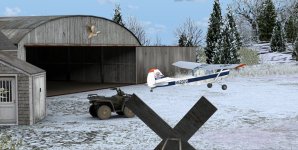
I only have preparv3.1. I installed pretty much the same as Ed.( I have all of Ed's Maine scenery). I manually installed it, did not use the .exe file. Everything works great except, no bushes. The only option that does not work is being able to take off from the water. The only float plane that works is the Icon5.


Dick
Dick
I only have preparv3.1. I installed pretty much the same as Ed.( I have all of Ed's Maine scenery). I manually installed it, did not use the .exe file. Everything works great except, no bushes. The only option that does not work is being able to take off from the water. The only float plane that works is the Icon5.
Dick
While I appreciate that people like to have control over their setups, bear in mind that the auto-installer does more than just put some scenery in a folder and register it in the scenery.cfg. It also installs the module that controls the vegetation and at least one model in the scenery. Unless you run the exe, there's more manual work to do to get it right, and more support requests if you have trouble. The installer has been thoroughly tested on a number of platforms, and should give you no problems. I strongly recommend people use it.
Bill


falcon409
SOH-CM-2026
Great, Thanks Bill. Also, I haven't chimed in yet, but I extend my thanks for this beautiful scenery.More great shots! And vids!
For the P3D 3.1 users, the next time the pop-up appears, click "Check Online" instead of "Run Once". The developer says he's updated the online validator to include P3D3 now.
Bill

Adrian Petford
Charter Member
More great shots! And vids!
For the P3D 3.1 users, the next time the pop-up appears, click "Check Online" instead of "Run Once". The developer says he's updated the online validator to include P3D3 now.
Bill
Thanks Bill! I got the email with the link and have downloaded my copy but not installed yet as I was waiting for the module to be updated for v3.1.
As someone who loves flying islands, bush aircraft and seaplanes, this is definitely my kind of place!
Great work. I'll be spending a lot of time there for sure.
To be clear, this is the installer that's tucked away in the scenery folder inside Heron's Nest in the MyProduct folder?
No, the installer I was referring to is the main exe that you downloaded - IBYHN100.exe. Running that will install the scenery and put things where they need to be, including activating the viva.dll.
dhasdell
SOH-CM-2023
For FSX-SE it installed to C:\Program Files (x86)\MyProduct, so I dragged the Heron's Nest folder to my Steam's Addon Scenery folder. P3d would have sent it to the right place, and I now find that if I'd selected FSX and not Steam it would have sent it to E:\SteamLibrary\SteamApps\common\FSX, where it ought to be.
For FSX-SE it installed to C:\Program Files (x86)\MyProduct, so I dragged the Heron's Nest folder to my Steam's Addon Scenery folder. P3d would have sent it to the right place, and I now find that if I'd selected FSX and not Steam it would have sent it to E:\SteamLibrary\SteamApps\common\FSX, where it ought to be.
Yep, that's the installer nightmare devs are dealing with right now. There are so many permutations of sim installation, and rather than having a set path, it seems that the Steam Edition changes based on whether you have FSX installed already or not. It's a bit of a pain to make an installer that works for absolutely everyone. Doesn't mean I'm going to stop trying, though!


StormILM
Charter Member
Video of my hairy takeoff & landing with the MU-2B-60!
https://www.youtube.com/watch?v=74Aby0zVh0I
https://www.youtube.com/watch?v=74Aby0zVh0I

Meshman
Charter Member
I have narrowed my mesh problem down to the LCS mesh, unfortunately.
In my defense, it's an addon mesh issue, as the product lines I've purchased in the past show the same issue. Which makes me wonder...
Don't people use addon mesh? Because if they did, more than Morten would have seen this.
There's a fairly simple fix available and I'll ask Bill if wants a copy for distribution.
BTW, nice place to land, even if I only used 1/3 of the runway...


gman5250
Charter Member
For the folks that have P3Dv3.1, the dll fix is available. Start the sim and when you get the dll message click check on line and it will update the dll and you won't get the dll message the next time you start
I ran the update, selected run once and the "Nest" booted right up with all .dll controlled features working. Re-booted the sim and no warning message. Looks good to go here.
Thanks Bill, for the rapid response.
She's a beauty in 3.1