
-
Please see the most recent updates in the "Where did the .com name go?" thread. Posts number 16 and 17.
-
Special Server Maintenance
Just when you think you have everything running some what better...
You get a message from the Hosting company. Short story they need to move us to a new server. I have been working with them to plan a good date for all concerned. Here is what we have come up with as a schedule.
- November 4th 17:00 -5UTC shut off the forums and start backup proceedures. During this time there will be no access to the forums or the Resource Section.
- November 5th Continue with Backups and download same until complete.
- November 6th 7:00 turn over server to hosting company to move system to new server
- November 7th - 8th restore backups and upgrade forum software.
If all goes well we should be back online on November 8th.
To keep you updated we will post updates on AVSIM forums.
Thank you for your support.
You are using an out of date browser. It may not display this or other websites correctly.
You should upgrade or use an alternative browser.
You should upgrade or use an alternative browser.
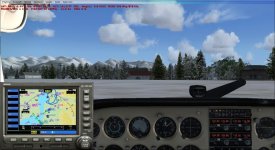
How do you add a 2D GPS popup?
- Thread starter ryapad
- Start date


Bjoern
worst developer ever
After ten seconds of googling...
http://www.flightsim.com/vbfs/showthread.php?284257-Add-GPS-to-2D-or-3D-Panel
http://www.flightsim.com/vbfs/showthread.php?284257-Add-GPS-to-2D-or-3D-Panel

StormILM
Charter Member
Hi Ryan, it's an easy fix. First, go into the panel folder of your C172RG and open the Panel.cfg file (using notepad).
At the top of the list you'll see [Window Titles] and add the below entry and be sure to replace the 2 xx's with the appropriate number sequence following the other entries.
Windowxx=GPS
Next, go down the list of window entries below [Window Titles] and add the following entry in the same corresponding number order as what you added for the GPS window in [Window Titles]. That should do it.
[Windowxx]
Background_color=0,0,0
size_mm=456,378
pixel_size=456,378
//window_size_ratio=1.000
position=2
visible=0
ident=GPS_PANEL
window_size= 0.500, 0.480
window_pos= 0.000, 0.090
gauge00=fs9gps!gps_500, 0,0,456,378
At the top of the list you'll see [Window Titles] and add the below entry and be sure to replace the 2 xx's with the appropriate number sequence following the other entries.
Windowxx=GPS
Next, go down the list of window entries below [Window Titles] and add the following entry in the same corresponding number order as what you added for the GPS window in [Window Titles]. That should do it.
[Windowxx]
Background_color=0,0,0
size_mm=456,378
pixel_size=456,378
//window_size_ratio=1.000
position=2
visible=0
ident=GPS_PANEL
window_size= 0.500, 0.480
window_pos= 0.000, 0.090
gauge00=fs9gps!gps_500, 0,0,456,378

Obie311
Charter Member
Open your panel.cfg and add the following:
XX is the Window # in sequence with existing popup windows. For consistency I have most of GPS standardized as Window03 but you may not want to do this.
/--------------------------------------------------------
WindowXX=GPS
/--------------------------------------------------------
[WindowXX]
Background_color=0,0,0
size_mm=456,378
window_pos= 0, .62
window_size= 0.200, 0.380
window_size_ratio=1.000
visible=0
ident=GPS_PANEL
Type=SPECIAL
gauge00=fs9gps!gps_500, 0,0,456,378
Hope this helps!
Obie
XX is the Window # in sequence with existing popup windows. For consistency I have most of GPS standardized as Window03 but you may not want to do this.
/--------------------------------------------------------
WindowXX=GPS
/--------------------------------------------------------
[WindowXX]
Background_color=0,0,0
size_mm=456,378
window_pos= 0, .62
window_size= 0.200, 0.380
window_size_ratio=1.000
visible=0
ident=GPS_PANEL
Type=SPECIAL
gauge00=fs9gps!gps_500, 0,0,456,378
Hope this helps!
Obie

Lonewolfee1
Charter Member
I made this window with AP attached.
[Window01]
Background_color=16,16,16
size_mm=245,245
window_size_ratio=1.000
position=7
visible=0
ident=GPS_PANEL
window_size= 0.289, 0.409
window_pos= 0.712, 0.591
gauge00=fs9gps!gps_500, 0,1,245,187
gauge01=737-400!Autopilot, 0,190,245,54
gauge02=737-400!Nav GPS Switch, 212,224,16
[Window01]
Background_color=16,16,16
size_mm=245,245
window_size_ratio=1.000
position=7
visible=0
ident=GPS_PANEL
window_size= 0.289, 0.409
window_pos= 0.712, 0.591
gauge00=fs9gps!gps_500, 0,1,245,187
gauge01=737-400!Autopilot, 0,190,245,54
gauge02=737-400!Nav GPS Switch, 212,224,16
Obie311
Charter Member
I made this window with AP attached.
[Window01]
Background_color=16,16,16
size_mm=245,245
window_size_ratio=1.000
position=7
visible=0
ident=GPS_PANEL
window_size= 0.289, 0.409
window_pos= 0.712, 0.591
gauge00=fs9gps!gps_500, 0,1,245,187
gauge01=737-400!Autopilot, 0,190,245,54
gauge02=737-400!Nav GPS Switch, 212,224,16
I used a similar one to yours on my military aircraft.
Not quite as "upscale" as your solution but for simple aircraft I go with:
[WindowXX]
Background_color=0,0,0
size_mm=456,310//
window_pos= 0, .60//
window_size= 0.200, 0.40 //.500
window_size_ratio=1.000
//position=6
visible=0
ident=GPS/Autopilot
type=SPECIAL
gauge00=Bendix_King_Radio!Bendix-King Radio AP, 0,0,456,60
gauge01=fs9gps!gps_500, 0,60,456,240
gauge02=..\..\Maule_M7_260C\panel\Maule_M7_260C!switch_nav_gps, 0,220,30,35
Obie
try this freeware GPS http://aussiex.org/forum/index.php?/files/file/1552-default-fsx-gps-gauge/

falcon409
SOH-CM-2026
Been using that one since I spotted it on flightsim.com a long time ago. Much better than the original simple terrain display GPS.try this freeware GPS http://aussiex.org/forum/index.php?/files/file/1552-default-fsx-gps-gauge/

dhazelgrove
Charter Member
If you want something really interesting, you can try gps6.zip over at flightsim.com
Not yer average GPS, and comes with full installation instructions.
Dave
Not yer average GPS, and comes with full installation instructions.
Dave
falcon409
SOH-CM-2026
I have that one too Dave. Trying to remember why I quit using it though. I have it installed in a few airplanes, but for most I went back to the one Jeansy mentioned.If you want something really interesting, you can try gps6.zip over at flightsim.com
Not yer average GPS, and comes with full installation instructions.
Dave