• Please see the most recent updates in the "Where did the .com name go?" thread. Posts number 16 and 17.

    Post 16 Update

    Post 17 Warning old domain name stealing credentials

  • Special Server Maintenance

    Just when you think you have everything running some what better...

    You get a message from the Hosting company. Short story they need to move us to a new server. I have been working with them to plan a good date for all concerned. Here is what we have come up with as a schedule.

    1. November 4th 17:00 -5UTC shut off the forums and start backup proceedures. During this time there will be no access to the forums or the Resource Section.
    2. November 5th Continue with Backups and download same until complete.
    3. November 6th 7:00 turn over server to hosting company to move system to new server
    4. November 7th - 8th restore backups and upgrade forum software.

    If all goes well we should be back online on November 8th.

    To keep you updated we will post updates on AVSIM forums.

    Thank you for your support.

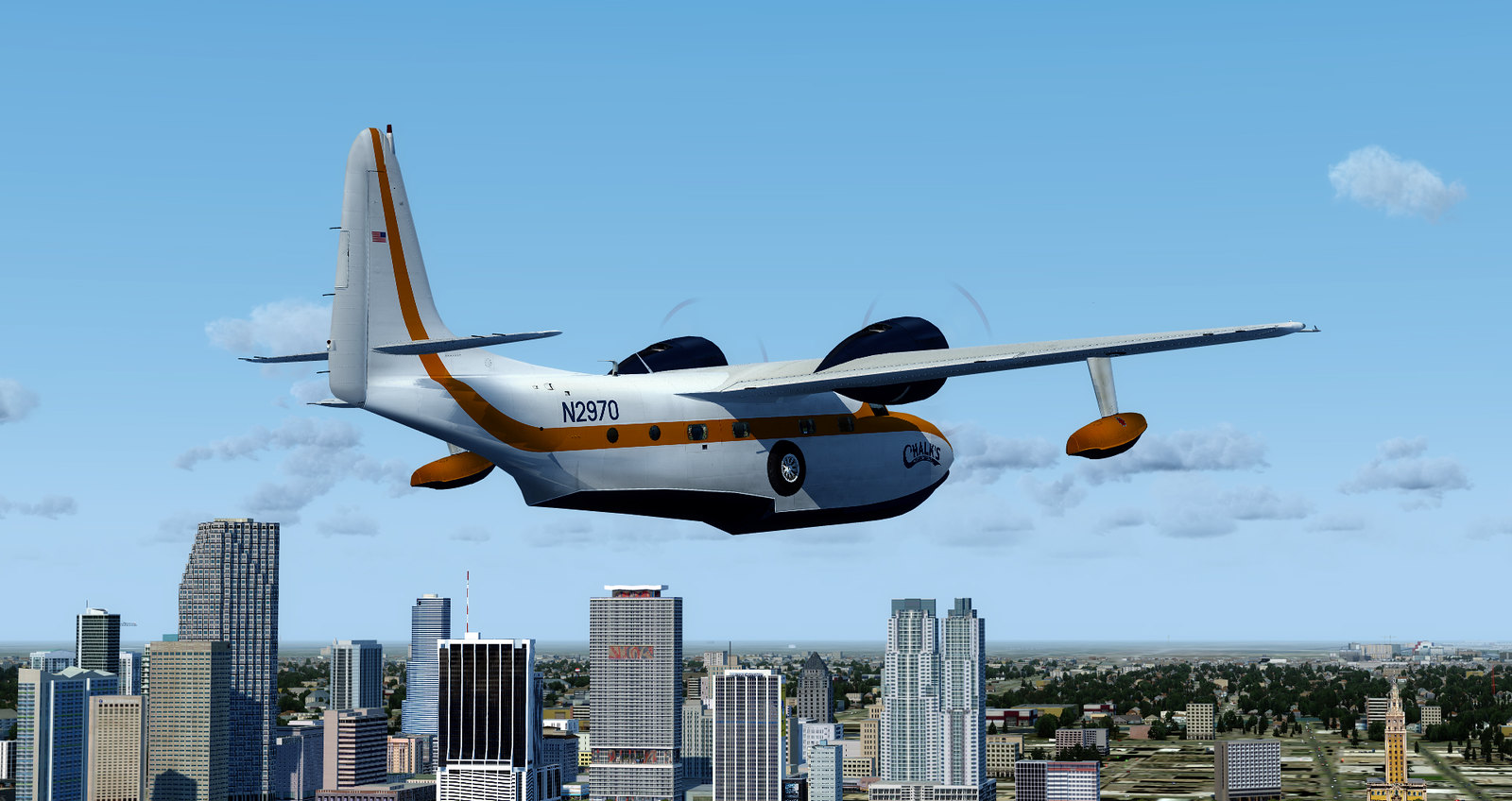
Grumman Mallard - FSX Port Over (Shupe)

Milton Shupe

Staff Contributor
Staff member
849114627339455516.jpg

A new entry has been added to Add-Ons Library, category FSX Civilian Props

Description: FSX Port Over Only Grumman G-73 Mallard v1.0 (Not Native FSX)

by Milton Shupe, Nigel Richards, Rachael Whiteford, Rui Cristina, William Ellis, Roman Stoviak

Pkg incl 2 models (Classic and Modern Business), custom panel and gauges, custom sounds, custom Flight Model, and 7 liveries.

May 2016

To check it out, rate it or add comments, visit Grumman Mallard - FSX Port Over (Shupe)
The comments you make there will appear in the posts below.
 
Some internal views

Thanks Milton for making a great aircraft possible.

I added some camera views to so as to see the great detail that went on inside.

Rear_cabin.jpg


FWS_Cabin_Left.jpg


rear_cabin1.jpg
 
Questions

Milton:

Started using the FSX Grumman Mallard and having a blast learning how to fly it! For some reason I can't seem to hit the right switches/buttons to start the engines. I have been using the keystroke Cntrl E 1 instead. I tried using the starter switch but all I get is a short engine sound but no start! Do you have a suggested startup sequence that might help me?

After making my first water landing I could not steer the aircraft to the dock. Does the aircraft have water rudders and how are they deployed?

Thanks for your help and a another great contribution to our hobby!

alhouse
 
Milton:

Started using the FSX Grumman Mallard and having a blast learning how to fly it! For some reason I can't seem to hit the right switches/buttons to start the engines. I have been using the keystroke Cntrl E 1 instead. I tried using the starter switch but all I get is a short engine sound but no start! Do you have a suggested startup sequence that might help me?

After making my first water landing I could not steer the aircraft to the dock. Does the aircraft have water rudders and how are they deployed?

Thanks for your help and a another great contribution to our hobby!

alhouse

alhouse,

To start the engines, you must continually click/drag on the switch (about 2 times per second) until ignition. Takes about 6-8 clicks as I recall. The issue is most of these starters only hold for .7 - 1 second and stops, so continually clicking the switch holds the starter engaged until ignition.

Yes, the water rudders are in the contact points. In FS9, I use shift+W to activate; in FSX, cntrl+W.
 
Native FSX Version

Greetings,

Will you ever make this into a native FSX version so it will work in P3Dv4? Right now I get the CDT when it tries to load.

Thanks,
Reggie
 
Greetings,

Will you ever make this into a native FSX version so it will work in P3Dv4? Right now I get the CDT when it tries to load.

Thanks,
Reggie


Hi ReggieC,

It is on the list to be converted to FSX native as all my aircraft are.

I did a quick look through and saw nothing obvious that would cause a crash so that will be interesting to chase down.

However, it does use the FSX kingair.dll from the FSX/gauges file, and the Beech_Baron AI, and the SimIcons.
If those are not present in V4, that may be the issue.

EDIT: Sorry, the above was for the TP version.

The radial version has the following that may be an issue:

gauge23=Hobbs1, 1387,877,118,20 in VCockpit01 section; you can comment that out

gauge49=Cessna!Nav_GPS_Annunciator, 243,839, 45, 45 // Uses the Cessna cab; try commenting out
gauge50=Cessna!Nav GPS Switch, 197,839, 45, 45 // Uses the Cessna cab; try commenting out

gauge14=Hobbs2, 54, 877 ,118,20 in the VCockpit02 section; comment out

The following Bendix King Radios use a default gauge package in FSX in Window01 and VCockpit02 section. Comment out.

gauge15=Bendix_King_Radio!Bendix-King Radio Audio, 442,715,415,67
gauge16=Bendix_King_Radio!Bendix-King Radio Nav-Comm 1, 442,779,414,144
gauge17=Bendix_King_Radio!Bendix-King Radio Nav-Comm 2, 442,921,412,139
gauge18=Bendix_King_Radio!Bendix-King Radio ADF, 1031,707,411,92
gauge19=Bendix_King_Radio!Bendix-King Radio DME, 1031,797,411,104
gauge20=Bendix_King_Radio!Bendix-King Radio Xpndr, 1031,899,411,112
gauge21=Bendix_King_Radio!Bendix-King Radio AP, 1002,1180,485,160


Uses SimIcons ... comment out.

 
Back
Top