• Please see the most recent updates in the "Where did the .com name go?" thread. Posts number 16 and 17.

    Post 16 Update

    Post 17 Warning old domain name stealing credentials

  • Special Server Maintenance

    Just when you think you have everything running some what better...

    You get a message from the Hosting company. Short story they need to move us to a new server. I have been working with them to plan a good date for all concerned. Here is what we have come up with as a schedule.

    1. November 4th 17:00 -5UTC shut off the forums and start backup proceedures. During this time there will be no access to the forums or the Resource Section.
    2. November 5th Continue with Backups and download same until complete.
    3. November 6th 7:00 turn over server to hosting company to move system to new server
    4. November 7th - 8th restore backups and upgrade forum software.

    If all goes well we should be back online on November 8th.

    To keep you updated we will post updates on AVSIM forums.

    Thank you for your support.

Boeing P-26 Peashooter

Thanks very much for the update Ed.

Was playing around with the updated Peashooter and am very impressed, less cartoon-ish than with the original textures. There are a few tweaks I made to adjust it more to my liking.

I moved the default view point forward 0.4 so that when you look to the side your not looking through the head rest.eyepoint=-2.062, 0.000000, 2.550340

I decreased the brakes scale by 0.3 so that she does not nose over as badly when you try to stop.
toe_brakes_scale=0.700000

The updated radio's use the ones from the alphasim b-57, which I don't have installed, and if I did the gauges would not be in the master gauges folder so I downloaded the B-57 from the alphasim freeware site and copied the ALPHA_B-57B.cab file from it into the peashooters panel folder. I am considering switching it back to the default 'portable' radio since that is what you would have if you were flying a restored P-26.

Alx, you have my vote also.
 
. . . . .I moved the default view point forward 0.4 so that when you look to the side your not looking through the head rest. eyepoint=-2.062, 0.000000, 2.550340
I did the same but didn't mention it, sorry.

The updated radio's use the ones from the alphasim b-57, which I don't have installed. . . . .
Alx, you have my vote also.
All the gauges needed for the update were included. There is a P26_panel.zip file included and the B-57.cab file is in that zip. No need to have downloaded again.
 
The rudder animation on the P-26 appears backwards on my model. Is anyone else experiencing the same issue?

Brian
 
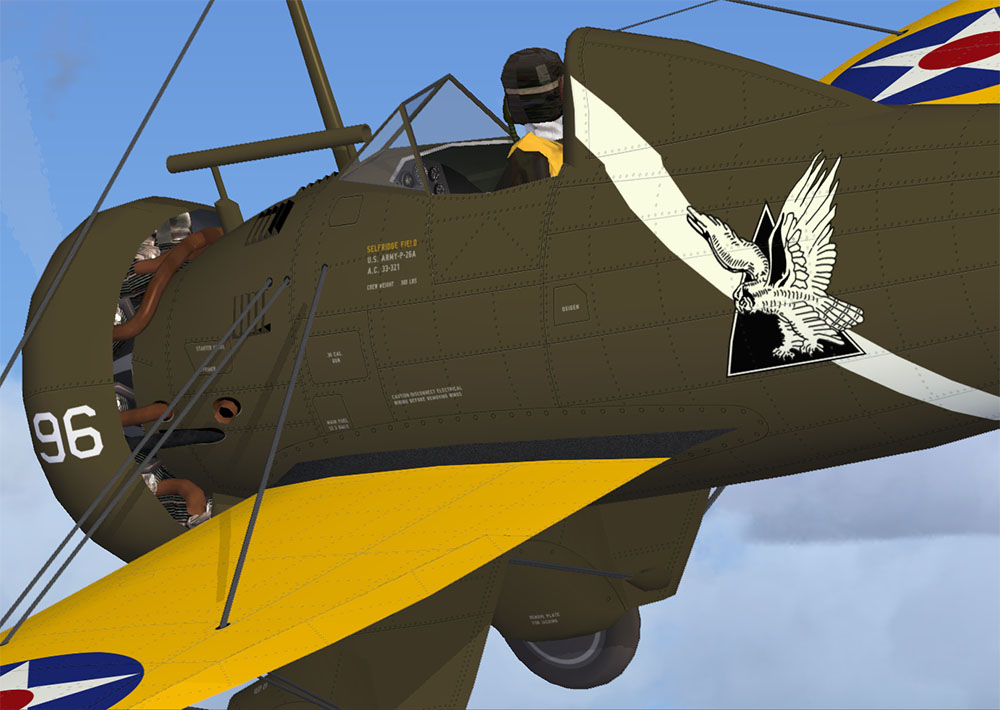
I have made most of the work on some skins. Can anyone give me details about stencils? Thanks.
 
Work in progress

attachment.php
 

Attachments

  • thumbnail.jpg
    thumbnail.jpg
    66.1 KB · Views: 20
Better than what I have alx, I could not find a decent Sq logo (Owl). Also Huub's link has stencil info I also could not find (I didn't try very hard though). I did this same livery, I may use his link to add the stencils so it looks a bit more finished. Keep up the good work!
 
Hi Falcon, now I'm away from home. When back I could send you the Photoshop layer with all the stencils.
 
Hi Falcon, now I'm away from home. When back I could send you the Photoshop layer with all the stencils.
Thanks alx, but I use Paint Shop Pro, and have never had much luck getting Photoshop PSD files to convert. I'll use what Huub sent to get the stencils in place. Thanks for the offer though. By the way, where did you find the Sq. Logo (Owl?)
 
Thanks to all who made this the nice little piece of work that it is... fun to fly and look at! I had forgotten about all the colorful paint schemes the Peashooter appeared in as well!

Thanks again! -Mike Z.
 
Back
Top