Windows 7 problem

watchdog22

Piston Broke
Hi All,

I'm making my way back into CFS2 but I'm having heaps of problems. The sim used to run fine but now there are a large number of planes that won't show in the preview window or load. The strange thing is that in some of my installs even the default planer won't show. The planes that do show they fly just fine.

I was thinking it might be a panel problem and I'm flummoxed!!!

Any help would be appreciated.
 
location

Watchdog

Where are your CFS2 installations located? In C drive they must be under programs (x86). I created a file entitled Microsoft Games and placed CFS2 here. It works fine.
Also I use an external disk drive for some of my installments. These also are working fine. Try this and see how it works!

Braveheart
 
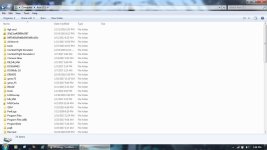
I keep my CFS2 in the C: drive.

CFS2.jpg

A prob with the preview window is known on some Win7 or newer. Running full screen or Window Mode is the only know way to fix this.

Planes with panel problems will load to the main game than free on the runway. The quickest fix for them is to open the panel.cfg with notepad/wordpad and remove all render_3d_window=1 found in the text.
 
Thanks for the responses guys. All my installs are on an external hard drive. If I select the affected plane in free flight I get the dreaded 'failed to initialise' pop-up. I'll try running windowed but some planes do show in the preview window and fly fine. I'll try each plane in a vanilla install and see what happens,

cheers,

WD22
 
Hi No-Dice. All my installs were working perfectly the last time I used them about 12 months ago. Very frustrating! I'm rebuilding and trialing one plane/weapons/scenery and ship at a time.
I seldom change the modelnames file as I know its problematical.
 
Know that the came can happen with objects and ships. Just another idea.
 
Has anybody solved the problem with Windoze 7 not running cfs2, or planes not showing?
What I have found, and getting clues from other peoples problems, and someone noted that picture formats seem to be a problem, don't remember who!
I found this, that dxt1-thru- dxt3 are not displayed in "MWgraphics DXTbmp" program. I, laboriously changed all "dxt's" to Extended 16 bit 565's, MAKES the parts show, and MAKES the planes show up with individual colors and insignia, etc. Maybe this is the same problem with Windoze 10 ?? This was driving me nuts (*short trip) with Capt Kurt and others great campaigns with no shows or Aircraft with no colors (colours -another French word in the Queens English).
(Anyhow, tell me where I'm wrong, and is there a simpler way?)
 
Hooraw,
Are you sure you are using DXTbmp ?? , it does show all and will convert them in one stroke of the moose from 3 thru 1 , and even DDS files.

Maybe you need to make sure you have his latest DLL installed ??

http://www.mwgfx.co.uk/
 
Windows 7 problem et. al. Been there

As a matter of fact, I am, when I hit on the program, it told me that I needed Mw dll's as I had revamped my computer which now runs windows 7 and windows 10. selectively. After installing Mwgraphic dll program direct from his site. In windows 7 32 bit, the DXTbmp program default, which I set, does not show the graphical image, just the green Plane image pointing vertical on each file graphic. They do not show up in the CFS2 program, as they are supposed to be on the actual aircraft. The A/C are missing the paint graphics in each "Texture" file, until I change them to the extended 16 bit 565. Then I have each plane painted. The graphics in Panel take a sec, and turn to an actual picture, not in the Texture file, therefore, no painted A/C!


Hooraw,
Are you sure you are using DXTbmp ?? , it does show all and will convert them in one stroke of the moose from 3 thru 1 , and even DDS files.

Maybe you need to make sure you have his latest DLL installed ??

http://www.mwgfx.co.uk/
 
Back
Top