

-
Please see the most recent updates in the "Where did the .com name go?" thread. Posts number 16 and 17.
-
IMPORTANT INFORMATION - ALL MEMBERS PLEASE READ
Please see this thread for updates. Update Thread
SOH ADMINISTRATION
You are using an out of date browser. It may not display this or other websites correctly.
You should upgrade or use an alternative browser.
You should upgrade or use an alternative browser.
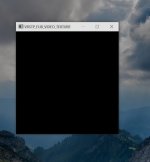
This screen appears in P3D, and I have no idea why....
- Thread starter Navy Chief
- Start date
Navy Chief
Senior Member
VRS Tackpack FLIR video texture is as far as I can get. Is that maybe something controlled
under Experimental Features in the Tacpack settings?
- RobM
I will check, thanks. I remember seeing a experimental options tab, but don't believe I selected anything. If all else fails, maybe I'll try uninstall/reinstall. NC
I mention because in a previous thread, we were discussing how to fix Tacpack's interfering with certain Orbx airports,
and unticking the DSD Video Feature box under Experimental Features fixed the problem, allowing Tacpack to stay on without
interfering with the airports. But I found that unticking that box also caused the FLIR feature in various aircraft, like IndiaFoxTecho's
F-35, to stop working, although I never got that empty box like you're getting.
Just a thought.
- RobM
and unticking the DSD Video Feature box under Experimental Features fixed the problem, allowing Tacpack to stay on without
interfering with the airports. But I found that unticking that box also caused the FLIR feature in various aircraft, like IndiaFoxTecho's
F-35, to stop working, although I never got that empty box like you're getting.
Just a thought.
- RobM
Navy Chief
Senior Member
I mention because in a previous thread, we were discussing how to fix Tacpack's interfering with certain Orbx airports,
and unticking the DSD Video Feature box under Experimental Features fixed the problem, allowing Tacpack to stay on without
interfering with the airports. But I found that unticking that box also caused the FLIR feature in various aircraft, like IndiaFoxTecho's
F-35, to stop working, although I never got that empty box like you're getting.
Just a thought.
- RobM
I did have the DSD selected (don't remember doing so in the first place, but then again, I don't remember much these days
 ). Anyway, I deslected it, and the box went away,
  Thanks. NC
Although the default setting for the DSD Video option is on, so it doesn't explain why it was happening, and only to yourself.
Another thought came to mind from a thread I was reading awhile back on AVSim. It was about a feature of Windows 10,
where if you shut down with an app or program still running, the next time you booted up, Windows 10 would automatically
restart that app or program:
https://www.avsim.com/forums/topic/538508-p3d-v4-launches-at-startup/?tab=comments#comment-3867739
So just a guess, it may now be that with the DSD Video option off, if you shut your PC down, and then restart, you can re-tick
the DSD Video option box and everything will work fine, the Tacpack FLIR app won't be saved anymore as a start up item.
And the solution going forward would be to wait a bit before shutting down to make sure everything P3Dv4 had stopped running,
As said, just guesses on my part. Maybe the people at VRS might have a better idea.
Hope that helps - RobM
Another thought came to mind from a thread I was reading awhile back on AVSim. It was about a feature of Windows 10,
where if you shut down with an app or program still running, the next time you booted up, Windows 10 would automatically
restart that app or program:
https://www.avsim.com/forums/topic/538508-p3d-v4-launches-at-startup/?tab=comments#comment-3867739
So just a guess, it may now be that with the DSD Video option off, if you shut your PC down, and then restart, you can re-tick
the DSD Video option box and everything will work fine, the Tacpack FLIR app won't be saved anymore as a start up item.
And the solution going forward would be to wait a bit before shutting down to make sure everything P3Dv4 had stopped running,
As said, just guesses on my part. Maybe the people at VRS might have a better idea.
Hope that helps - RobM