You must have installed the SDK to use this tool.
Build a folder called "Visual Effects Tool" in your Documents/Prepar3D v4 Add-ons folder .
Build a new texture file in the Prepar3D v4 Add-ons folder and
copy and paste the following entry in it and correct the path entry according to your installation location.
Then save the texture file as add-on.xml not add-on.xml.txt ;-)
thats it.
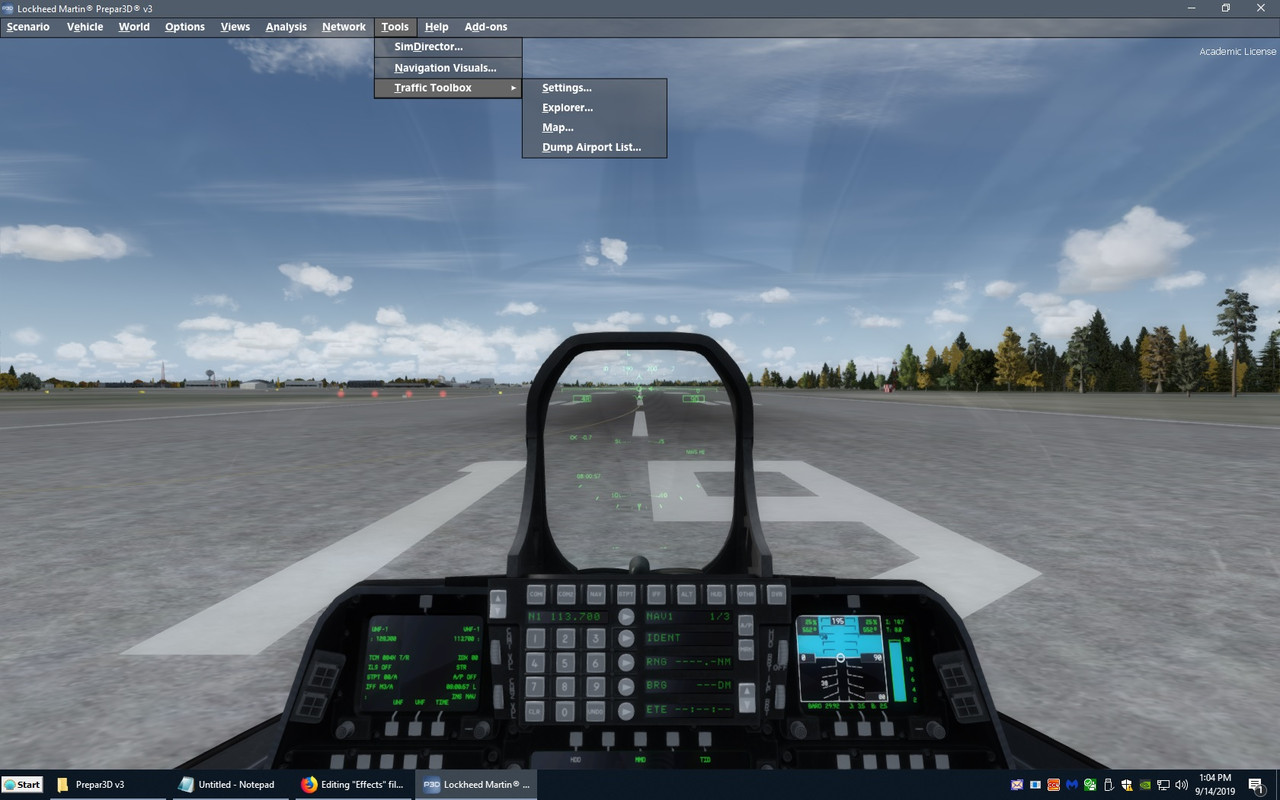
You will find the FX Tool in your sim menu bar under Tools.
<SimBase.Document Type="AddOnXml" version="4,0" id="add-on">
<AddOn.Name>Visual FX Tool</AddOn.Name>
<AddOn.Description>Design special effects in the Prepar3D *.fx format. Publisher: Lockheed Martin</AddOn.Description>
<AddOn.Component>
<Category>DLL</Category>
<Path>J:\Program Files (x86)\P3DV4 SDK\Modeling\Special Effects\Visual FX Tool\VisualFXTool.dll</Path>
</AddOn.Component>
<AddOn.Component>
<Category>Effects</Category>
<Path>J:\Program Files (x86)\P3DV4 SDK\Modeling\Special Effects\Visual FX Tool\Effects</Path>
</AddOn.Component>
<AddOn.Component>
<Name>Visual FX Tool Scenery</Name>
<Category>Scenery</Category>
<Path>J:\Program Files (x86)\P3DV4 SDK\Modeling\Special Effects\Visual FX Tool\Scenery</Path>
</AddOn.Component>
</SimBase.Document>
Thanks for the info. I'll give it a try.
I made the addon.xml and the Visual Effects Tool folder. I use P3D V3.4 and it is on my P: drive.
So I made tweaked the entries to refles version and locationof my P3d. No FX tool bar yet.
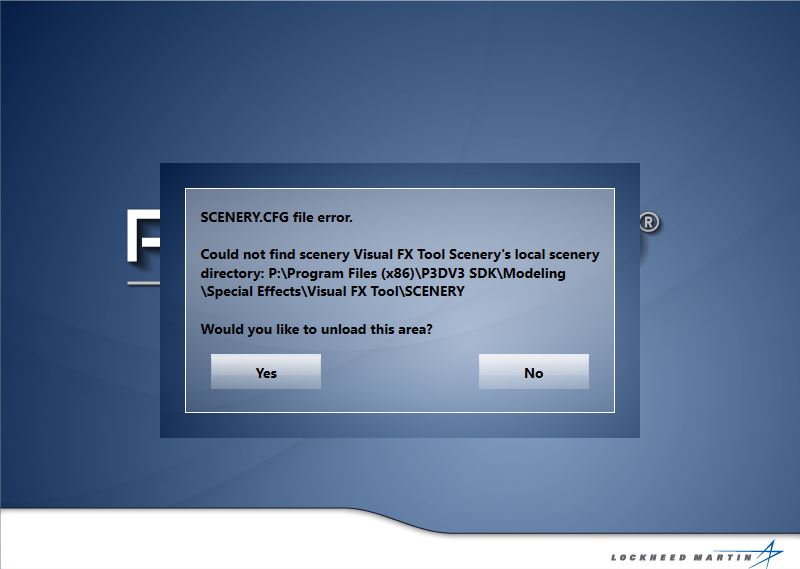
When I run P3D V3 it asks me if I want to unload a scenery file. I said no.
<SimBase.Document Type="AddOnXml" version="4,0" id="add-on">
<AddOn.Name>Visual FX Tool</AddOn.Name>
<AddOn.Description>Design special effects in the Prepar3D *.fx format. Publisher: Lockheed Martin</AddOn.Description>
<AddOn.Component>
<Category>DLL</Category>
<Path>P:\Program Files (x86)\P3DV3 SDK\Modeling\Special Effects\Visual FX Tool\VisualFXTool.dll</Path>
</AddOn.Component>
<AddOn.Component>
<Category>Effects</Category>
<Path>P:\Program Files (x86)\P3DV3 SDK\Modeling\Special Effects\Visual FX Tool\Effects</Path>
</AddOn.Component>
<AddOn.Component>
<Name>Visual FX Tool Scenery</Name>
<Category>Scenery</Category>
<Path>P:\Program Files (x86)\P3DV3 SDK\Modeling\Special Effects\Visual FX Tool\Scenery</Path>
</AddOn.Component>
</SimBase.Document>