
P3D Preview screen

gray eagle

SOH-CM-2026
Before I go over to the P3D site, I thought I'd ask here if anyone knows what file P3D uses to display aircraft in the preview (Preselect) Screen?

If the the "Thumbnail" aircraft is not viewable, how can one be created?
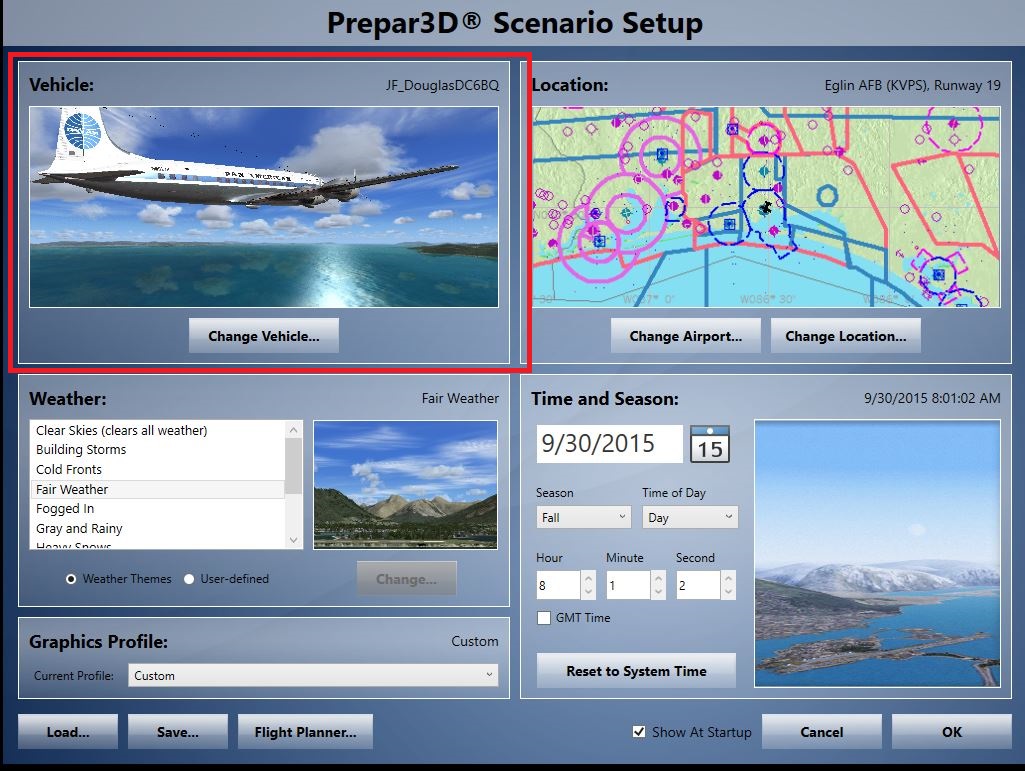

Capture3.jpg
 
A thumbnail is just a .JPG image of the aircraft. Then relabel that image thumbnail.JPG and insert it into the texture folder.
 
A thumbnail is just a .JPG image of the aircraft. Then relabel that image thumbnail.JPG and insert it into the texture folder.


Charlie,

I know about the jpg image however, some P3D aircraft do not have nor use that jpg thumbnail. I was told that over at the P3D site. I have some Stock P3D aircraft that do not have any

thumbnails or files with a jpg extension so how does it project an image of the aircraft to the preview screen?
 
The thumbnail is only used in FSX. In P3D the preview screen uses the 3d model itself so the thumbnail has no use.
 
The thumbnail is only used in FSX. In P3D the preview screen uses the 3d model itself so the thumbnail has no use.

Thanks Dimus for the info. I thought I'd heard that before.

So is it the model (Mdl) file is used for the preview (thumbnail?) Is that something I can edit in order to produce a thumbnail image in P3D?
What would it take to do that?
 
I don't believe you can (or need to) create a thumbnail in P3D. It will always be the preview of the rotating 3d model based on the mdl file and the paint version you have selected.
 
Back
Top