• Please see the most recent updates in the "Where did the .com name go?" thread. Posts number 16 and 17.

    Post 16 Update

    Post 17 Warning old domain name stealing credentials

  • Special Server Maintenance

    Just when you think you have everything running some what better...

    You get a message from the Hosting company. Short story they need to move us to a new server. I have been working with them to plan a good date for all concerned. Here is what we have come up with as a schedule.

    1. November 4th 17:00 -5UTC shut off the forums and start backup proceedures. During this time there will be no access to the forums or the Resource Section.
    2. November 5th Continue with Backups and download same until complete.
    3. November 6th 7:00 turn over server to hosting company to move system to new server
    4. November 7th - 8th restore backups and upgrade forum software.

    If all goes well we should be back online on November 8th.

    To keep you updated we will post updates on AVSIM forums.

    Thank you for your support.

Icon problem @ aircraft'smenu

Hi guys!!

Long time far from fsx and I've forgotten a few things. I've dowloaded sandim's fsx Antonov An-30 and that's ok - but while loading the aircraft only one model is actually showed - where are the others? How can I make 'em appear again?

Thanx in advance,

foo_fighter
 
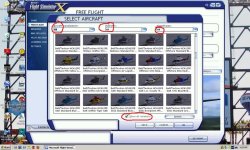
Make sure you have everything I have circled in red!

attachment.php

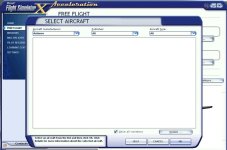
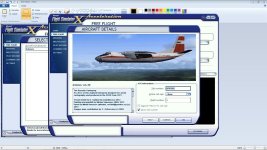
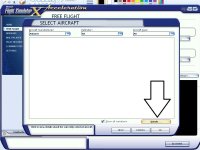
Yes guys! Thanks for the help - but everything is checked,I'll upload a picture:

attachment.php
attachment.php
attachment.php
attachment.php


So I ask you, what as matter of fact makes the model to show? Gif? Jpg?

Thanks
 

Attachments

  • an301.jpg
    an301.jpg
    51.9 KB · Views: 1
  • an302.jpg
    an302.jpg
    68.1 KB · Views: 1
  • an303.jpg
    an303.jpg
    61.9 KB · Views: 1
Each livery should have a "thumbnail" (jpg), however even if it doesn't you should still get a generic icon in the selection window to indicate that the airplane is available.
 
Keep in mind that ONLY the Aircraft Selection Screen shows thumbnail.JPEG. The Details Screen shows the Actual Aircraft how it appears in the Sim.
 
Also, don't select the manufacturer as Antonov. The sim may see the mfr as SimSkunkWorks, or AFM or something else. Until you know for certain, don't use the MFR as a determinant.

Good luck!
Pat☺
 
Back
Top