
-
Please see the most recent updates in the "Where did the .com name go?" thread. Posts number 16 and 17.
-
IMPORTANT DOWNLOADING INFORMATION - ALL MEMBERS PLEASE READ
Please see this thread for updates. Update Thread
SOH ADMINISTRATION
You are using an out of date browser. It may not display this or other websites correctly.
You should upgrade or use an alternative browser.
You should upgrade or use an alternative browser.
IMAM Ro-43 floatplane F.Giuli
- Thread starter hertzie
- Start date

UncleTgt
SOH-CM-2026
Peperez did a conversion, with almost 300 downloads
http://www.sim-outhouse.com/sohforums/local_links.php?action=jump&catid=150&id=2524
Is this the aircraft you're having trouble with?
http://www.sim-outhouse.com/sohforums/local_links.php?action=jump&catid=150&id=2524
Is this the aircraft you're having trouble with?


Well, lucky you. I tried mine in 3 different CFS2-versions and it all went the same: it explodes as soon as it touches the water. I tried to get it down as slow as possible with pause, one time that went ok, but all the other times: boom  . But thanks for your reaction, fortunately I have more planes to fly
  .
.
Cheers.
. But thanks for your reaction, fortunately I have more planes to fly .Cheers.

dombral
Charter Member
problemes with IMAM Ro43
my IMAM Ro43 is perfect . catapultage inclus pour les nombreuses batailles aéronavales de la Méditerranée
 View attachment 86372
Well, lucky you. I tried mine in 3 different CFS2-versions and it all went the same: it explodes as soon as it touches the water. I tried to get it down as slow as possible with pause, one time that went ok, but all the other times: boom
Cheers.
my IMAM Ro43 is perfect . catapultage inclus pour les nombreuses batailles aéronavales de la Méditerranée
View attachment 86372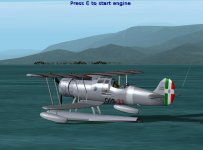
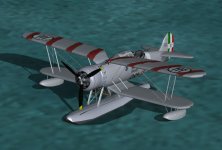
OK, problem solved  . How? By using the aircraft.cfg and the air.file of the Aichi E16A1 Paul 's. So now it starts from the water and flies great. Now the next problem: it has a beautful VC, but that is barely visible because there is a kind of white pilot's headrest before it that blocks the view and make only 3 instruments visible through a kind of square opening. How to get rid of that????????
. How? By using the aircraft.cfg and the air.file of the Aichi E16A1 Paul 's. So now it starts from the water and flies great. Now the next problem: it has a beautful VC, but that is barely visible because there is a kind of white pilot's headrest before it that blocks the view and make only 3 instruments visible through a kind of square opening. How to get rid of that????????
The B24 Guy
SOH-CM-2022
Hi hertzie,
Sounds like you need to adjust the eyepoint. Look for the [Views] section in the Aircraft cfg file.
Take the info form the original AC Cfg file and transfer them into the new AC cfg file.
Hope this helps,
B24Guy
Sounds like you need to adjust the eyepoint. Look for the [Views] section in the Aircraft cfg file.
Take the info form the original AC Cfg file and transfer them into the new AC cfg file.
Hope this helps,
B24Guy