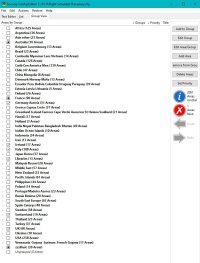
Scenery configuration

highpockets

SOH-CM-2025
I am starting out again to redo my FS 2004. Anyone willing to share scenery sequnce adding after the defaults? Been in CFS 2 for a while and how the scenery is installed (this on top of tha etc) is important. I have OBIO's version 2 guide, I want to install in sequence when necessary and know when to install where ever.
Have a great-grandson (17) who wants to be a pilot.:applause:
Thanks
 
perhaps useful: https://www.avsim.com/forums/topic/399575-scenery-library-order/

note that the scenery library priority for Ultimate Terrain is equally applicable to any other vector scenery package like Roads & Rivers of Europe or OSM World

note further that from bottom to top, the scenery priority is generally understood to be global coverage [large] < regional coverage [medium] < local coverage [small], i.e. local sceneries having the highest priority and global sceneries the lowest, and equally applicable to vectors, landclass, and photoreal

cheers!
 
Last edited:
Try to "class" your add-on scenery. :wiggle:
Load order (IMO) isn't super-critical if you're running modern levels of RAM but I try to place my "must have" stuff higher in the .cfg list.

For example, if you want to go aircraft carrier nuts, place them in roughly the same location near the top of the list.
Same deal if you have an add-on "home" airport or city scenery.

Try to place your scenery so you can find it next year. (y)
Come up with an order that you'll remember. There's nothing worse than trying to find a BGL conflict if you can't remember when you loaded it or what it was named. :dizzy:

Learning how to read and edit your scenery.cfg file isn't hard. Its also one thousand times easier than using the built-in "add scenery" function.
The easiest way to mangle your scenery.cfg file is if you use FS's own add/delete and layer tool. :dizzy:

Do it manually and life is so much better. :ernaehrung004:
 
@Sbob some great tips there, but manually editing the scenery cfg file can get rather tedious after several hundred or so, in which case, one cannot go wrong with the likes of:

Hans Hartmann's SCM2004 Scenery Manager: https://library.avsim.net/extsearch...author]=hartmann&extended_search[category]=47

or FS Scenery Config Editor https://sourceforge.net/projects/fs-sceditor/

You are nonetheless correct that FS' built-in scenery add/delete and layering tool can indeed turn MSFS scenery library management into a veritable nightmare, and why the likes of the above mentioned 3rd party applications are highly recommended to easily manage a large scenery library and concurrently minimize the potential for any errors
 
I couldn’t manage without the free scenery config editor developed by Andrew Thornton:

This utility is designed to enable easier editing of your flightsim scenery
configuration (.cfg) file. It was developed to allow the grouping of scenery
areas to enable your flightsim to run with only the scenery areas you require
for that particular flight. This will allow flightsim to allocate more resources
to running the program by minimising the amount of scenery enabled. It is hoped
this will also improve loading times, but this has not been fully tested. The
marker system allows easier identification of scenery's that have been installed
incorrectly, and improves the functionality of any editing. We hope you find
this handy program useful.


Blurb from the utility.

This is what it looks like with my 2000+ add-on sceneries:
Scenery editor pic.jpg
 
Back
Top