
-
Please see the most recent updates in the "Where did the .com name go?" thread. Posts number 16 and 17.
-
Special Server Maintenance
Just when you think you have everything running some what better...
You get a message from the Hosting company. Short story they need to move us to a new server. I have been working with them to plan a good date for all concerned. Here is what we have come up with as a schedule.
- November 4th 17:00 -5UTC shut off the forums and start backup proceedures. During this time there will be no access to the forums or the Resource Section.
- November 5th Continue with Backups and download same until complete.
- November 6th 7:00 turn over server to hosting company to move system to new server
- November 7th - 8th restore backups and upgrade forum software.
If all goes well we should be back online on November 8th.
To keep you updated we will post updates on AVSIM forums.
Thank you for your support.
You are using an out of date browser. It may not display this or other websites correctly.
You should upgrade or use an alternative browser.
You should upgrade or use an alternative browser.
Sim Update 6 released
- Thread starter DennyA
- Start date


Cazzie
SOH-CM-2026
I know we have several developers and repainters here, so as with every Sim Update, there is also a new Update for the SDK. Check your Gear Icon, go to Advanced and click Developer Mode On. It will show you in the upper left should a new SDK be required. Download the Core SDK and all other downloads under the Help Menu, which will take longer than the Sim Update, trust me. I think .msi must mean "Mighty Slow Install".
Cazzie
Cazzie

Killbilly
SOH-CM-2026
Thanks for the reminder.I know we have several developers and repainters here, so as with every Sim Update, there is also a new Update for the SDK. Check your Gear Icon, go to Advanced and click Developer Mode On. It will show you in the upper left should a new SDK be required. Download the Core SDK and all other downloads under the Help Menu, which will take longer than the Sim Update, trust me. I think .msi must mean "Mighty Slow Install".
Cazzie

DennyA
SOH-CM-2023
Another long list of fixes and tweaks for my beloved Grumman HU-16 & G111
Y'all, you just gotta read the list of enhancements for the Albatross. Man, if all creators had such obvious passion for their planes, the forums would be empty because there'd be little for the rivet counters/texture mafia/fuse bros to crow about.

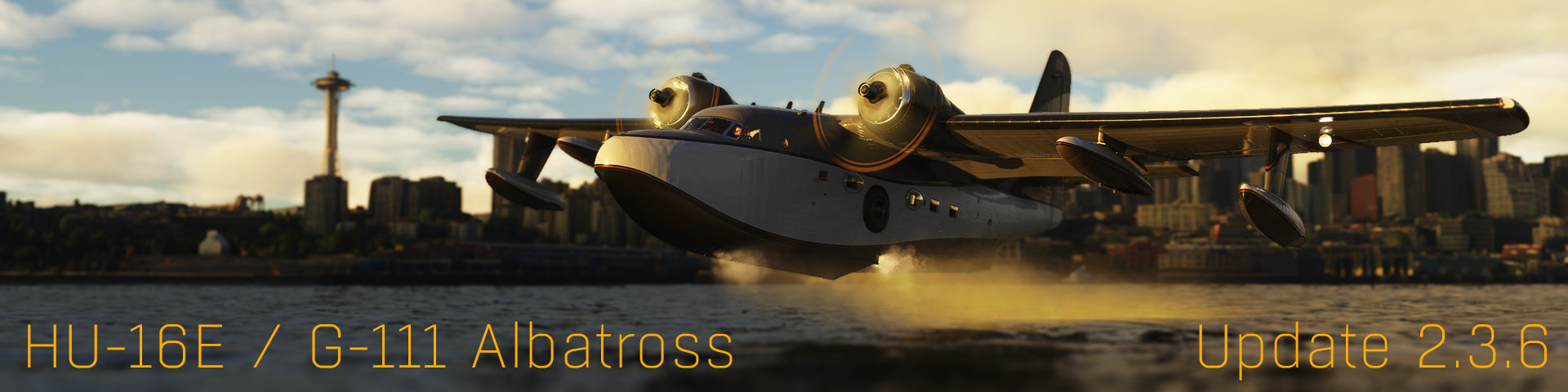
Grumman Albatross HU-16/G111 Thread
Welcome everyone to version 2.3.6… the sixth… possibly largest… and by far my personal favourite update for the 2024 Albatrosses! This update has been developed in my spare time over many months and is all about bringing some extra realism, character and “life” to the Albatrosses, along with a...
 forums.flightsimulator.com
Thanks, Mike!

Daube
SOH-CM-2026
As I tried to write on the official forums, they have also added some fixes to the Icon A5, but they haven't fixed the permanent flood light in the cockpit that ruins the experience at night :/
The Icon is actually one of my favorite planes in the sim. Back in MSFS2020 it was very enjoyable to fly in early mornings, but in MSFS2024 the cockpit is always bright, which sucks...
The Icon is actually one of my favorite planes in the sim. Back in MSFS2020 it was very enjoyable to fly in early mornings, but in MSFS2024 the cockpit is always bright, which sucks...

Postbaer61
Bluebear
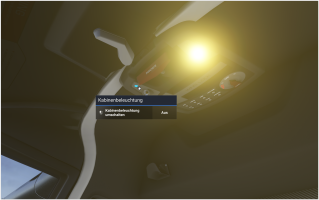
There are two switches direct in front of the ceiling spotlights. Have you tried them?
Daube
SOH-CM-2026
Yes and these are just acting as a kind of overpowered pedestal lights, which is also something that would need fixing.There are two switches direct in front of the ceiling spotlights. Have you tried them?
View attachment 195514
They are turned off by default anyways.
Still, as soon as the battery is switched ON, that invisible flood light activates and can't be turned off.
I have also tried assigning a key combo to the various "toggle ... light" in the interior lights commands and none of them is related to that light.
Postbaer61
Bluebear
Ah, okay, I see what you mean.
I was able to find the two ambient light effects (LIGHT_ASOBO_CabinBounce and LIGHT_ASOBO_CockpitMinimalAmbiantLow)
that are causing the problem and disable them using the debug function.
Unfortunately, I haven't found a way to permanently disable or remove the effects yet. No matter what you try, they always appear along with the battery switch.
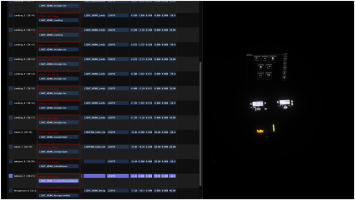
I was able to find the two ambient light effects (LIGHT_ASOBO_CabinBounce and LIGHT_ASOBO_CockpitMinimalAmbiantLow)
that are causing the problem and disable them using the debug function.
Unfortunately, I haven't found a way to permanently disable or remove the effects yet. No matter what you try, they always appear along with the battery switch.
Daube
SOH-CM-2026
I wonder if it would be possible to alter one of the config files like "apron.cfg" or such, which define the behavior of the model depending on the situation. Since you have found the name of the "variable", maybe it could be set to OFF via one of these CFG files ?
In any case, thank you so much for investigating this
In any case, thank you so much for investigating this