• There seems to be an uptick in Political comments in recent months. Those of us who are long time members of the site know that Political and Religious content has been banned for years. Nothing has changed. Please leave all political and religious comments out of the forums.

    If you recently joined the forums you were not presented with this restriction in the terms of service. This was due to a conversion error when we went from vBulletin to Xenforo. We have updated our terms of service to reflect these corrections.

    Please note any post refering to a politician will be considered political even if it is intended to be humor. Our experience is these topics have a way of dividing the forums and causing deep resentment among members. It is a poison to the community. We appreciate compliance with the rules.

    The Staff of SOH

  • Please see the most recent updates in the "Where did the .com name go?" thread. Posts number 16 and 17.

    Post 16 Update

    Post 17 Warning

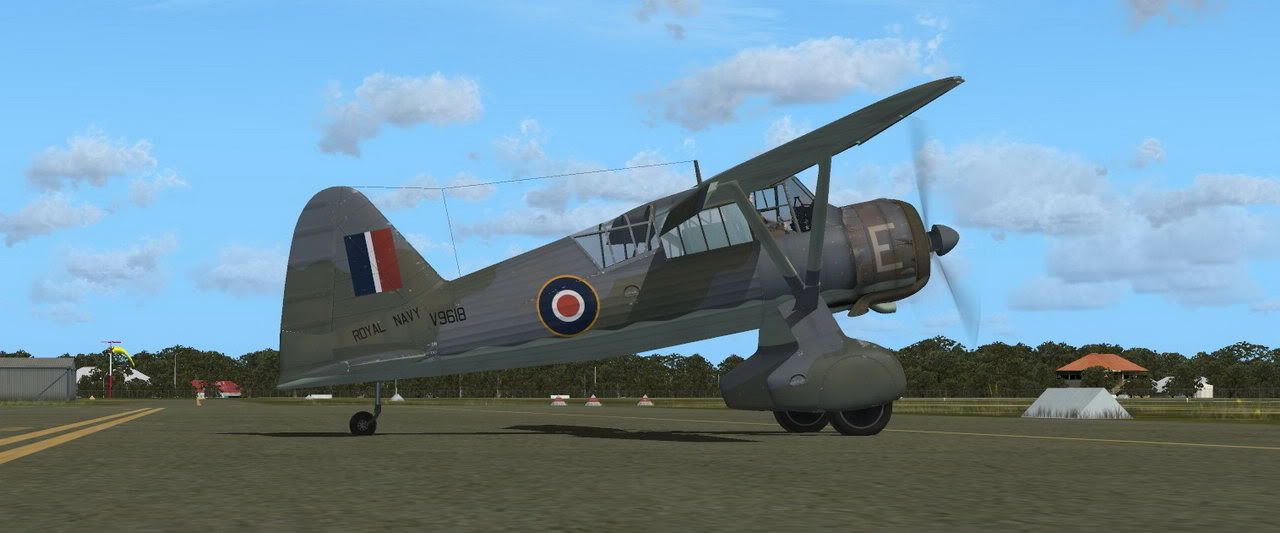
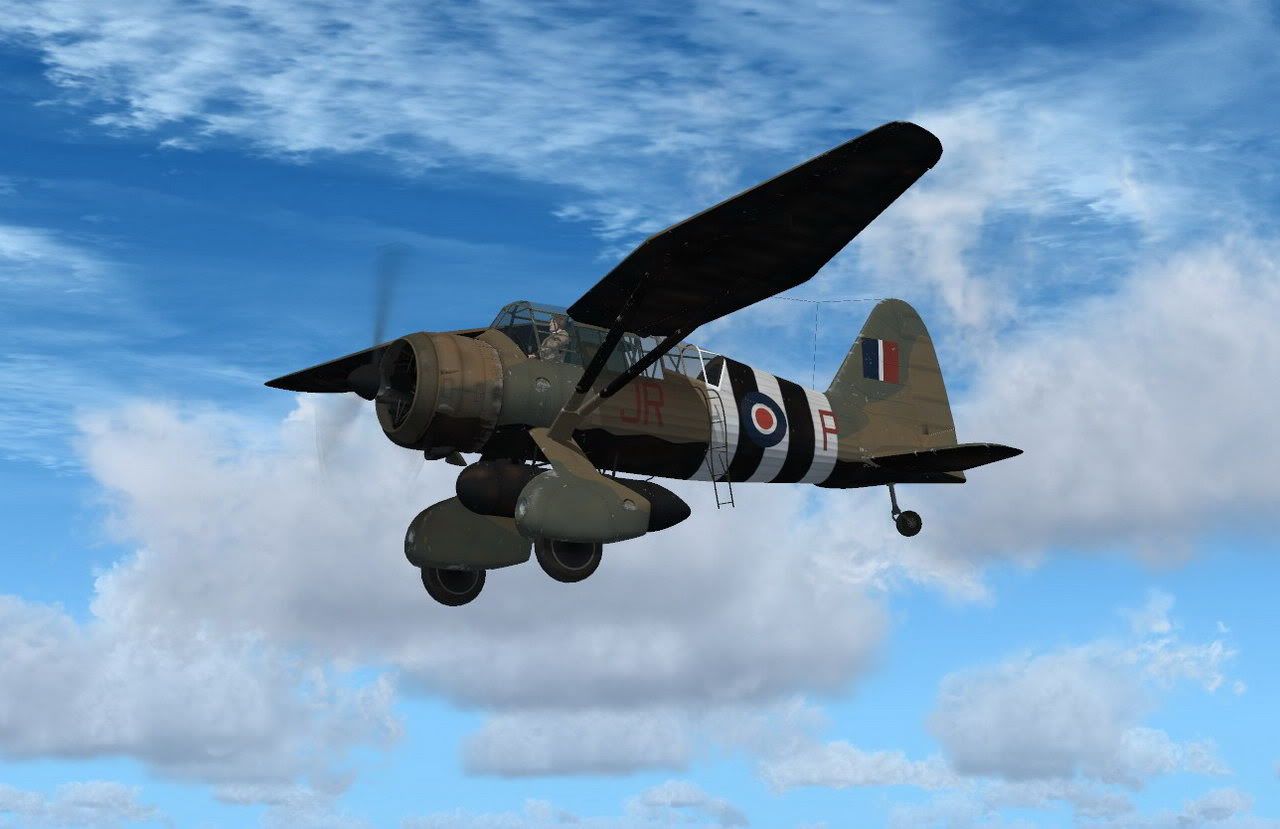
FSAddon's Lysander is released !!!

Hi Guys

that reversed lighting is usually a bump map not formatted correctly

I don't have the model so can't check from here

Regards
Rick
 
Chuck will have a look at the mapping. Meanwhile there's a problem with the panel lighting under Windows 7 as well. Problem is, my developer does not have Windows 7, so that makes finding the problem extremely difficult.

Haven't seen black screens, Glenn, but then again, I run the 64-bit version of everything except XP. Maybe that's the reason for that part.

We'll need some R&R first though, and I'll be on the road the next two days. Follow-up after New Year.
So, Happy New Year already !

Francois
 
Hello one and all , hope your holiday was pleasant .

Thanks for the suggestions about the shadows being reversed , in this case the original model had " toolbar " mirror modifiers used all over and were a source trouble in a number of locations , the majority of them Jan Kees and i managed to sort out and the prop hub seems to have slipped through the cracks unfortunately.

The panel lighting issue under W7 is what i could use some reports about, a brief summation of what is seen or not , if they work when the L key is used and if they are seen in the exterior only , being that its all default code and .cfg effects there is nothing that stands out as a cause so i could use a few clues .

Many thanks , C Jodry for FSAddon

 
Probably should post this on the FSAddon forums, but I digress. I have a panel lighting issue (hope this is the same one others are getting?). Basically, the panel lights don't work. Francois helped me to make sure I was doing it correctly, but I have spent quite a bit of time trying to get it to work. On that note however, I am not using W7, but rather Vista 64 at this point.

Corei7 920 overclocked to 3.8GHz
BFG Tech Nvidia 8800GTX w/ 768 MB VRAM (last driver update 1 month ago)
6MB (3x2MB) Corsair Dominator DDR3 RAM at 1600MHz
EVGA X58 SLI mobo
Vista Ultimate 64 with latest updates

... and that should about do it.

Last, thanks Francois for the present! I really like this bird :)
 
Latest news on the panel lights: Chuck found that three effect files have gone missing in the initial install, or rather got stuck in the wrong folder. This MIGHT be the issue! I can't test it because I have packed my PC's ready for the trip to France tomorrow o'dark early.

If you want to try, please do!

Look in the SimObjects/Aircraft/Lysander-SO/Effects folder.
Copy the three effects files found there AND the texture files to the main FSX/Effects folder.
Test it.

????????????
 
Most illuminating. ;)

Yes - copying/moving the contents of the Effects folder (including the texture folder, not just the .fx files) from the aircraft directory to the FSX/Effects folder solved the issue.

Thanks gents!
 
Found it first day...I like to have a rummage through the folders of new aircraft...to see what I've got:engel016:
 
Yes. I must have missed it with testing because I installed so many different versions before already. So basically the files were in two places on all of my test PC's. Urghs....
 
I just uploaded these two:

Navy5888.jpg


JRP5894.jpg


Happy flying!
 
Thanks Jan Kees. Not much snow here in the mountains, so maybe I get around working on the Lizzie website after all...... :kilroy:
 
Latest news: work on FLAK Effects and Search Lights effects is progressing too.... and some other goodies we have in store for a follow-up to the Lizzie package..... stay tuned :)
 
Hello one and all , hope your holiday was pleasant .

Thanks for the suggestions about the shadows being reversed , in this case the original model had " toolbar " mirror modifiers used all over and were a source trouble in a number of locations , the majority of them Jan Kees and i managed to sort out and the prop hub seems to have slipped through the cracks unfortunately.

The panel lighting issue under W7 is what i could use some reports about, a brief summation of what is seen or not , if they work when the L key is used and if they are seen in the exterior only , being that its all default code and .cfg effects there is nothing that stands out as a cause so i could use a few clues .

Many thanks , C Jodry for FSAddon


Hmm, so is there a fix for mirror modifiers

Panel light effects I just moved and I believe OK
 
My first Addon this year----WOW!
Is this an elevator or an aircraft?
Simply stunning,makes much fun flying this bird.
Michael
 
It's pure unadulterated lift with a thin covering of paint... Until you stall it, at which point you're in trouble. ;)

I've actually been flying the release version a lot since getting it, as I've discovered it's the perfect aircraft for poking around sceneries looking for misaligned taxiways, randomly sticking out bits of concrete and Type B buildings pointing the wrong way.

doublecool: Unfortunately the mirror modifier glitch is something that the 3d modelling package does which can only be fixed using said 3d modelling package. It caught be out superbly not too long ago when I used it and it turned my entire structure inside out. I just deleted the entire thing and redid from scratch in that instance because it was easier, but that's not really an option here so hopefully Chuck knows a better fix than I do (not that this is hard as I know very little. :d)
 
Thanks folks, glad you like flying the Lizzie.

Chuck is onto it to make any changes necessary (and possible).
 
Thanks folks, glad you like flying the Lizzie.

Chuck is onto it to make any changes necessary (and possible).

Could you please look at the turn coordinator Chuck? The sideslip indicator seems to read backwards, showing left sideslip in a right hand bank and t'other way round. This is a great model - a whole new way of flying for me, and one that I'm enjoying very much.
 
Back
Top