
• There seems to be an uptick in Political comments in recent months. Those of us who are long time members of the site know that Political and Religious content has been banned for years. Nothing has changed. Please leave all political and religious comments out of the forums.

    If you recently joined the forums you were not presented with this restriction in the terms of service. This was due to a conversion error when we went from vBulletin to Xenforo. We have updated our terms of service to reflect these corrections.

    Please note any post refering to a politician will be considered political even if it is intended to be humor. Our experience is these topics have a way of dividing the forums and causing deep resentment among members. It is a poison to the community. We appreciate compliance with the rules.

    The Staff of SOH

  • Please see the most recent updates in the "Where did the .com name go?" thread. Posts number 16 and 17.

    Post 16 Update

    Post 17 Warning

Screen shot blurries....

Sundog

SOH-CM-2025
...I know there was a guide to taking great screenshots around somewhere, though I can't recall where, but right now, my main problem is blurry textures in the distance and I can't remember how to prevent that. Here are a couple of examples, which I think would have been good screenshots if the background terrain textures were crisp.
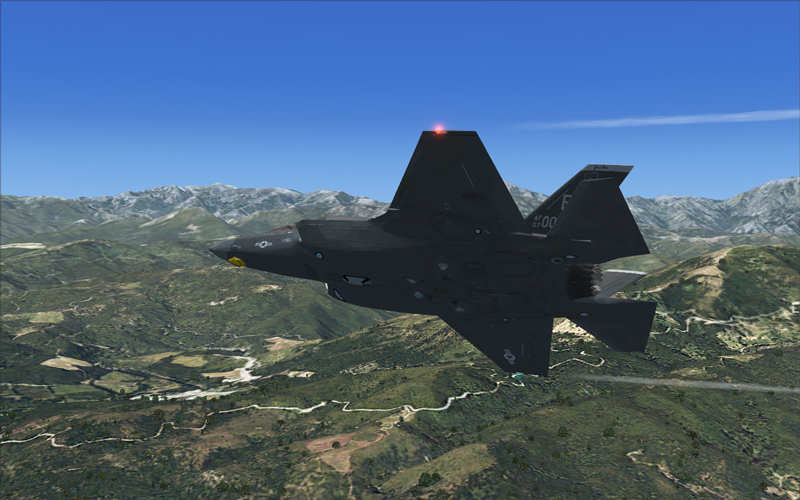
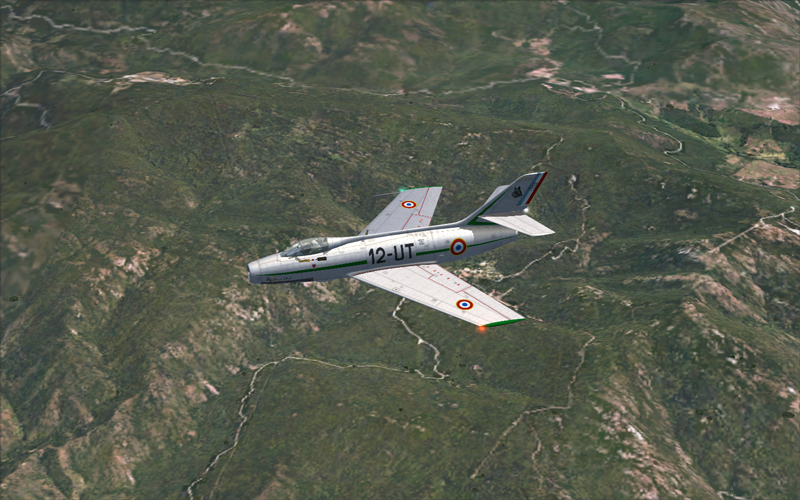
L2-9.jpg


DM-1.jpg
 
I just pause the sim and let the textures catch up, then take the shot. It's not a screenshot problem, it's the sim lagging behind in writing the textures to the sim.:salute:
 
you can try this:

in external view..either of the fixed ones - not the flyby.

press the (-) minus key two times - then

press (Ctrl + -) the control and the minus key simultaneously two times

you will see that this 'repels the background' which allows it to focus while zooming in on the aircraft to bring it forward...

play around with it to get the best effect

you can do the opposite by pressing the (+) key independently or simultaneously with the control (Ctrl) key
 
I just pause the sim and let the textures catch up, then take the shot. It's not a screenshot problem, it's the sim lagging behind in writing the textures to the sim.:salute:

Actually I already do that. I'll have to try what Heywoood recommends, but I keep thinking there's a setting I can change in the config file to correct this.
 
I have tried alot of config. tweaks to improve FSX terrain rendering WRT blurries.

the fact is - there isn't much play there anymore, not like there was before SP2/Acceleration

your rig can either keep up with the job - or it can't

and the more detailed the plane model, the more weather you put in, the more detailed the scenery addons you have installed are, the more trouble the hardware has keeping up.

I fly rural, low and slow - with minimal weather in FSX because I like crisp, smooth rendering and I hate blurred textures, stuttering and texture load lag in the cockpit like a cat hates a swimming pool
 
If you go to Settings > Controls > Buttons/Keys you can assign a button to "Refresh scenery".

I'll pause the game, hit the button and the scenery background is redrawn crisp as can be. Very usefull for screen shots of the fast movers.
 
If you go to Settings > Controls > Buttons/Keys you can assign a button to "Refresh scenery".

I'll pause the game, hit the button and the scenery background is redrawn crisp as can be. Very usefull for screen shots of the fast movers.

Good trick! i'll try it! ;)
Thx
 
Back
Top