• There seems to be an uptick in Political comments in recent months. Those of us who are long time members of the site know that Political and Religious content has been banned for years. Nothing has changed. Please leave all political and religious comments out of the forums.

    If you recently joined the forums you were not presented with this restriction in the terms of service. This was due to a conversion error when we went from vBulletin to Xenforo. We have updated our terms of service to reflect these corrections.

    Please note any post refering to a politician will be considered political even if it is intended to be humor. Our experience is these topics have a way of dividing the forums and causing deep resentment among members. It is a poison to the community. We appreciate compliance with the rules.

    The Staff of SOH

  • Please see the most recent updates in the "Where did the .com name go?" thread. Posts number 16 and 17.

    Post 16 Update

    Post 17 Warning

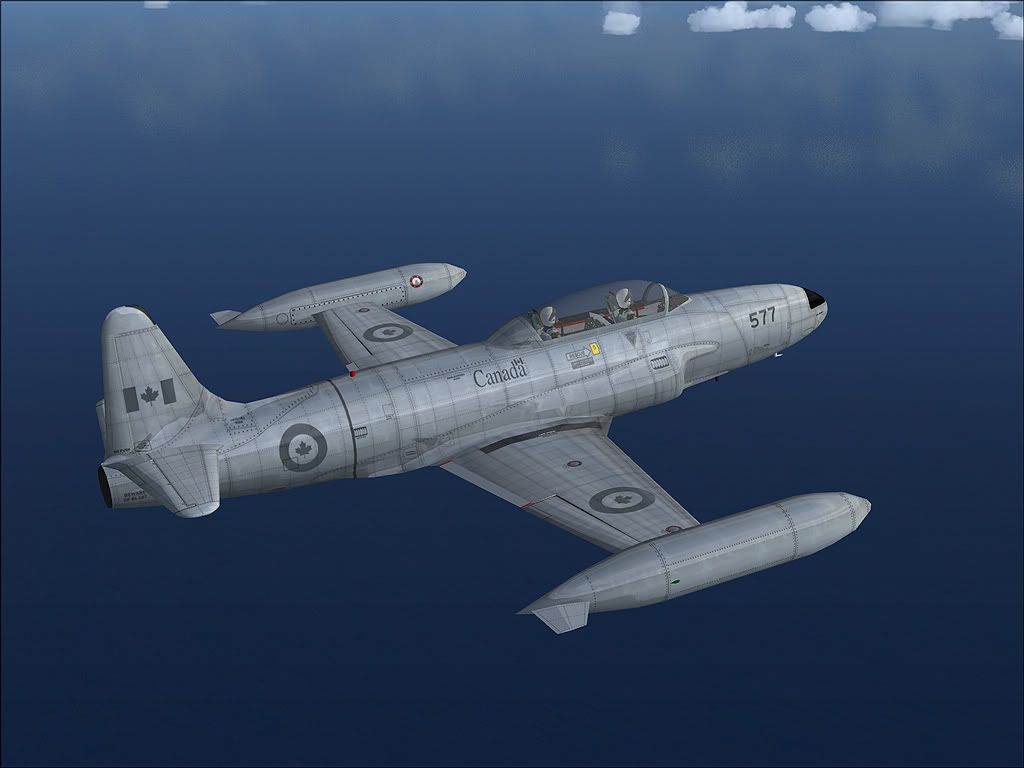
With no new T-33 on the horizon...

...Repainting:
There are a number of models with different reflectivities due to limitations in FSDS 3.5 for FSX only allowing fully reflective or matt textures.

These are:
default -- inside of tanks - matt, outside fully reflective; antiglare, matt; rest of fuselage, reflective.
camo -- fully flat -- applied to NASA and FAC
rok -- fuselage and wings -- fully reflective, tanks -- fully flat
fis -- aircraft fully reflective

Thanks for pointing this out!
But to me it seems as if all of these models do show no reflections at all in a "non-accelerated" FSX install (tried out all of them). Can this be possible?
Luckily enough, I have the Acceleration DVD on my shelf (de-installed it a while ago for some odd reasons...), so I'd better proceed the upgrade right now!

Cheers,
Markus.
 
I really wish it could be possible to turn down the reflections a few tads :monkies:

Shane Strong: Look for T-33_Textures_PSD.zip uploaded by Wild Bill Kelso


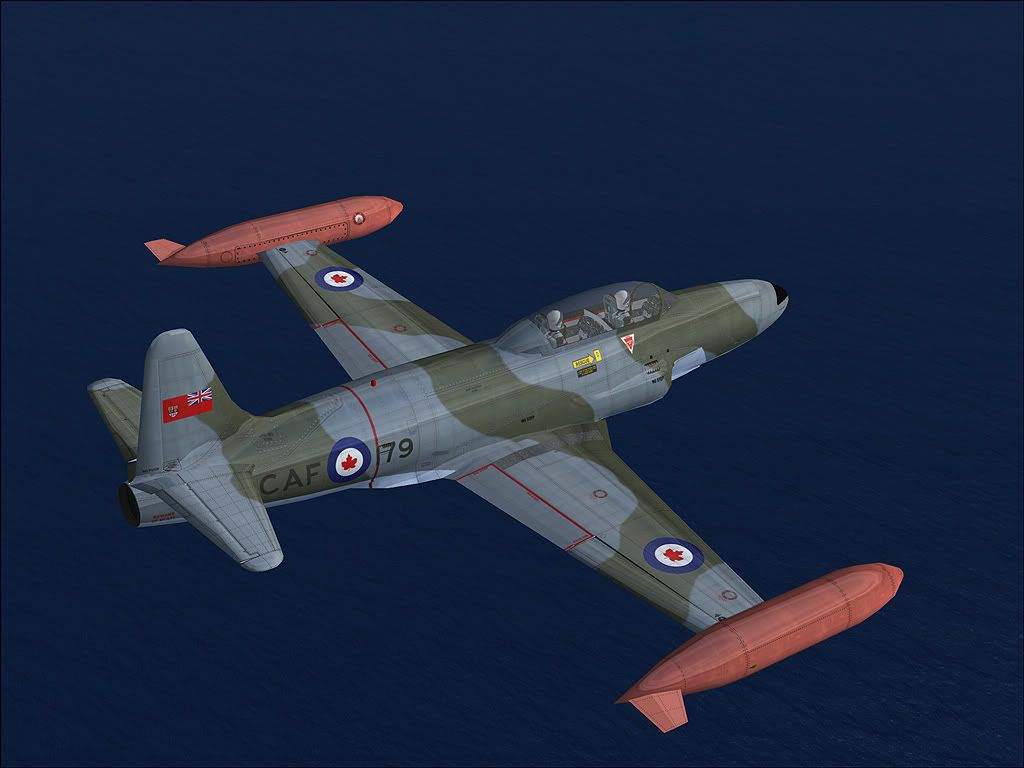
rcaf.jpg


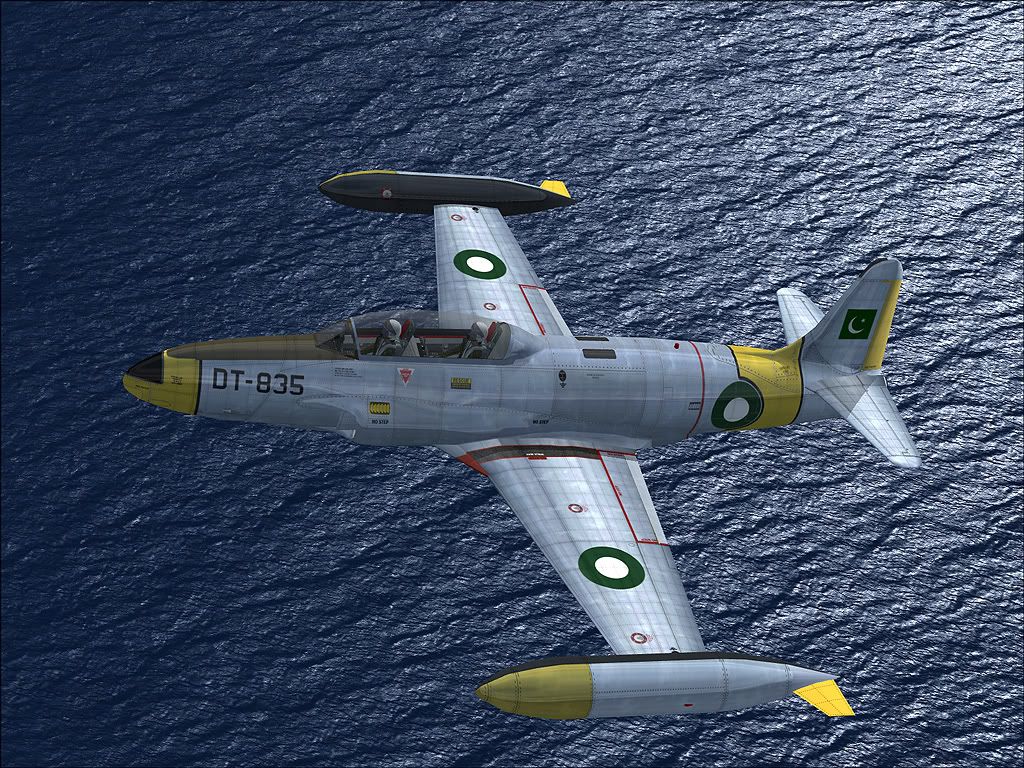
Paki.jpg


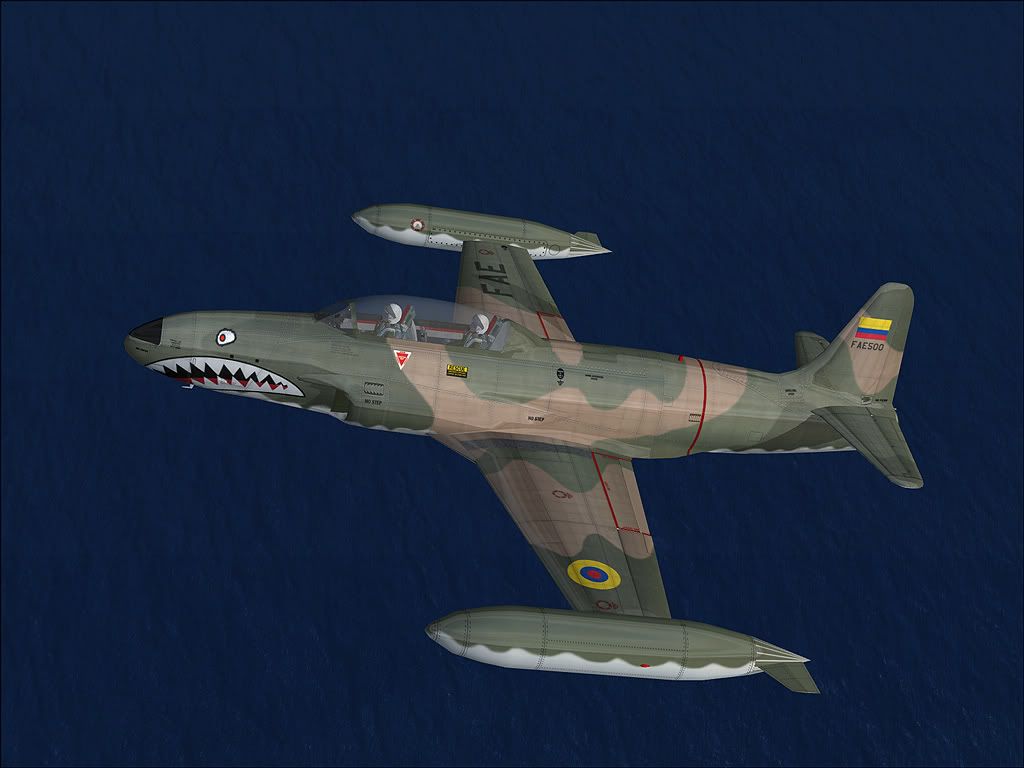
Fae.jpg


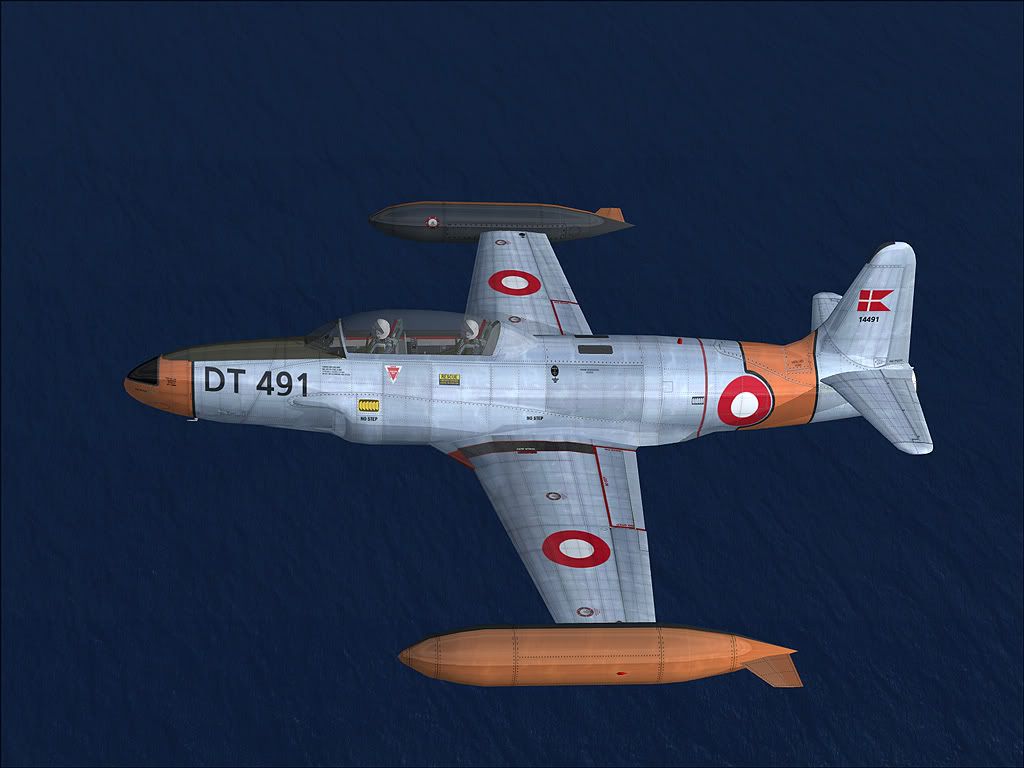
Dan.jpg


caf.jpg


USAF.jpg
 
T-33 VC Canopy Reshaping

I am making progress on the canopy reshaping. See the attached picture. It is not finished but coming along. In the picture only the left side is down.

Also the control on reflections will much better when the model gets converted over to GMAX. I have already done the first conversion but it is a long process.


View attachment 29586

Radioman123
 
I am making progress on the canopy reshaping. See the attached picture. It is not finished but coming along. In the picture only the left side is down.

Also the control on reflections will much better when the model gets converted over to GMAX. I have already done the first conversion but it is a long process.


View attachment 29586

Radioman123

Great news. That's going to be a huge improvement.
 
Radioman123 & HenryW, you guys are going to make a lot of people happy :medals:
And please stay with us here in the SOH; we already lost some of the best contributors lately like Piglet and Dag who are "taking a break" now...
 
I really wish it could be possible to turn down the reflections a few tads :monkies:

Shane Strong: Look for T-33_Textures_PSD.zip uploaded by Wild Bill Kelso
Where can I find the T-33_Textures_PSD.zip file. I checked here at SOH but can't locate it!!

Regards, Mike Mann
 
I am making progress on the canopy reshaping. See the attached picture. It is not finished but coming along. In the picture only the left side is down.

Also the control on reflections will much better when the model gets converted over to GMAX. I have already done the first conversion but it is a long process.


Radioman123

Great job !!
With this reshaping, and a good repainting, this virtual cockpit will look just great ! :ernae:
 
AWESOME!!!

I can't believe I've only just got to this thread. I know, I should work less and play more.

Henry and RM - this looks outstanding. Those CF birds bring back memories of AETE in Cold Lake ... sigh Sadly, lost all my cockpit shots of the '133 I took.

Looking forward to this in a huge way.

dl
 
The "Skins" you quote in your post. . .the PSD files. . .that is the paint kit I did for the T-33 converted to PSD format for those who use Photoshop for repaints. Henry can correct me here if I'm mistaken, but I don't believe the skins he shows have been posted yet.:salute:
 
The "Skins" you quote in your post. . .the PSD files. . .that is the paint kit I did for the T-33 converted to PSD format for those who use Photoshop for repaints. Henry can correct me here if I'm mistaken, but I don't believe the skins he shows have been posted yet.:salute:

I can't find this Photoshop paint kit anywhere on SOH, or was it not uploaded?

Regards, Mike Mann
 
I can't find this Photoshop paint kit anywhere on SOH, or was it not uploaded?
Regards, Mike Mann
Yes, it was uploaded for both the PSP format (Paint Shop Pro) and PSD (Photoshop). A week ago I could have told you exactly where it was. . .now. . .after 15 minutes of searching several different areas. . .I don't have a clue where they are.:salute:
 
After five minutes of searching, trying and cursing:

1. "Warbirds Library"
2. "Add-Ons Index"
3. "Search Add-Ons Library"
4. Mark "exact phrase" below the search field
5. Enter "T-33" in the search field
6. Hit "Search"
7. ???
8. PROFIT!

And now: PAINT IT!

;) :d


P.S: The paintkits are in the FS9 section. :p
 
After five minutes of searching, trying and cursing:

1. "Warbirds Library"
2. "Add-Ons Index"
3. "Search Add-Ons Library"
4. Mark "exact phrase" below the search field
5. Enter "T-33" in the search field
6. Hit "Search"
7. ???
8. PROFIT!

And now: PAINT IT!

;) :d


P.S: The paintkits are in the FS9 section. :p

Thanks for the tip, I finally found it!!

Actually if I have some scenery files that I don't want to share with others, I could just upload them here and tell people I have already uploaded the files. Best of luck to them trying to get them!!

Regards, Mike Mann
 
T-33 VC Canopy Reshaping

Here is an update on the Canopy Reshaping. Still working some details but it is coming along nicely. Will post next week.

Regards

Radioman123
 
Back
Top