• There seems to be an uptick in Political comments in recent months. Those of us who are long time members of the site know that Political and Religious content has been banned for years. Nothing has changed. Please leave all political and religious comments out of the forums.

    If you recently joined the forums you were not presented with this restriction in the terms of service. This was due to a conversion error when we went from vBulletin to Xenforo. We have updated our terms of service to reflect these corrections.

    Please note any post refering to a politician will be considered political even if it is intended to be humor. Our experience is these topics have a way of dividing the forums and causing deep resentment among members. It is a poison to the community. We appreciate compliance with the rules.

    The Staff of SOH

  • Please see the most recent updates in the "Where did the .com name go?" thread. Posts number 16 and 17.

    Post 16 Update

    Post 17 Warning

SF8 F86 black canopy

olderndirt

Charter Member
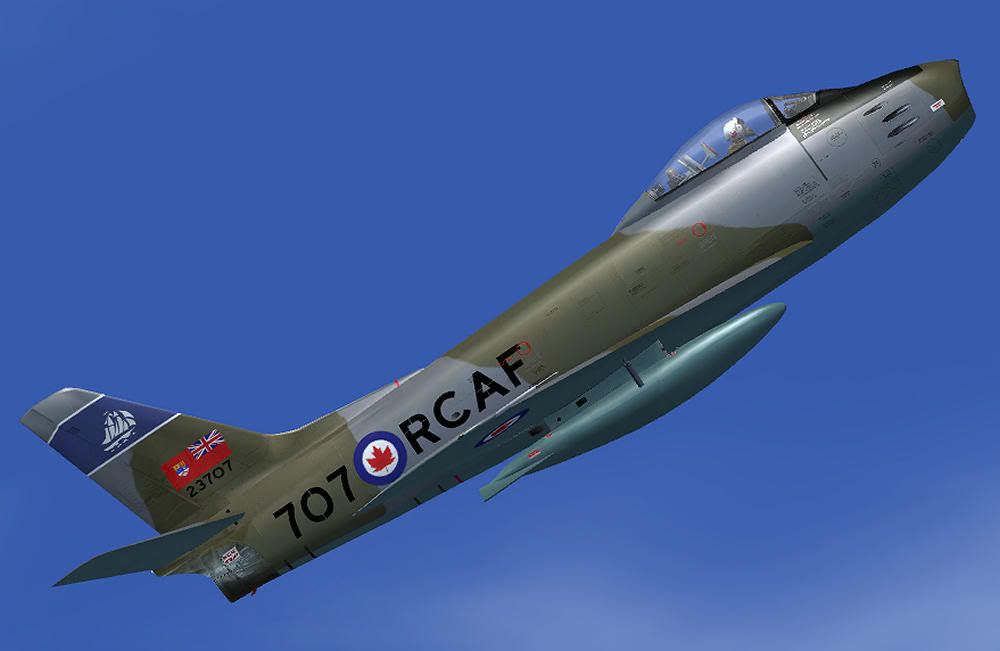
A question probably heard before. After downloading and installing a couple of 'Wild Bill Kelso's' RCAF textures for the FSX version of SectionF8's F86, I noticed they have black canopies. Where can I find a fix for this?

 
If it is just with Wild Bill's skins then go to one of your other texture folders and copy the texture.cfg file, and place it in the folder for the skin you are having trouble with. That fixed it for me.
 
If it is just with Wild Bill's skins then go to one of your other texture folders and copy the texture.cfg file, and place it in the folder for the skin you are having trouble with. That fixed it for me.
No joy on that - the texture.cfg files are identical.
 
hmm ok, sorry it didn't help. When I downloaded skins for that plane they didn't have a cfg file at all, odd that yours did, adding it cleared up the black cockpit for me.

Hopefully someone will be along with another idea. :salute:
 
In the texture foldure you've added, is there a "texture.cfg" file? That has an important line that reads

"[fltsim]
fallback.1=..\texture.shared"

On a lot of FSX models, there is a common texture folder (in the case of the FSX Sabre, called "shared". That gives the sim to read these specific texture files (repaint) AND those common files in the shared folder.

All I did is copy one of the texture.cfg files from the FSX package into the texture folder from WBK's repaint. Works like a charm.

dl

EDIT: sorry - I sat in the thread for a while before responding (got pulled into something else) - didn't see that WB had responded in the meantime with the same suggestion. Doublecheck everything. If the stock FSX textures appear fine, and nothing has been added/deleted, then it has to work. If the stock textures are giving you issues, then it's a different story.
 
Hmmm - that's strange:
Everything fine here (SP2)

sabre_x3.jpg


Did you apply Bjoern's excellent patch, proceeding the conversion batch routine after installing my textures?

Cheers,
Markus.
 
Once again "If you lead a horse to water, he will drink" - eventually. Should have got it from W Bleddyn's first reply; anyway thanks for the help. Super repaints Wild Bill.
 
Back
Top