
fallenphoenix1986
SOH-CM-2022
Landing a CTOL fighter on a Spruace... suppose thats one way to go. Would love to see the artwork, also a proud owner of the Razbam bird so if its on the slipway 
Craig
Craig

Please see the most recent updates in the "Where did the .com name go?" thread. Posts number 16 and 17.
Please see this thread for updates. Update Thread
SOH ADMINISTRATION


Wups! Good catch. Noted for correction. I'd better check the textures and see if I got the hull numbers on the right ships!

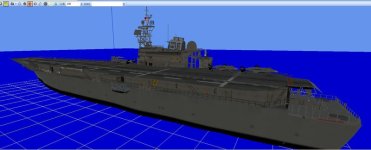
Almost ready for sea trials...Most of the formal SCS designs were variations of the design that became the Principe de asturias, which is in hull form and machinery descended from the Spru's . I'd thought I'd saved the jpeg, and I can't find the thing now. Similar to the Ghiradella proposal, with the gun and ASROC removed in favor of a longer flightdeck forward, and my eyeball says it looks a bit longer and beamier, about 600x60. I'm thinking I'll just clear the foredeck and build forward, and move the lift aft re Tarawa/R-11 . Thes studies were really cool looking too...Anyways. Into the paint barn and a quick spin in the sim, with luck, the beta may be available here in a couple of hours...Greyeagle is having a helluva time getting the ships to show up. I've just downloaded the beta zip to have a looksee. Any one else crapping out?

Should be an easy job to do yourself...So what is the deal? Will there be a corrected Spruance file or is the current file the latest and greatest file? Thanks

