
Hello,
I recently purchased P3D and not liking it, have reverted back to my FSX where everything works well and is set up perfectly for the local area in which I live and fly in. Having tried the PNW Demo with P3D, I thought I would go and 'fly' the Orbx scenery in FSX and when I load FTX Central, I get the following screenshot (ignore my wallpaper!)........
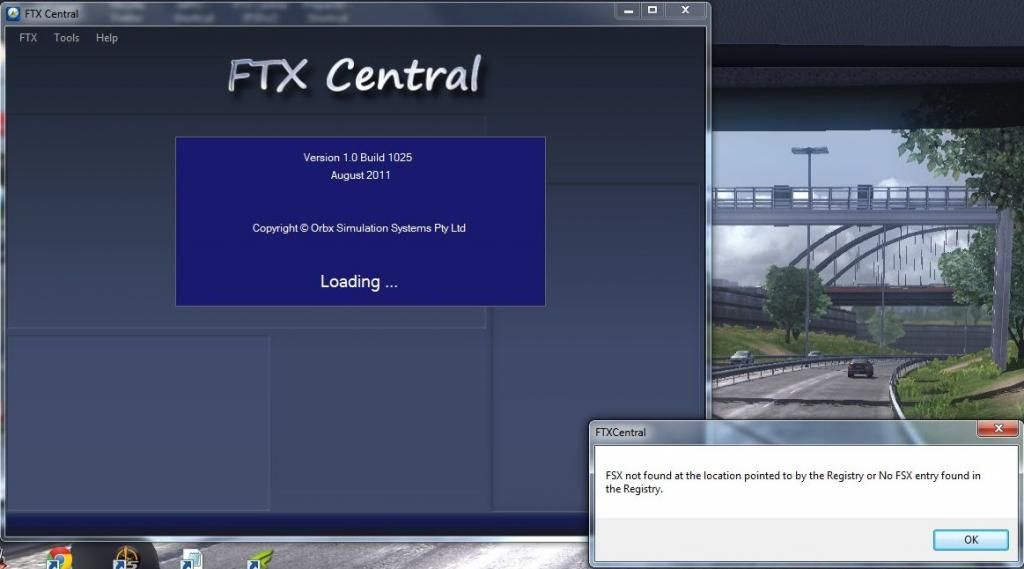
Does anyone know how I can point the software towards the right destination?
Best wishes,
Martin
Edit: It seems that Central is looking for P3D (even though that has its own FTX Central) and not at FSX........
I recently purchased P3D and not liking it, have reverted back to my FSX where everything works well and is set up perfectly for the local area in which I live and fly in. Having tried the PNW Demo with P3D, I thought I would go and 'fly' the Orbx scenery in FSX and when I load FTX Central, I get the following screenshot (ignore my wallpaper!)........

Does anyone know how I can point the software towards the right destination?
Best wishes,
Martin
Edit: It seems that Central is looking for P3D (even though that has its own FTX Central) and not at FSX........

