-
Please see the most recent updates in the "Where did the .com name go?" thread. Posts number 16 and 17.
-
IMPORTANT DOWNLOADING INFORMATION - ALL MEMBERS PLEASE READ
Please see this thread for updates. Update Thread
SOH ADMINISTRATION
You are using an out of date browser. It may not display this or other websites correctly.
You should upgrade or use an alternative browser.
You should upgrade or use an alternative browser.
Torps fail to explode
- Thread starter stoney
- Start date

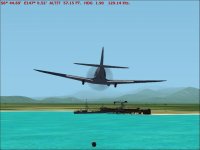
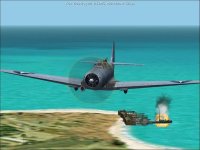
.Been having a ball flying Dasuto247s new missions, especially the TBD torpedo mission. But none of my torpedoes will explode, even when I make a direct hit on an enemy vessel. What would cause this? Thanks if you can help.
Ah this is a quirk in cfs 2 that no one has resolved to my knowledge .In order for your torpedo to hit you should approach from just off the bow or stwrn sobthe torpedo impacts at a narrow angle.Basically broadside 90 degree hits do not work most of time. Whether this was done to emulate early aerial torpedo performance (many failed to detonate on impact due to faulty detonators) which as poor as us submarine torpedo performance (Google mark 14 torpedo to read about this scandal) or is just a design quirk in sim not sure. Have a submarine sim that has faulty detonators for first year and half of war.
Advice is to approach target as mentioned right just few degrees off bow or stern. Watch the AI torpedo attack, usually they approach same and I'd don't their torpedoes usually miss.


AER_DaddyO
SOH-CM-2025
Stoney,
This is a fix that I have used when fiddling with other Torpedo planes that have results, similar to yours. Not sure what Torpedo you're using, but it's been my experience that the Torpedo's DP file is usually the cause of the "dud" problem. Go to your OBJECTS_DP folder, then make a copy of the Torpedo's original DP file for safe keeping. Open the Torpedo's original DP file with a text editor like Notebook, and look for the following entry:
[MISC_DATA]
unit_family=4
category=37
max_weight=540
weapon_type=9
The "dud" problem seems to be generated by the bottom entry, weapon_type=9. The fix that works for me, is to change that bottom entry to weapon_type=10, so that the entry now looks like this:
[MISC_DATA]
unit_family=4
category=37
max_weight=540
weapon_type=10
Save the edited DP file, and delete your plane's CDP file in your aircraft folder [CFS2 will automatically make a new one]. To test this out, fire up your TDB in free flight, load up your edited torpedo and go to Lae, where there is a merchant ship sitting at anchor in the stock scenery. Take off, fly out a few miles, turn to port, and you should be more or less lined up for a torpedo attack run on the merchant ship. If the edited torpedo DP is working, the ship will explode but not sink, and CFS2 will register a hit. Again, I'm not sure what torpedo you use, but when I have a "dud" torpedo problem, it's been the torpedo's DP that was the culprit. Hope this helps, and happy hunting.
AER_DaddyO
"Don't just stand there... get one up!"
This is a fix that I have used when fiddling with other Torpedo planes that have results, similar to yours. Not sure what Torpedo you're using, but it's been my experience that the Torpedo's DP file is usually the cause of the "dud" problem. Go to your OBJECTS_DP folder, then make a copy of the Torpedo's original DP file for safe keeping. Open the Torpedo's original DP file with a text editor like Notebook, and look for the following entry:
[MISC_DATA]
unit_family=4
category=37
max_weight=540
weapon_type=9
The "dud" problem seems to be generated by the bottom entry, weapon_type=9. The fix that works for me, is to change that bottom entry to weapon_type=10, so that the entry now looks like this:
[MISC_DATA]
unit_family=4
category=37
max_weight=540
weapon_type=10
Save the edited DP file, and delete your plane's CDP file in your aircraft folder [CFS2 will automatically make a new one]. To test this out, fire up your TDB in free flight, load up your edited torpedo and go to Lae, where there is a merchant ship sitting at anchor in the stock scenery. Take off, fly out a few miles, turn to port, and you should be more or less lined up for a torpedo attack run on the merchant ship. If the edited torpedo DP is working, the ship will explode but not sink, and CFS2 will register a hit. Again, I'm not sure what torpedo you use, but when I have a "dud" torpedo problem, it's been the torpedo's DP that was the culprit. Hope this helps, and happy hunting.
AER_DaddyO
"Don't just stand there... get one up!"