• Please see the most recent updates in the "Where did the .com name go?" thread. Posts number 16 and 17.

    Post 16 Update

    Post 17 Warning old domain name stealing credentials

  • Special Server Maintenance

    Just when you think you have everything running some what better...

    You get a message from the Hosting company. Short story they need to move us to a new server. I have been working with them to plan a good date for all concerned. Here is what we have come up with as a schedule.

    1. November 4th 17:00 -5UTC shut off the forums and start backup proceedures. During this time there will be no access to the forums or the Resource Section.
    2. November 5th Continue with Backups and download same until complete.
    3. November 6th 7:00 turn over server to hosting company to move system to new server
    4. November 7th - 8th restore backups and upgrade forum software.

    If all goes well we should be back online on November 8th.

    To keep you updated we will post updates on AVSIM forums.

    Thank you for your support.

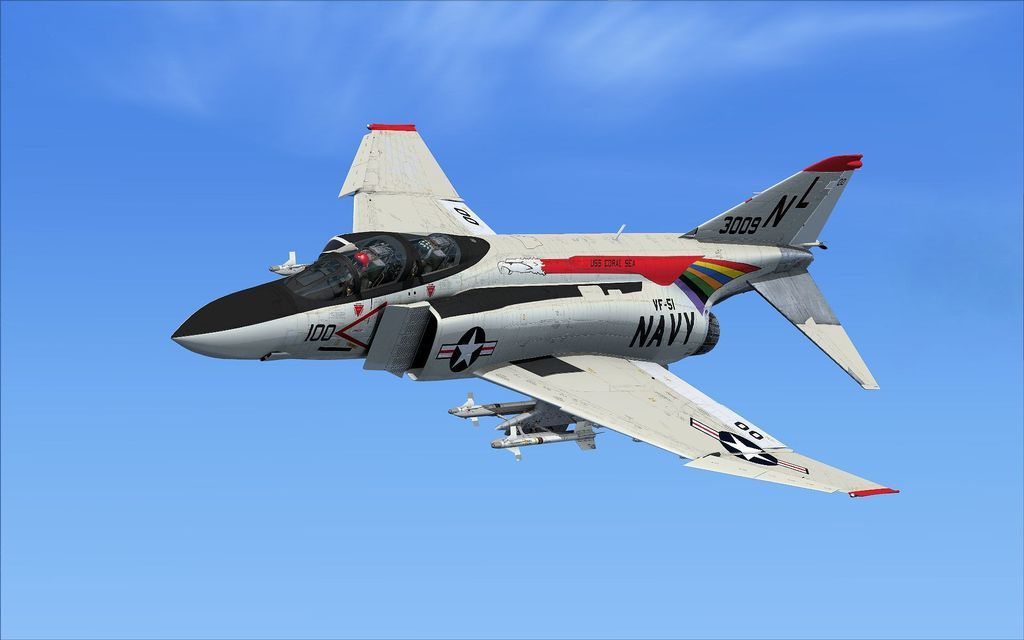
MV F-4E Phantom II Released!

hqhuj7g471xxjdtm2al1.jpg

WOW! Beautiful repaint Zsolt! Have you considered this rare camo scheme:
attachment.php
attachment.php
 
Opening The canopys

I can open the pilots canopy using keyboard command of CTRL + E but I cannot seem to find any keyboard command for the Rio's (aft canopy).
I got lucky in the RIOs cockpit and on the right side forward I found a lever that raised/lowered the canopy. There is a similar lever in the pilots
cockpit that does the same thing. So it the only way to raise/lower the aft canopy is from inside the aft canopy?
 
Paintkit Question...

Seems the layered textures for the "J" nose are not in the just released paintkit, #071014. Anyone know if that will that be coming or should we make our own?

The black radome of the -E is in the SEA camo livery folder in a group called 'face', at the bottom of the stack. Is this what you need? You could repaint that and copy it into the -J livery group. For the RAF ones at least the static ports need adding.

Hope this helps

DaveQ
 
I can open the pilots canopy using keyboard command of CTRL + E but I cannot seem to find any keyboard command for the Rio's (aft canopy).
I got lucky in the RIOs cockpit and on the right side forward I found a lever that raised/lowered the canopy. There is a similar lever in the pilots
cockpit that does the same thing. So it the only way to raise/lower the aft canopy is from inside the aft canopy?

Ctrl+E? Its a Shift+E and for RiO Shift+E+2.

MV_F-4_Phantom_152_zpsloqbdxm9.jpg~original


MV_F-4_Phantom_151_zpszsoigzgk.jpg~original


MV_F-4_Phantom_150_zpsmihec3qp.jpg~original
 
Last edited:
The black radome of the -E is in the SEA camo livery folder in a group called 'face', at the bottom of the stack. Is this what you need? You could repaint that and copy it into the -J livery group. For the RAF ones at least the static ports need adding.

Hope this helps

DaveQ

Hi Dave. No, but thanks. I was hoping for a an updated "J" model nose layered texture. It's texture #12. I got an answer on the F-4 forum but I don't understand it and I'm not going to ask again. I realize there's no support for it so I'm working on the beta paint kit texture, but it's a real mess and is Just taking time for me to set it up. Essentially I wil have made a new layered paint kit by the time I'm done, which may be never. Not sure it's worth the time or hassle for me. I took a chance the the "hybrid" J included with the E, which was the only model I was really interested in. My Bad! I should have been more patient and just waited on the "B". Lesson learned.
 
Zsolt?

Are you sure that those colors are not only to show the scheme and not the actual colors? I have never seen real pictures with those colors.
 
That's an instruction sheet from a Hasegawa model kit. You are quite correct Jens-Ole. Study the colour numbers in the instruction sheet and that will probably give you Gunze model paint numbers, either for the Euro 1 or the SEA wraparound scheme LOL.


Best regards
Dag
 
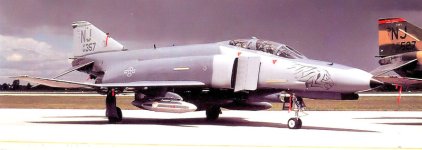
Looks two tone grey to me......

attachment.php


Hank
 

Attachments

  • 141st_Tactical_Fighter_Squadron_F-4E-37_68-0357.jpg
    141st_Tactical_Fighter_Squadron_F-4E-37_68-0357.jpg
    58.4 KB · Views: 2
Last two posts show the Hill Grey II scheme, which uses greys 36270/36118 and has no relation to the blue scheme, which is complete fiction.


Best regards
Dag
 
The Hasegawa sheet shows the pattern and colours (Gunze model paint numbers) used for the Euro I scheme, two greens and a grey and has nothing to do with the later Hill Grey scheme.


Best regards
Dag
 
Back
Top