• Please see the most recent updates in the "Where did the .com name go?" thread. Posts number 16 and 17.

    Post 16 Update

    Post 17 Warning old domain name stealing credentials

  • Special Server Maintenance

    Just when you think you have everything running some what better...

    You get a message from the Hosting company. Short story they need to move us to a new server. I have been working with them to plan a good date for all concerned. Here is what we have come up with as a schedule.

    1. November 4th 17:00 -5UTC shut off the forums and start backup proceedures. During this time there will be no access to the forums or the Resource Section.
    2. November 5th Continue with Backups and download same until complete.
    3. November 6th 7:00 turn over server to hosting company to move system to new server
    4. November 7th - 8th restore backups and upgrade forum software.

    If all goes well we should be back online on November 8th.

    To keep you updated we will post updates on AVSIM forums.

    Thank you for your support.

310 broken

LouP

Flight Sim Junkie
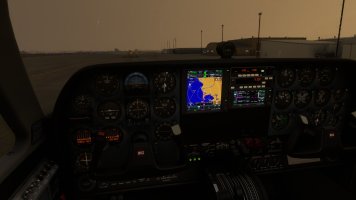
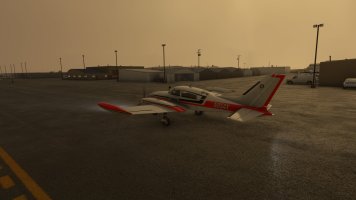
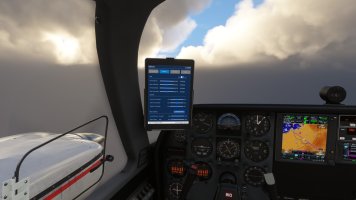
Anyone else having issues with the Milviz 310? All my guages stopped working along with the click spots. Can't hide the tablet or the yokes and some switches won't work will some others do. Wondering if it got broken while making it compatible with 2024.

LouP
 
I just tried in both 2020 and 2024, and everything seemed ok. I think I have the latest version: SP3_v2.0.5_241120. Mind you, I just loaded "ready for take off - no failures". I haven't flown the plane in quite some time. The C310 does allow for fairly complete random failure options. Do you have the failures option set for on?

PS: oops, sorry, just realized you don't have click spots either, which shouldn't happen. If you didn't before, maybe try loading ready for take off, and see if that makes a difference.
 
Last edited:
Flew it today (on PC in 2020) -- short IFR from KPVU to KPUC. Everything worked as expected. I had no problems with instruments or click spots. I was also using a custom repaint.
If you were using a custom repaint, check the panel.cfg, maybe. If that's not the issue, I'd suggest trying to reinstall the package.

20250322043034_1.jpg20250322043110_1.jpg20250322044800_1.jpg
 
Thanks guys, I just remembered I was using FSRealistic at the time. I know that can cause havoc on more advanced add-ons. Plan to check it out tonight.

LouP
 
Turns out it was FSRealistic causing the issues. Worked perfectly today when it wasn't turned on.

LouP
 
Back
Top