• There seems to be an uptick in Political comments in recent months. Those of us who are long time members of the site know that Political and Religious content has been banned for years. Nothing has changed. Please leave all political and religious comments out of the forums.

    If you recently joined the forums you were not presented with this restriction in the terms of service. This was due to a conversion error when we went from vBulletin to Xenforo. We have updated our terms of service to reflect these corrections.

    Please note any post refering to a politician will be considered political even if it is intended to be humor. Our experience is these topics have a way of dividing the forums and causing deep resentment among members. It is a poison to the community. We appreciate compliance with the rules.

    The Staff of SOH

  • Please see the most recent updates in the "Where did the .com name go?" thread. Posts number 16 and 17.

    Post 16 Update

    Post 17 Warning

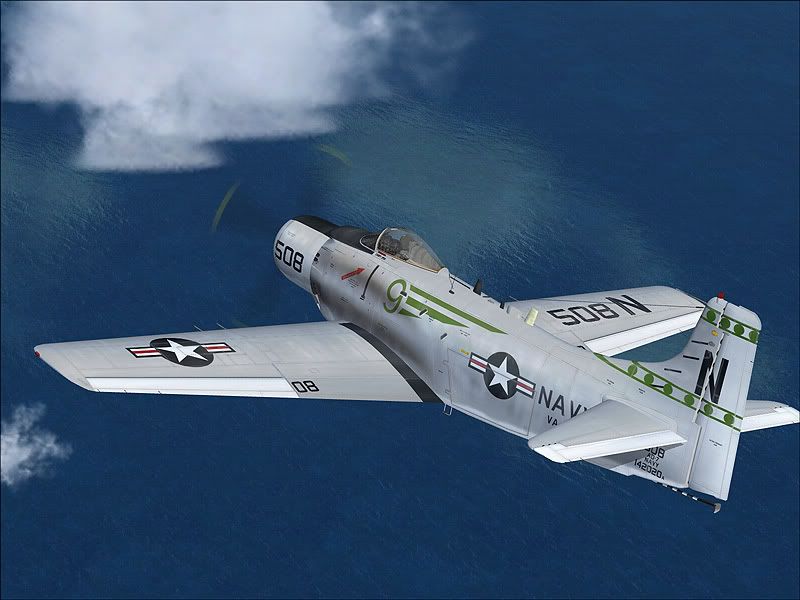
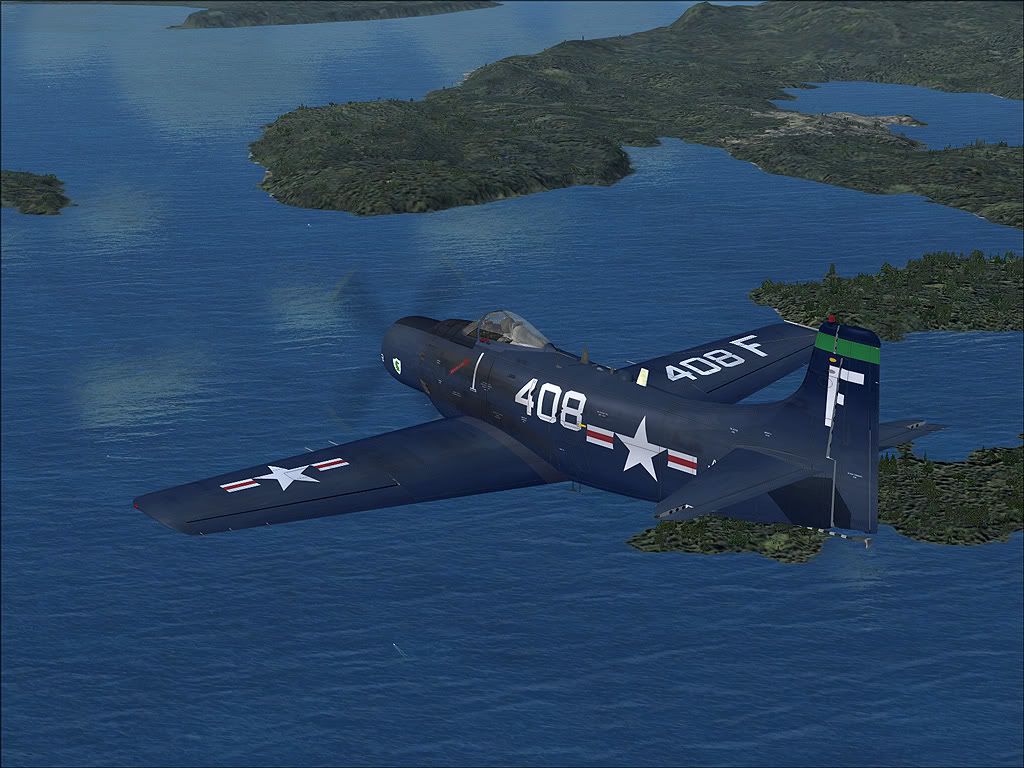
A few skyrider paints

Thanks again!

Three "spads" uploaded to flightsim.com

1.jpg


Cheers
 
Henry, love the paints! My question is, is it possible you can amend the paints for the A-1H released today? Myself and a couple of other folks have successfully merged to two models in the same folder and separated the paints. The only minor issue is that your repaints won't show the colors for the Zuni pods and Bombs of the new A-1H model. Otherwise, everything works perfectly.
 
Hello, thanks again! I'm glad you like it, the plane is absolutely great it deserves tons of repaints!

To "Deathfromafar": I'll see to it during the week end.

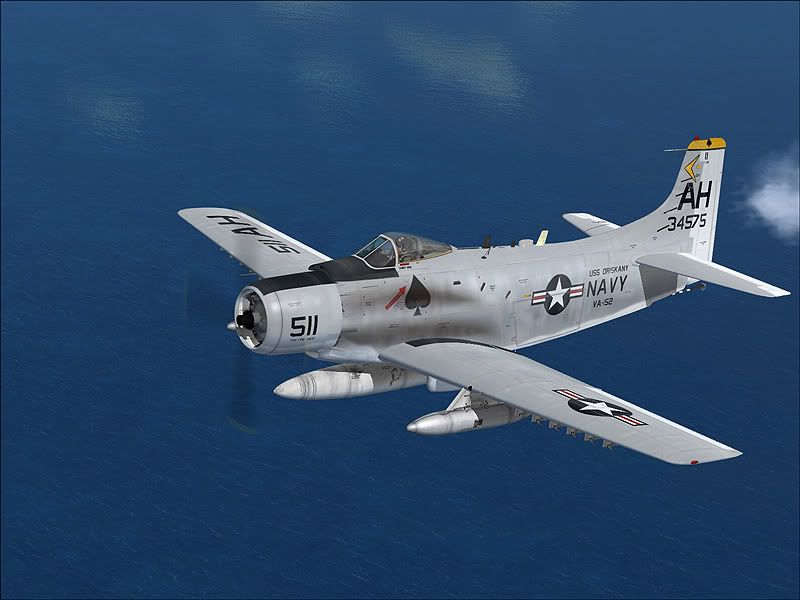
Three more textures uploaded including "Ace of spades" at flightsim.com
2.jpg


1a.jpg


1-1.jpg


:wavey:
 
Hello, thanks again! I'm glad you like it, the plane is absolutely great it deserves tons of repaints!

To "Deathfromafar": I'll see to it during the week end.

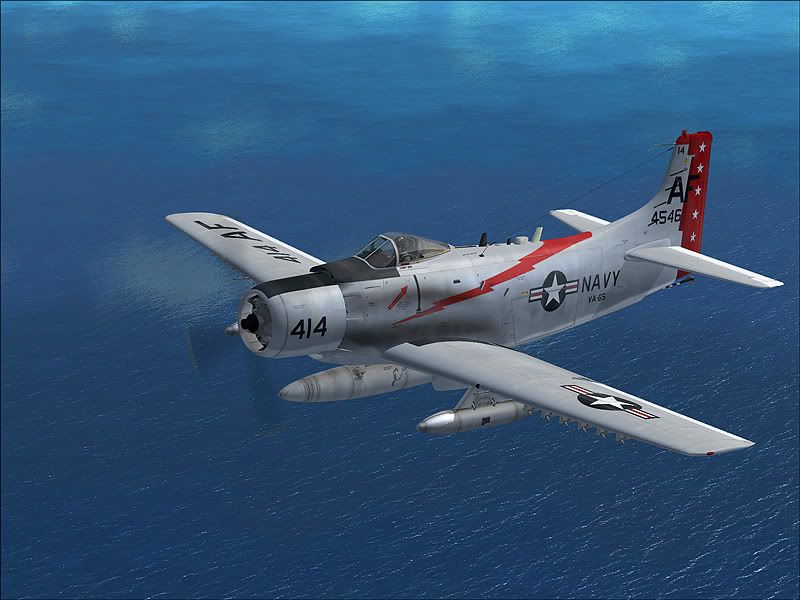
Three more textures uploaded including "Ace of spades" at flightsim.com
2.jpg


1a.jpg


1-1.jpg


:wavey:

Henry, I was able to get the issue sorted out with the gray colored repaints. I ended up using the contents of the new A-1H main texture folder and moving them into texture.409 and texture.n folders deleting the original contents except texture a1_01.dds (corresponding to each folder-texture.409 and texture.n) I then moved each corresponding texture to a temporary location (desktop-one at a time) and renaming texture a1_01.dds to a1h_01.dds and moved them back to their respective folders overwriting the original a1h_01.dds texture. This way, you can have the new repaints on Tim's newest A-1H. It's an easy fix for the gray Skyraider textures. The Dark Blue version, -texture.b can be converted the same way by renaiming it's original a1_01.dds & a1_02.dds and renaming them to a1h_01.dds & a1h_02.dds. The Zuni pods and Bomb textures are missing on that one though because of the texture format difference between a1_02.dds and a1h_02.dds. So that is really the Dark Blue repaint is only one that needs to be fixed/changed to accommodate the new A-1H model.
 
Very nice!

Will these work with the A-1H package just released? It's preferable to have Navy skins on the correct Navy bird. :kilroy:

-G-
 
And remember if you use the entry for the aircraft.cfg in the readme.txt files, all the "J"'s need to be swapped out to "H"'s, especially in the "sim=" line. :kilroy:

EDIT: Actually the easiest way....


  • Just use "A1_01" texture and the thumbnail.jpg in the folder
  • Rename the "A1-01" to "A1h_01"
  • Create a texture.cfg file in the folder and it will reference the main texture folder for the A1-H for any other textures it needs.
This is what I used in my texture.cfg file and it works fine:

[fltsim]

fallback.1=..\texture
fallback.2=..\..\..\..\Scenery\Global\texture
fallback.3=..\..\..\..\Texture

It's not the 'best' way though. The tanks and racks will be lighter than Henry W's paints, using the above method. :kilroy:
 
And remember if you use the entry for the aircraft.cfg in the readme.txt files, all the "J"'s need to be swapped out to "H"'s, especially in the "sim=" line. :kilroy:

EDIT: Actually the easiest way....


  • Just use "A1_01" texture and the thumbnail.jpg in the folder
  • Rename the "A1-01" to "A1h_01"
  • Create a texture.cfg file in the folder and it will reference the main texture folder for the A1-H for any other textures it needs.
This is what I used in my texture.cfg file and it works fine:

[fltsim]

fallback.1=..\texture
fallback.2=..\..\..\..\Scenery\Global\texture
fallback.3=..\..\..\..\Texture

It's not the 'best' way though. The tanks and racks will be lighter than Henry W's paints, using the above method. :kilroy:

Dain Arns, that is a better way however a1_02.dds in Henry's repaints match Tim's a1h_02.dds in his new pack. Using a1h_02.dds in both of Henry's gray Skyraider packs will allow the bombs and Zuni pods to show properly but with the blue Skayraider pack the canopy frame, weapon pylons will be gray instead of blue even though the weapons are the right color. I decided to rename both of Henry's blue repaint textures, a1_01.dds and a1_02.dds over to a1h_01.dds and a1h_02.dds. That way the canopy frame, wing pylons, and center fuel tan stay the same color. I just don't use the outer weapons, -Bombs and Zuni pods. Henry can fix this with a simple drop in patch I am sure.
 
Okay.
I must have had earlier downloads then, all I have are textures for the "J"
I'll find those gray "A1h_02.dds" textures and drop them in later.
Thanks for the info.

The difference in shade on the pylons between the default and Henry's gray Navy paints as I have it now, don't bother me.
To me, it seemed like combat aircraft from that era, nothing matched up perfectly paint-wise. :icon_lol:
 
Back
Top