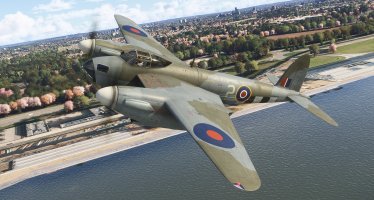
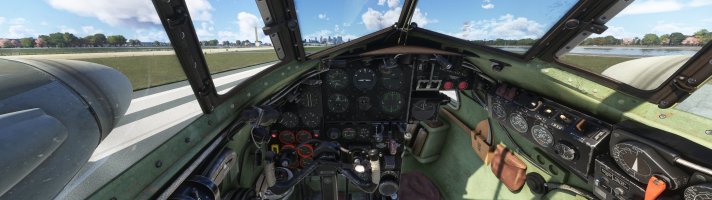
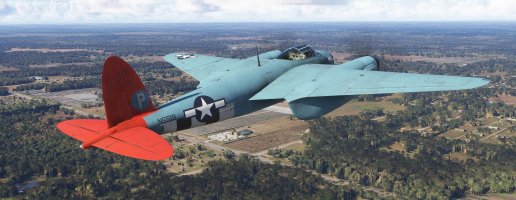
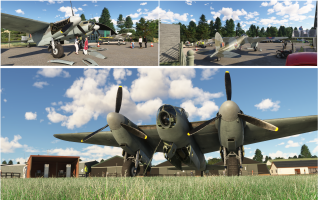
Aeroplane Heaven DH98 B Mk IV Mosquito - Released!

DennyA

SOH-CM-2023
Be sure to read the manual (and it's available for download on their website if you're trying to decide whether to buy). It has important flight info and stuff on how to configure some of the cooler bonus features, that you're unlikely to run across just poking around in the cockpit.

Also, there's some really funny stuff in there. :)
 
Be sure to read the manual (and it's available for download on their website if you're trying to decide whether to buy). It has important flight info and stuff on how to configure some of the cooler bonus features, that you're unlikely to run across just poking around in the cockpit.

Also, there's some really funny stuff in there. :)

Great stuff, thank you for the direct links also.
It resides on my HDD as we speak.
 
Hmm. Looks fabulous and I wouldn't mind getting it but the DIY painting system is not for me. First I like to check and, if necessary, adjust the colours and stencilling; secondly I'm not going to ruin a repaint with fonts that are wrong - why would you?? OK, the correct fonts don't work with this system, so I won't use it. If AH offer a conventional paint kit I'd be happy to purchase.

Meanwhile I'll stick to P3Dv4+....!

DaveQ
 
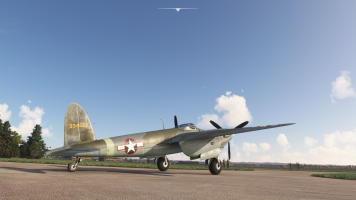
Bought and flown quick and dirty. She a beauty and externally looks similar to the earlier FSX release. I was surprised how easy the take-off run was, would have expected a lot more torque and swing. Probably the steerable tailwheel helps a lot. Really great value for what you buy, strongly recommended!

Few personal tweaks to do:
- free castoring, not-steerable tailwheel
- fainter prop blur
- main wheels a bit more depressed

And she will be perfect.

Well done AH
 
Bought and flown quick and dirty. She a beauty and externally looks similar to the earlier FSX release. I was surprised how easy the take-off run was, would have expected a lot more torque and swing. Probably the steerable tailwheel helps a lot. Really great value for what you buy, strongly recommended!

Few personal tweaks to do:
- free castoring, not-steerable tailwheel
- fainter prop blur
- main wheels a bit more depressed

And she will be perfect.

Well done AH
I agree, she’s a baby doll on takeoff - no ill manners to speak of. I really expected her to be more squirrelly than she is. Barley needed any right rudder to keep the nose from swinging left and going down the centerline.

I only had her up for twenty-five minutes or so and, the only thing I found frustrating was a slight tendency to not trim out well in the pitch range. I was constantly trimming the elevators up and down to barely keep her in level flight at a standard cruise power setting. I’m sure I’ll get cozy with her this weekend, though. Cheers!
 
She's out on Justflight.com, for those of you who want brilliant support, here it is!

Priller
 
  • Like
Reactions: NSS
Bought and flown quick and dirty. She a beauty and externally looks similar to the earlier FSX release. I was surprised how easy the take-off run was, would have expected a lot more torque and swing. Probably the steerable tailwheel helps a lot. Really great value for what you buy, strongly recommended!

Few personal tweaks to do:
- free castoring, not-steerable tailwheel
- fainter prop blur
- main wheels a bit more depressed

And she will be perfect.

Well done AH
The P factor was cut in half. As the value approaches 1, it gets squirrely pretty fast. If you want to play with it, try 0.7 and go up or down from there. In the flight model config, flight tuning section, p_factor_on_yaw = 0.5
 
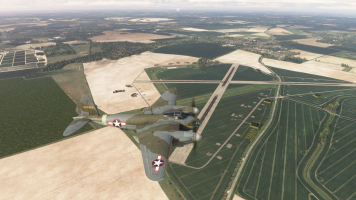
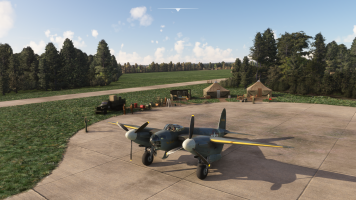
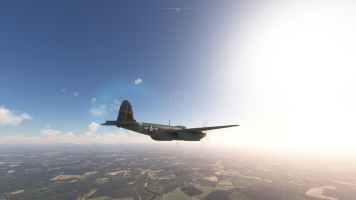
Just enough time for a twenty-five minute hope from RAF Thorpe Abbotts to RAF Bassingbourn - with a flyover of a few other period correct airfields in my scenery collection. I petty well have the UK setup to look like a mix of the 1940s and 1960s RAF airbases.

Screenshot (516).pngScreenshot (518).pngScreenshot (517).pngScreenshot (515).pngIn
she's very pretty I think


but my old computer in the Netherlands is having a hard time with her
So, it's not just me then, Jan! I like her well enough, but she's a framerate killer, for sure. Coming in on the final at RAF Friston was really choppy.
 
Just enough time for a twenty-five minute hope from RAF Thorpe Abbotts to RAF Bassingbourn - with a flyover of a few other period correct airfields in my scenery collection. I petty well have the UK setup to look like a mix of the 1940s and 1960s RAF airbases.

View attachment 185723View attachment 185720View attachment 185721View attachment 185722In

So, it's not just me then, Jan! I like her well enough, but she's a framerate killer, for sure. Coming in on the final at RAF Friston was really choppy.
Thorpe Abbots is literally 2 miles from my front door. Was totally unaware we had a rendition in FS2020. BTW the Mossie is spot on.
 
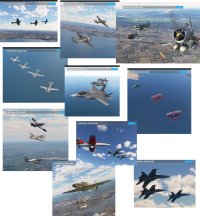
So I tried to get a wingman or 3 using Airshow Assistant, but ... nada
Response from AH was
Something for the developers of Airshow assistant to fix.
We have tried to reach out to them about their plugin breaking the B-25
mitchell but nothing back from them. Essentially though with the problem
that the plugin has with the B25 we are super grateful that it doesnt
even see the mosquito. I prefer to have a working plane over a crashing
to desktop plane over a plugin that we didnt develop nor develop for and
the community blaming us when it is the fault of the airshow assistant.
Sorry we cant help you with this issue of another plugin not working.
The Aeroplane Heaven team

Wondering if any of the great minds here have a possible solution?
Airshow Assistant works with every other plane in my hangar.
 
If Airshow Assistant works with every plane in your hanger, you are very lucky. The app is currently hardcoded to look for specific planes, so when you have a new plane, it can only see it if it happens to be the plane you’re flying, and even then it misses the add-on liveries usually.

Touching Cloud released a glider, and they have been focused on that, so there haven’t been any updates to Airshow Assistant in recent months. Many recent planes don’t show up in it.

It’s hardcoded to look for specific planes. TC said they would use a new scanner enabled by FS2024 to remove this restriction when they get around to working on the update, but folks who choose to stay on the old sim and don’t upgrade to 2024 are likely stuck with the hardcoded approach.

In fact, for many of us, Airshow Assistant is completely broken under FS 2024, crashing the system when you restart flights or change planes. (That’s the B-25 issue AH referred to.)

Touching Cloud said they would look at updates once they get their glider in a good place.

TL;DR: It ain’t the Mossie, it’s Airshow Assistant.
 
Last edited:
If Airshow Assistant works with every plane in your hanger, you are very lucky. The app is currently hardcoded to look for specific planes, so when you have a new plane, it can only see it if it happens to be the plane you’re flying, and even then it misses the add-on liveries usually.

Touching Cloud released a glider, and they have been focused on that, so there haven’t been any updates to Airshow Assistant in recent months. Many recent planes don’t show up in it.

It’s hardcoded to look for specific planes. TC said they would use a new scanner enabled by FS2024 to remove this restriction when they get around to working on the update, but folks who choose to stay on the old sim and don’t upgrade to 2024 are likely stuck with the hardcoded approach.

In fact, for many of us, Airshow Assistant is completely broken under FS 2024, crashing the system when you restart flights or change planes. (That’s the B-25 issue AH referred to.)

Touching Cloud said they would look at updates once they get their glider in a good place.

TL;DR: It ain’t the Mossie, it’s Airshow Assistant.
No problems with Airshow Assistant and the Mossie on my end, thankfully. Generally, what I have to do with a new aircraft is run the "search for installed aircraft feature" at the bottom of the "Formation" pop-up window. It takes about five minutes. MAKE SURE YOU HAVE THE CURRENT AIRCRAFT AND LIVERY SELECTED BEFOREHAND, AND "COVER ME" BEFORE THIS STEP. Whether the aircraft shows up or not, it doesn't matter. After the list populates, after five minutes or so, exit out of MSFS. 90-95% of the time, all of my liveries load when I restart and load a flight. I'm only missing two or three models, using the above-mentioned methods. Cheers!
 
Thanks for this, I generally do this too, but may have been too anxious with the lovely Mossie, to let it run its course.
Which on my computer does take a while.

There really isn't a plane in MSFS 2020 I would want to formate with, that hasn't worked.
Glad this hasn't devolved into two devs shrugging their shoulders at each other (and the community).


Picture1.jpg
 
I've done many amazing shots in Airshow Assistant using a wide variety of planes. Nevertheless, I've had all kinds of liveries not show up, and many planes only show up if you're flying that model. The dev himself has acknowledged the limitations of the current canned-list scanning (do a manual scan and watch dozens of planes you don't have installed flash by in the list) and that fixes are in the works down the road. At any rate, this is the Mosquito topic, so if we want to keep the chat going, we should move it to an Airshow Assistant topic...
 
Back
Top