
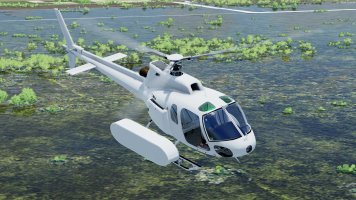
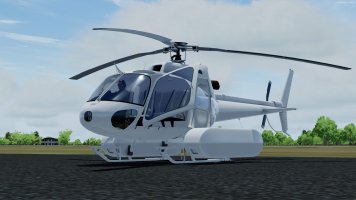
euroastar350
SOH-CM-2023
What version of P3D? XMLTools is required for the options to load/save and the configs for the included liveries are part of the installationOk, what have I done wrong ? None of the choppers have doors.

Please see the most recent updates in the "Where did the .com name go?" thread. Posts number 16 and 17.
Please see this thread for updates. Update Thread
SOH ADMINISTRATION
What version of P3D? XMLTools is required for the options to load/save and the configs for the included liveries are part of the installationOk, what have I done wrong ? None of the choppers have doors.


Not for me (P3DV5) Doors will not appear on 2nd load and not in preview either. Oh well.I just checked in P3D v4.5 and in the initial aircraft selection window none of the variants had doors but if you actually went into the sim they did have doors. All subsequent visits to the aircraft selection window did show doors so it looks like the 'no doors' thing is on the very first load only. After that things work as they should. It may be the various XML gauges needed to be activated with the first load into the sim and then the doors appear as they should.
Where?Did you select the doors to show in the pop out 'Ipad' screen?
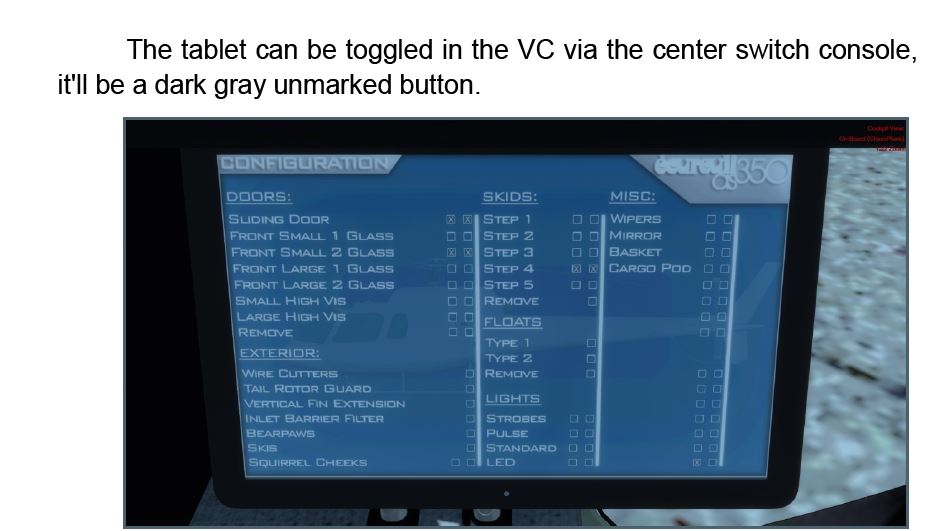
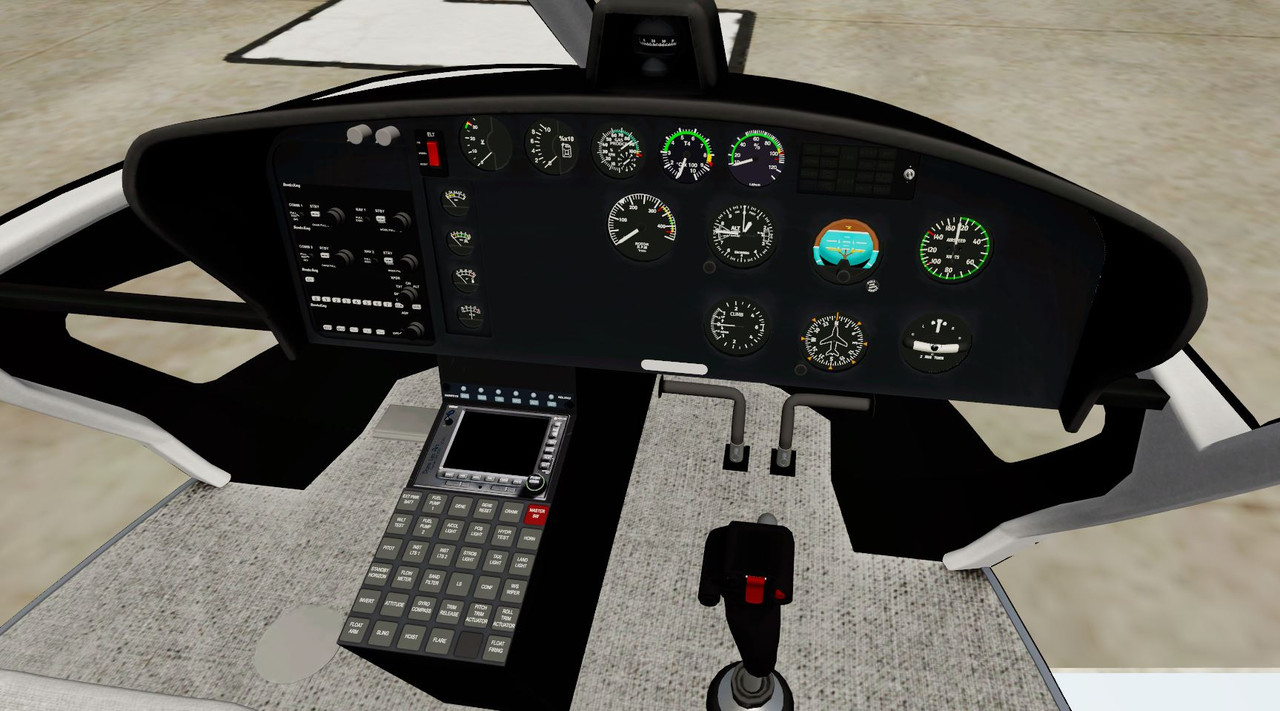
The 'dark gray unmarked button' is clearly visible in the shot above. It is in the bottom row of buttons and the 2nd one in from the right edge of the central console. Click on that button and the 'tablet' will pop out from under the pilot's panel and from there you can select which door/window configuration you want on that particular model/paint scheme every time it loads as the coding will remember the last configuration for that variant.Where?
Where is the dark gray unmarked button mentioned?
BTW. as of late, connectivity to this site has been really hit and miss.


Butch,Where?
Where is the dark gray unmarked button mentioned?
BTW. as of late, connectivity to this site has been really hit and miss.
Found it thanks.The 'dark gray unmarked button' is clearly visible in the shot above. It is in the bottom row of buttons and the 2nd one in from the right edge of the central console. Click on that button and the 'tablet' will pop out from under the pilot's panel and from there you can select which door/window configuration you want on that particular model/paint scheme every time it loads as the coding will remember the last configuration for that variant.
Re. your comment "BTW. as of late, connectivity to this site has been really hit and miss." This is 100% due to the greed and inconsiderate nature of some of our members (mostly new members) who want to download multiple files from the file library concurrently. My full response has nothing to do with this helicopter or the issues with the doors so I will PM you shortly with a more in depth answer as the question should have been asked in a forum support thread or a PM to an Admin rather than as an afterthought on a totally unrelated thread.
I will "bug" you and others no more on this issue. I was told by another admin it was a result of numerous and simultaneous downloads. I digress.Butch,
I can't really think of a good reason why the connectivity issues we're having come up here, they're totally unrelated. You've also been mentioning this quite regularly to several members of staff and even the truthful answer "we're working on it" apparently are not enough. Let me remind you that all the staff here are unpaid volunteers who have a life or a job or both. We're doing our best.
Now, back to the issues you're having with the model, you might want to carefully read the reactions of both members and staff and read the documentation. I can't help you, because I don't have legacy sims installed.
Thank you for carefully reading my reply.
Cheers,
Jan
 :
: