• There seems to be an uptick in Political comments in recent months. Those of us who are long time members of the site know that Political and Religious content has been banned for years. Nothing has changed. Please leave all political and religious comments out of the forums.

    If you recently joined the forums you were not presented with this restriction in the terms of service. This was due to a conversion error when we went from vBulletin to Xenforo. We have updated our terms of service to reflect these corrections.

    Please note any post refering to a politician will be considered political even if it is intended to be humor. Our experience is these topics have a way of dividing the forums and causing deep resentment among members. It is a poison to the community. We appreciate compliance with the rules.

    The Staff of SOH

  • Please see the most recent updates in the "Where did the .com name go?" thread. Posts number 16 and 17.

    Post 16 Update

    Post 17 Warning

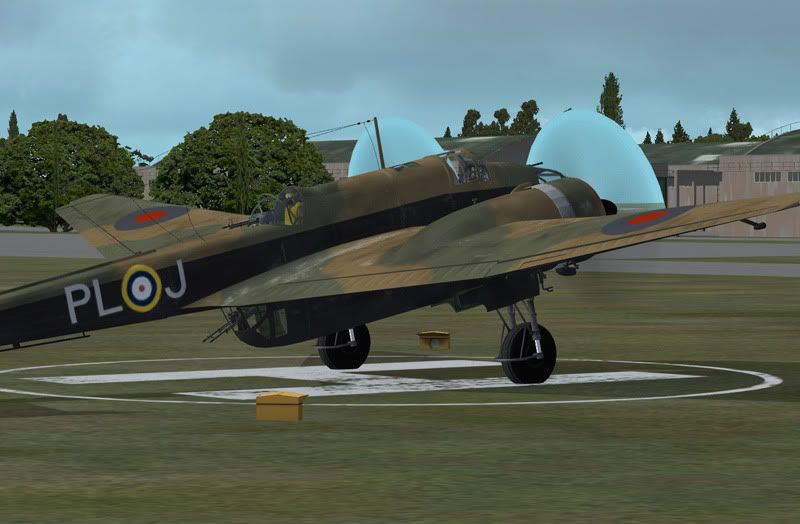
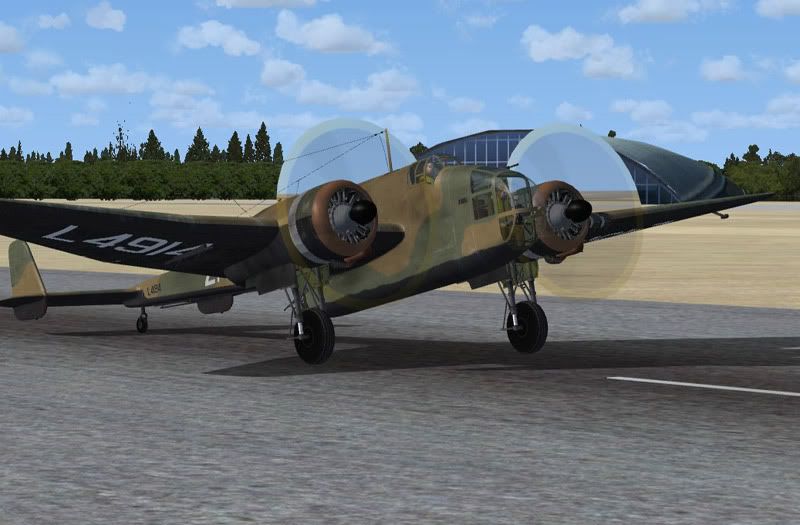
Alpahasims 'FSX compatible' Hampden prop discs

Paul K

SOH-CM-2025
Its a familiar problem, and I've tried substituting the prop disc textures with those from the FSX-ed Halifax. This measure worked well on Plane Design's FS9 Lancastrian, but has no effect on the Alphasim Hampden which allegedly is FSX compatible.

Is anyone familiar with a fix, or able to guide me in fixing it myself ?
HampdenProp.jpg


HampdenProp2.jpg


Any help would be gratefully received because I always thought this was one of Alphasim's most enjoyable creations and I'd love to have her in FSX.
 
Paul,
I have a old zip file that has 3 dds prop files in it which will correct the problem. They are not perfect but will be a vast improvement over what you now have.

PM me your email address and I'll send it right over.

I agree, it's a really cool plane!

Best,
mal
 
Paul,
I have a old zip file that has 3 dds prop files in it which will correct the problem. They are not perfect but will be a vast improvement over what you now have.

PM me your email address and I'll send it right over.

I agree, it's a really cool plane!

Best,
mal

Mal, have PM'd you my email address. :)
 
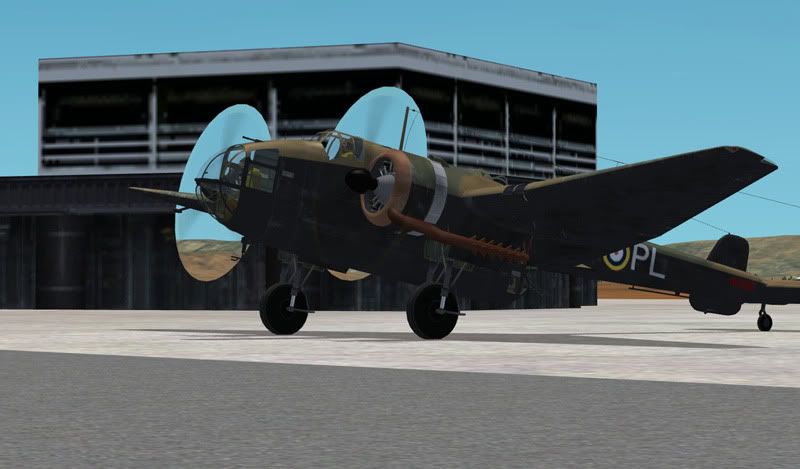
Mal, I dropped the three .dds textures in to the Texture folders , but its made no difference as you can see. Its the same problem, no matter which airport its at

HampdenProp3.jpg


Are these replacement textures intended for the FS9 version ( file name ALPHA Hampden FS9.zip ) so it can be ported over to FSX or are they for the supposedly FSX-compatible version ( file name ALPHA Hampden FSX v1_1.zip ) ?
 
Paul,
let me check again. The AS zip file I have for the plane is for FSX, so it could be the files in that zip are already fixed. But i'll check it and let you know.
 
OKay Mal. Just for your info, when the FSX Hampden is first installed, there is only one prop texture. Its called prop_3.bmp. I took that out and dropped the replacement three .DDS textures in. I also tried putting Prop_3.bmp back in, alongside the .dds ones, but again, no effect
 
wierd, the fsx zip file i have has 3 bmp prop files in it.

of course the 3 bmps don't work and the 3 dds files i sent you, replace those bmps.

i'm going to send you a different zip. you'll get a link in your email

are you on SKYPE?
 
You probably already realise this but sometimes you need to exit the sim completely + re launch. Also need to remove/disable the bmp files so there are just the DDS ones in the folder.
 
You probably already realise this but sometimes you need to exit the sim completely + re launch. Also need to remove/disable the bmp files so there are just the DDS ones in the folder.

Yep, done all that Expat. Still no worky though.
 
I believe this issue is not related to the texture.
The texture will only determine how much transparent the prop will be. Here, the prop is preventing the autogen objects to display, this is a modelling issue, not a texture issue.
 
I believe this issue is not related to the texture.
The texture will only determine how much transparent the prop will be. Here, the prop is preventing the autogen objects to display, this is a modelling issue, not a texture issue.

Daube, you could well be right. It appears that the version of the FSX Hampden I had was faulty. Strange, because it was downloaded from the old Alphasim site. Mal998 has since provided me with another one, which actually predates the one I have and which, upon replacing the prop textures with ones he also supplied, has resolved the problem.

Anyway, its nice to have her back. She epitomises what Alphasim was famous for; the less well known, the less 'sexy', the unusual, different and interesting.

View attachment 32437

Mal, thanks again for all your help with this, and it was a pleasure talking to you on Skype.

In answer to your query as to whether the VC was clickable in the original Hampden I was using...no, it isn't. The problem is common to both of them
 
You are very welcome Paul.

As for the non-clickable VC, I have no clue as to why the switches and tool tips do not work...another Flightsim Mystery! :isadizzy:
 
Back
Top