

-
Please see the most recent updates in the "Where did the .com name go?" thread. Posts number 16 and 17.
-
Special Server Maintenance
Just when you think you have everything running some what better...
You get a message from the Hosting company. Short story they need to move us to a new server. I have been working with them to plan a good date for all concerned. Here is what we have come up with as a schedule.
- November 4th 17:00 -5UTC shut off the forums and start backup proceedures. During this time there will be no access to the forums or the Resource Section.
- November 5th Continue with Backups and download same until complete.
- November 6th 7:00 turn over server to hosting company to move system to new server
- November 7th - 8th restore backups and upgrade forum software.
If all goes well we should be back online on November 8th.
To keep you updated we will post updates on AVSIM forums.
Thank you for your support.
You are using an out of date browser. It may not display this or other websites correctly.
You should upgrade or use an alternative browser.
You should upgrade or use an alternative browser.
Alphasim Voodoo goes native FSX
- Thread starter hschuit
- Start date
Looking good in P3dv3 too, with a couple of tweaks to the AB. Thanks Henk.
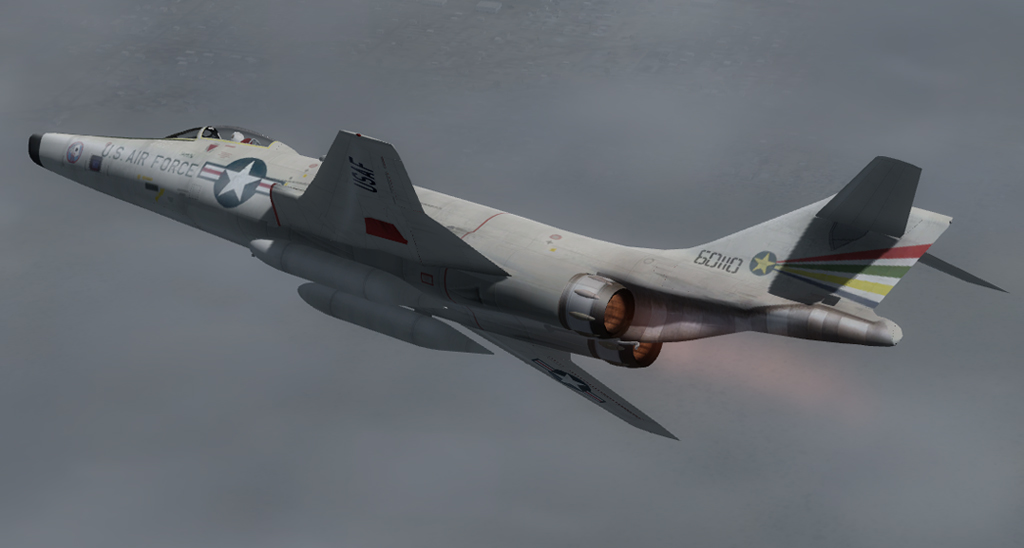
Paint by Pierre Lheureux.
Excellent Screen shot!!!
WOW! My earliest memories of fighter jets were the CF-101's opening the show at the Abbotsford Airshow...loud and fast. Sparked a life long love of aviation.
Thank you you for you work in getting this native for FSX. I believe I had bought this airplane many years ago before it was freeware.
Thank you you for you work in getting this native for FSX. I believe I had bought this airplane many years ago before it was freeware.

gray eagle
SOH-CM-2026
SOH member glh PM'ed me about an omission in the zip files: The RadioStack.CAB file is missing. I will add it to the zip files on the Library but if you just want to grab the gauge without the hassle of a re-download I attached it here:
This is a one time addition to the gauge folder and covers both pt 1 and 2 yes?
EDIT: I've added the RadioStack.CAB to both PT1 and 2 gauges folder.

Mach3DS
Charter Member
Fabulous! Any chance I'd be able to ask if there are placeholder specular textures in place? Is the alpha channel active? Im having an impossible time with making it active in the saber dog...im not very model savvy to begin with...this is one of those aircraft that truly was bare metal and would benefit from the texture enhancements! Looks great as a native.

Ian Warren
Charter Member
Looking superb 
hschuit
SOH-CM-2026
Fabulous! Any chance I'd be able to ask if there are placeholder specular textures in place? Is the alpha channel active? Im having an impossible time with making it active in the saber dog...im not very model savvy to begin with...this is one of those aircraft that truly was bare metal and would benefit from the texture enhancements! Looks great as a native.
The single seater bare metal paints have diffuse texture alphas + paint specific specular maps which also have alpha channels to enhance specularity. The MDL materials call the FSX stock FRESNEL_RAMP and GLOBALENV_AC_CHROME maps.
The 2 seater uses a set of generic specular maps in the common texture folder. You are an expert in this field so you should be able to find them.
Last edited:

DaveQ
Charter Member
I've noticed the metal paints come out quite dark; these files were set up for a port-over for DX9 and looked quite good (given they were done some years ago pre-Photoshop). A quick fix is to install a slightly lighter Fresnel ramp in the 'texture' file; alternatively, if you have it, I'm using John Terrell's out of his P-51D Little Friends pack. I'm in the process of lightening the base metal backgrounds and generally smartening things up a bit and will publish these when I can.
DaveQ
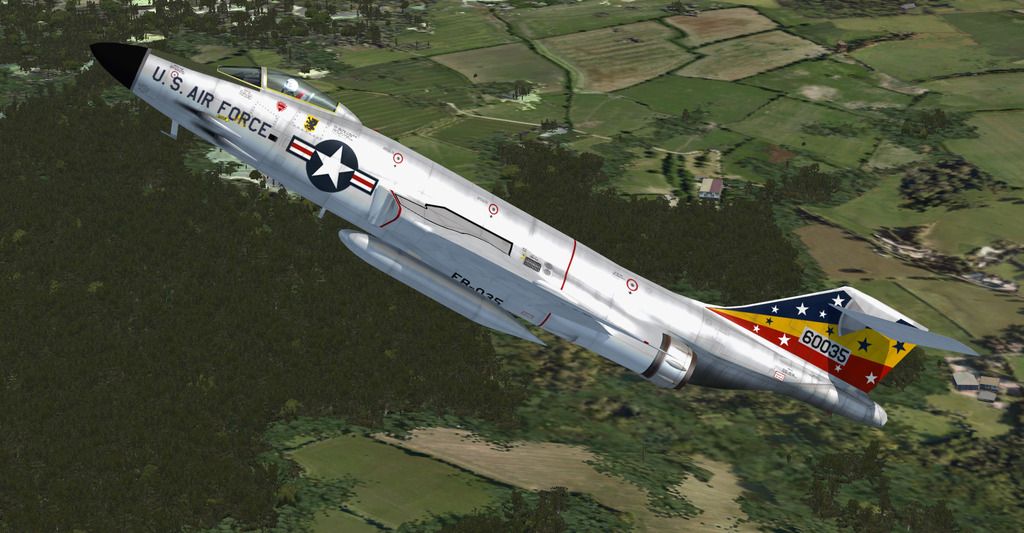
DaveQ

Mach3DS
Charter Member
The single seater bare metal paints have diffuse texture alphas + paint specific specular maps which also have alpha channels to enhance specularity. The MDL materials call the FSX stock FRESNEL_RAMP and GLOBALENV_AC_CHROME maps.
The 2 seater uses a set of generic specular maps in the common texture folder. You are an expert in this field so you should be able to find them.
Thank you for the reply...saw this thread before i went to.bed and hadn't been able to DL...I'll see about it after work today. Thanks for taking the time to convert these. I'm seriously impressed.. .new life into some great aircraft that would otherwise might not make it nowadays!

Wings of Gold
Charter Member
Keyboard command for the chute
Hi Henk,
Wonderful !!! Did you assign a keyboard command for the drag chute?
Bill
Hi Henk,
Wonderful !!! Did you assign a keyboard command for the drag chute?
Bill
hschuit
SOH-CM-2026
Hi Henk,
Wonderful !!! Did you assign a keyboard command for the drag chute?
Bill
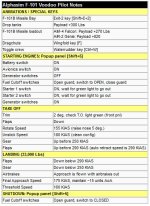
I assigned the Wingfold key [F] to the chute - all the basic need to know things are in the Kneepad checklist:
Attachments
Wings of Gold
Charter Member
Dark 81st TFW F101C textures
Hi Dave,
I am seeing exactly what you describe. I am also eagerly looking forward to whatever you do to make them look like your screen-shot!
ATB, Bill
Hi Dave,
I am seeing exactly what you describe. I am also eagerly looking forward to whatever you do to make them look like your screen-shot!
ATB, Bill

Jafo
SOH-CM-2024
Hi All,
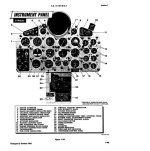
I'm a little confused by the panel designations. According to the RF-101C manual this is the correct panel but I don't see this rendition anywhere. This of course dates back to the original renditions which I believe were incorrect.
RE-101C Panel from the manual:

When I was doing my reworks of the Alpha panels into 1680 widescreen I'd dug up a photo of an RF101C ....
....a cleaner ver of which I used as a photo-real result as shown in the lower of the two above...

This is it...
Jafo, you did a great job on these panel, No question!
But I think there was some confusion when Alpha did the original panels. At least, according to the manuals.
I just picked up the F-101C manual and here is that panel. So that looks to be correct when comparing to the original Alpha bitmap. Just trying to sort out the different panels for my own information.
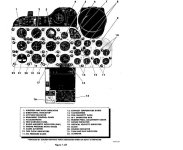
Here is the RF-101 G/H Panel
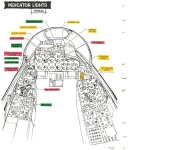
Jafo, I know I've seen that other panel in one of these manuals I just need to find it again.
But I think there was some confusion when Alpha did the original panels. At least, according to the manuals.
I just picked up the F-101C manual and here is that panel. So that looks to be correct when comparing to the original Alpha bitmap. Just trying to sort out the different panels for my own information.
Here is the RF-101 G/H Panel
Jafo, I know I've seen that other panel in one of these manuals I just need to find it again.