• There seems to be an uptick in Political comments in recent months. Those of us who are long time members of the site know that Political and Religious content has been banned for years. Nothing has changed. Please leave all political and religious comments out of the forums.

    If you recently joined the forums you were not presented with this restriction in the terms of service. This was due to a conversion error when we went from vBulletin to Xenforo. We have updated our terms of service to reflect these corrections.

    Please note any post refering to a politician will be considered political even if it is intended to be humor. Our experience is these topics have a way of dividing the forums and causing deep resentment among members. It is a poison to the community. We appreciate compliance with the rules.

    The Staff of SOH

  • Please see the most recent updates in the "Where did the .com name go?" thread. Posts number 16 and 17.

    Post 16 Update

    Post 17 Warning

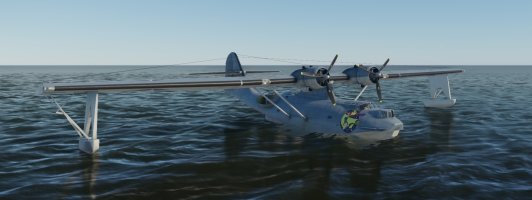
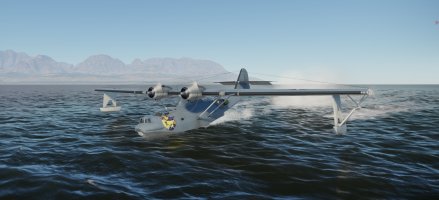
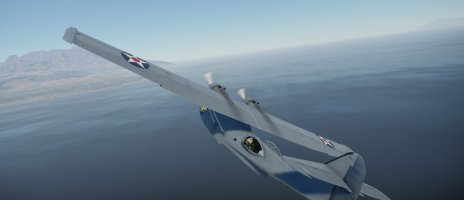
An old project brought up to date: Canso PBY-5 of SAGQ

With the appearance of 2024, the parameters that were used to identify the variations were reviewed and no explanation was given by Asobo despite repeated requests to clarify this. Therefore, some modifications made to facilitate the grouping of aircraft under FS2024 have modified the display behavior in the thumbnails of FS2020.
Nethertheless, I note and I will see for the next version to pay particular attention to this point.

The images included in each variation are still explicit: a PBY Calypso is easily differentiable from a BlackCat or a Liner version with an Air-France livery ;)
Maybe a KISS solution, add the type to the thumbnail picture?
 
It was the solution that I have choosen for the Aeronca but there is a problem: the simulator cuts part of the thumbnail and it is very difficult to place the comment in the image without it being cropped, which requires several tests before arriving at a result.

Example:

thumbnail.jpg
 
It is easy for anyone to access the thumbnail.jpg file with GIMP, PSP or Paint.net and add any word/verbage to the image they choose.
But as our esteemed developer, Mr. Lagaffe has pointed out, they are all visually different. :giggle:
 
This effect pleases me a lot, it suggests all the internal structures of the wings.
On the other hand, could the effect be a little less accentuate: the gradient between the dark part and the light part is a bit too strong at least in this screenshot and on ailerons. The stab is perfect with an effect more light in my opinion.

PS:
Marty, I am working on the UVs of the rear light. Here my result for the v0.9.6b. It's the more that I can do :cool:
I compile, make the ZIP and send to you and Jankees.

1767524223312.png
 
Last edited:
Nowhere. It was affected on fuse_albd.png but ... not unwrapped: I forget to do it :(
But there is a little place between the two rear fuselage, which is not occupied currently (on none of the 6 models) and which would not modify the current repaints: as you can see in the screen above.

PS: The place of the right blister can be also used but it's better to keep for another oversight or a new element that could be created later.

1767537372348.png
 
@Marty,

You note that the Military model have ailerons inversed ... Not exactly, all models have theirs ailerons inversed. In fact it was an old code used in the frenchvfr-canso-pby\SimObjects\Airplanes\frenchvfr_canso_common\French-VFR\PBY_Common_Int.xml that I have modified years ago to inverse a bad modelization.

Two modifications (Aileron_L and Aileron_R) should be operate in this file as:
<ANIM_CODE>
(L: PBY_ControlLock, Bool) 0 ==
if{ (A:AILERON POSITION, percent over 100) -50 * 50 + }
els{ 50 }
</ANIM_CODE>
to
<ANIM_CODE>
(L: PBY_ControlLock, Bool) 0 ==
if{ (A:AILERON POSITION, percent over 100) 50 * 50 + }
els{ 50 }
</ANIM_CODE>
solve this problem (the -50 * should be changed in 50 *).

Testing this solution, I notice also that the annoying problem (post #331) on the windshield in the VC don't appear in the Military model: a parameter has been change in the windshield materials of the military model that solve this ... I just need to find what has been modified :cool:

[EDIT] Find !
The Alpha value for the "Windshield_Interior" material has been decreased from 0.01 (PBY-6 and others) to 0.008 (Military model).
Perhaps a 0.009 value should be optimum to have a little effect.
 
Last edited:
That lloks very promising, those wing textures, but I agree with lagaffe, they seem a bit too much.
Meanwhile, I'm adding some wear and tear
witch (006) by JanKees Blom, on Flickr

witch (005) by JanKees Blom, on Flickr

does anybody know where the capstan next to the turret is located on the textures?
I was going to suggest adding some waterline weathering but it appears that this was not really a thing on the amphibian versions. The RAAF used quite a few non amphibious Catalinas & it is very visible on these in wartime photos however on our A versions I can't see any visible water marks or if there is, it's very subtle. At best on our Black Cats there was a reasonable amount of paint chipping/loss along the hull edges. The fabric on Cats seems to be very subtle, really just a fade or even possibly a sheen difference is all that seems to show. It must have been very tight & well applied, could also be a lighting thing as well... Can't wait to get some nice weathered repaints!
 
@mgr,

Yesterday, I have find a parameter which permit to obtain more informations for each aircraft: it's ui_type

ui_type="PBY-5A Catalina BlackCat"

and this comment appears under FS20 but also under FS24 :cool:

Some people told me they don’t have water effects when the PBY evolves on water.
I retested on both simulators and I am sorry for these people but in my humble opinion, they must have conflicts with other addons.
Regarding this aircraft, it has more than 8 distributed effects and each one has a specific GUID (www.guidgenerator.com) that allow obtaining these screens:
1767693128671.png

Regarding some addons, I have doubts about the uniqueness of their GUID and others do not question themselves by reusing effects developed by others than themselves.
To conclude on this post, it seemed to me to see screens of people other than myself (Flusimmer for example) that showed these operational effects.

The only advice I can give: try with an empty Community ...
For the reflection issues on the windshield from inside the cockpit, I applied the tracks that I had found yesterday and I arrived at the following observation with the Canso PBY-6A on the same location (near Malaga - Spain) :
- under FS20, I no longer have a problem

1767693463961.png
- under FS24 they still appear ....

1767693440419.png

Two possible explanations:
- a different simulator setup (maybe ...)
- reflections's treatment that changed between the two simulators.

Knowing that there are two days with the old parameters (Alpha on the base color), I had these reflections on both simus and that I am not intervened in my settings ... but I will proceed to an additional verification you never know.

I remark another thing, about the immatriculation displayed on the VC between FS20 and FS24:
- FS20 display the atc_id read in the aircraft.cfg in the Calypso section (atc_id: N101CS)
- FS24 display a number N49457 which is not declared in the aircraft.cfg

A few week ago, Tim suggested me to add in the header the following informations,
[GENERAL]
atc_type = "$$:Consolidated"
atc_model = "$$:pBY Catalina"
Perphaps the $$:Consolidated explains this ... If someone has explanations, I am curious to know :whistle:
 
Last edited:
The N49457 number will be entered into the Fs24 aircraft Configuration settings and this number will override whatever is in the aircraft.cfg.
 
After verification, you are perfectively right but with an important precision: it's a number choosen by Microsoft automaticly ant not by the user and it seems always the same that I hadn’t noticed until now. Thanks Tim.

1767707698760.png
 
If you want to remove and disable the automatic Tail number, Call sign and Flight number from the Configuration/Identification screen, delete each entry and then type a space in each field before you click 'Save and Back'.
 
Back
Top