• There seems to be an uptick in Political comments in recent months. Those of us who are long time members of the site know that Political and Religious content has been banned for years. Nothing has changed. Please leave all political and religious comments out of the forums.

    If you recently joined the forums you were not presented with this restriction in the terms of service. This was due to a conversion error when we went from vBulletin to Xenforo. We have updated our terms of service to reflect these corrections.

    Please note any post refering to a politician will be considered political even if it is intended to be humor. Our experience is these topics have a way of dividing the forums and causing deep resentment among members. It is a poison to the community. We appreciate compliance with the rules.

    The Staff of SOH

  • Please see the most recent updates in the "Where did the .com name go?" thread. Posts number 16 and 17.

    Post 16 Update

    Post 17 Warning

Any talented Repainters have a suggestion?

falcon409

SOH-CM-2025
I am giving this one last shot to figure a technique to use to accomplish the look I need. I am repainting Ito's Vickers Type 287 Wellesely Mk.I (See the image below). I have the fuselage complete, replicating the "stringers" look was simple work, done it many times before, however, the crosshatch in the upper and lower wings has become a nightmare. I've tried just about every technique I can invent to get the appearance the way I want it and nothing comes close to looking correct. This isn't something I plan to release, I just wanted to replicate the original as well as possible but since I'm the only one who will see it, I'm not above forgoing the details in the fuselage and wings and just doing a solid texture and be done with it. If anyone has a suggestion, I'm all ears.
 
Larger images would be very beneficial for you to achieve the look, but it could be done fairly easily. Very time consuming getting there due to the pattern. I'd suggest using your images as a back-drop, then building your lined layers atop. Keys are; lines, outer-glow, inner-glow, bevel & emboss. Possibly; drop shadows (not likely) Acquire the look, rasterize, move to next line. And so-on.
 
Larger images would be very beneficial for you to achieve the look, but it could be done fairly easily. Very time consuming getting there due to the pattern. I'd suggest using your images as a back-drop, then building your lined layers atop. Keys are; lines, outer-glow, inner-glow, bevel & emboss. Possibly; drop shadows (not likely) Acquire the look, rasterize, move to next line. And so-on.
Way ahead of ya, lol the textures are 4096x4096, using the current livery as the template, what I did was draw the entire crosshatch pattern using a 3pt line (the entire wing section on one layer), then selected that pattern so that the marquis ran throughout the pattern, then inverted the selection so that now the interior diamond sections were selected and used (I use PSP8) "Inside bevel". . . .final result was it looked terrible.:salute:
 
Same basic principal. Although you're going to need to create (build) it from scratch. Your image (base layer), draw the wing, ailerons, etc (outline) as next layer. Then draw the slanted lines on the next layer. I would at that point create a new folder for the cross hatch pattern. One the bottom (in that folder) place a black layer that you can turn on and off to check contrast/blend as you go. Build one diamond (inner-glow/outer-glow experiment for the correct look) Bevel & emboss (choke) rasterize. Next line, and so on. They must get rastorized to retain effect. You knew that!

If I make any sense..LOL!
 
This is how I would do it. Draw the lines 3 pixels wide perhaps with a texture selected when the raster work is done, copy the layer. Blur one copy with gaussian blur 2 pixels wide and one copy with 4 pixels wide. Play with transparency and the layer blend mode to get the best result.
When this doesn't work, perhaps introduce a thin black line and blur it a but to create some depth.

Just my two cents,
Huub

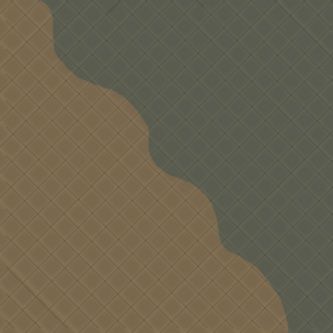
A very quick job, but this is roughly how it looks

Image1.jpg
 
Same basic principal. Although you're going to need to create (build) it from scratch. Your image (base layer), draw the wing, ailerons, etc (outline) as next layer. Then draw the slanted lines on the next layer. I would at that point create a new folder for the cross hatch pattern. One the bottom (in that folder) place a black layer that you can turn on and off to check contrast/blend as you go. Build one diamond (inner-glow/outer-glow experiment for the correct look) Bevel & emboss (choke) rasterize. Next line, and so on. They must get rastorized to retain effect. You knew that!

If I make any sense..LOL!
Yea, shoulda been more specific with what I had done. Original livery is the bottom layer, next layer is the new wing color, next layer is the main panel lines, next layer is the cross hatch pattern. When I select the crosshatch layer, I then turn off the actual cross hatch leaving just the selection marquis, then I make the main wing color layer the primary layer and then allow the selection to do it's work (ie; bevel). I think our techniques are close enough that I have decided to just forgo the continued experimentation with trying to get this to work and just finish the livery as a normal repaint void of any fancy special effects. Thanks for the assist OleBoy!!:salute:
 
What you could do use your scanned texture place it on aircraft and edit-repaint the texture till your happy with it .
<input id="gwProxy" type="hidden"><input jscode="leoInternalChangeDone()" onclick="if(typeof(jsCall)=='function'){jsCall();}else{setTimeout('jsCall()',500);}" id="jsProxy" type="hidden">
 
What you could do use your scanned texture place it on aircraft and edit-repaint the texture till your happy with it .
<input id="gwProxy" type="hidden"><input jscode="leoInternalChangeDone()" onclick="if(typeof(jsCall)=='function'){jsCall();}else{setTimeout('jsCall()',500);}" id="jsProxy" type="hidden">
Actually Ito took the images I posted and did just that. Those are the textures he used for the airplane. It really isn't worth putting that much detail work into. :salute:
 
A short method for doing doped fabric wings

As to the accuracy of the panel... I have no idea... I just touched up Ito's original...
if there is a photo... I can paintView attachment 76391 a very close replica


Basically... the process followed is the one below:
It is self explanatory... the number of steps ... whatever one needs... all transparent layers whose
transparency can be manipulated to suit the project...


View attachment 76407View attachment 76408View attachment 76410View attachment 76409View attachment 76411View attachment 76412


es...
 
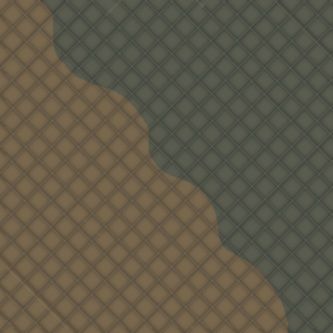
The same "geodesic structure" by Barnes Wallis as drawn as described above, but now with black and white reversed. In a repaint I would most likely make it a bit more transparent, but here I left it a bit stronger to show the effect.

Cheers
Huub

Image2.jpg
 
Back
Top