• There seems to be an uptick in Political comments in recent months. Those of us who are long time members of the site know that Political and Religious content has been banned for years. Nothing has changed. Please leave all political and religious comments out of the forums.

    If you recently joined the forums you were not presented with this restriction in the terms of service. This was due to a conversion error when we went from vBulletin to Xenforo. We have updated our terms of service to reflect these corrections.

    Please note any post refering to a politician will be considered political even if it is intended to be humor. Our experience is these topics have a way of dividing the forums and causing deep resentment among members. It is a poison to the community. We appreciate compliance with the rules.

    The Staff of SOH

  • Please see the most recent updates in the "Where did the .com name go?" thread. Posts number 16 and 17.

    Post 16 Update

    Post 17 Warning

Before you adjust that eyepoint ...

Sorry, bit behind the cue ball on this one?
Wideviewaspect=true has been around for quite some time so I don't understand the excitment?
Anyone explain

Spike

I have been flying FS for years and I still learn something new almost everyday. So for people like me who were not aware of Wideviewaspect this is exciting.

Kudos to MarkH for that excelent vidio tutorial.
 
@ MarkH, once again you have set the bar on video tutorials.

I tried the change, and it is quite usefull to have a wider viewing angle.
 
+1 for me too on that tutorial vid. Well done and explains it so I think anyone can figure out how it works.

scott s.
.
 
Updated!

I thought I'd tag this on here rather than make a new thread. Part 2 addresses the relationship between zoom factor and viewing distance, which was fudged a bit in Part 1.

 
I thought I'd tag this on here rather than make a new thread. Part 2 addresses the relationship between zoom factor and viewing distance, which was fudged a bit in Part 1.


Excellant video Mark. Trigonometry too! But why is the instrument monitor upside down. :mixedsmi:
 
I just tried setting this to TRUE for the first time since getting my new monitor. Can't wait till my flight is done so I can return it to FALSE. The distortion is just awful. Not sure why so many people like this view. :mix-smi:
 
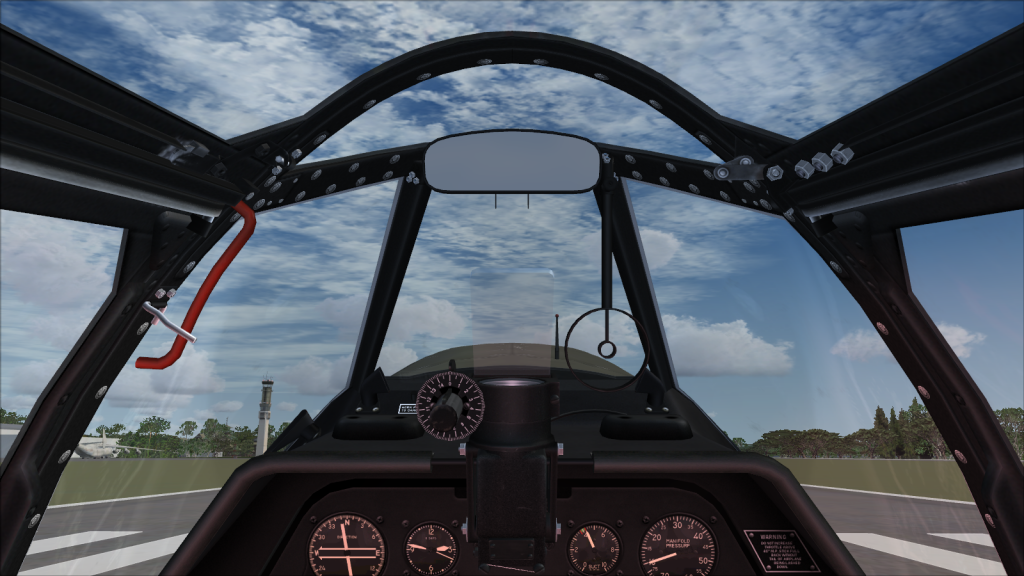
Your zoomed too far out Kiwi.. its not the wide view.. these are wide view. 1600x900 16x9 aspect.. no distortion ( taken from inside WBS P-51 )

2012-12-8_14-54-8-52.png


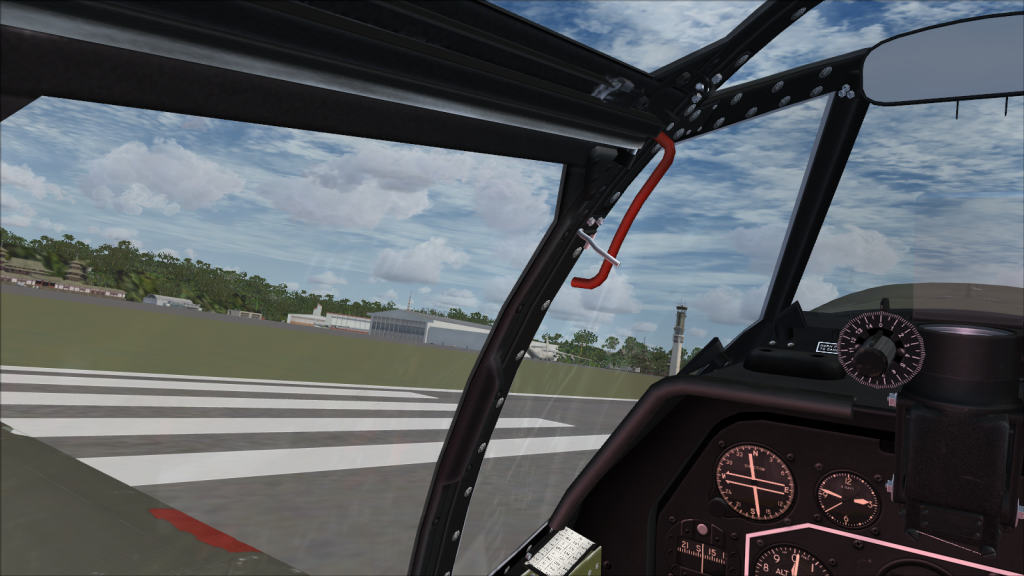
2012-12-8_14-54-26-888.png
 
Your zoomed too far out Kiwi.. its not the wide view.. these are wide view. 1600x900 16x9 aspect.. no distortion ( taken from inside WBS P-51 )

I just left it at the default zoom. Seems I have to zoom in to get rid of the distortion. At that point it looks just like the FALSE setting. Hmm.
 
Ummmm.. The second image doesn't show the gun sight??? If your reffering to the dial above the left panel, then yes, there is parallax.. But its miniscule..
 
I just left it at the default zoom. Seems I have to zoom in to get rid of the distortion. At that point it looks just like the FALSE setting. Hmm.

Congratulations, you now understand what WVA does to the view (nothing)!
 
That second image clearly shows distortion. Look how the gun-sight got wider.

But you aren't looking at the gunsight when flying here, you're looking at the edge of the runway. The distortion only shows up in the still screenshot. Your minds eye never sees the distortion. This "tweak" is for use when flying! Myself, it makes a huge difference. Much more realistic.
 
It errr..... doesn't take much to confuse me, and i admit to being more than just a little confused right now:isadizzy:

So, I'm just using a tatty old 19" 4:3 monitor. Should I STILL be setting my cfg to to True?

ta!
 
It errr..... doesn't take much to confuse me, and i admit to being more than just a little confused right now:isadizzy:

So, I'm just using a tatty old 19" 4:3 monitor. Should I STILL be setting my cfg to to True?

ta!

Dougal..
No.. you should set it to False. The only benefit that entry has is for people using wide screen 16:9 monitors.. even HDTV scaled monitors ( 720p, 1080p ) dont gain much from that setting as its yet another format size that isnt wide screen..
 
Dougal..
No.. you should set it to False. The only benefit that entry has is for people using wide screen 16:9 monitors.. even HDTV scaled monitors ( 720p, 1080p ) dont gain much from that setting as its yet another format size that isnt wide screen..
The latter depends on what connection you can make to your HDTV (both formats). If you can use HDMI, you can configure the HDTV's image just the same as any 16:9 wide-screen monitor.

Depending on your HDTV, you may also be able to use 16:9 even with a VGA connection, if your HDTV and video driver supports it.
 
So, I'm just using a tatty old 19" 4:3 monitor. Should I STILL be setting my cfg to to True?

NO - if you are happy with your view don't change a thing.

If you do change WVA to True you will need to find (or calculate) a new zoom factor to get the picture you like and it will be exactly the same as it was before. Pretty pointless, I'm sure you will agree.

You only need to use the WVA flag if you want to zoom out further than 0.3x to get the view you want. This is true if whether your monitor is 4:3, 16:9 or anything else. You are unlikely to be in this position unless you use a super-wide screen (4:1 or 5:1 are common these days) or you like the look of very wide-angle photos. Some people like super wide-angle for screenshots because it can be very photogenic.
 
Back
Top